Preview



Description
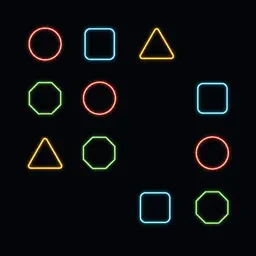
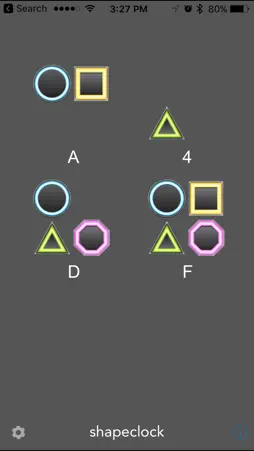
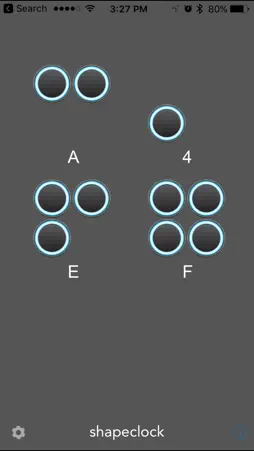
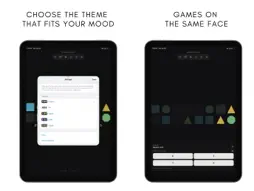
ShapeClock turns your iPhone into a calm geometry clock for desk and nightstand. Each day is carved into equal ticks and painted as groups of shapes. Lit shapes are bits that are on; empty wells are off. Sum the bit weights in a group to read that digit — then the whole face becomes the time. In classic Hex mode, the day has 2¹⁶ = 65,536 ticks (~1.32 seconds each). Prefer another base? Switch to Octal or Decimal. Show digits while you learn, hide them when you want the face alone, or use Reveal mode and hold to peek at digits and wall time. This is an ambient designer clock you can live with — teachable when you want it, quiet when you don’t. Not a flip-clock clone. Not a content feed. FEATURES • Hex, Octal, and Decimal day modes on one geometry face • Beautiful geometric shapes for each bit — shuffle the mapping anytime (double-tap or Settings) • Optional colored shapes and soft 3D shading (sphere/bevel; off by default) • Five themes: Classic, Ink, Signal, Dusk, Studio • Teach — tap any cell for bit weight, digit, full face, and wall time • Face-native games: Bit Flash, Decode, Daily puzzle, and optional Morning decode (Streak Wake) • Nightstand Sleep with fade, wake brightness ramp, haptic + notification, optional night note • Keep screen awake for desk use • Home Screen widget (small & medium) that follows your mode, theme, and colors LEARNING PATH Leave digits on → tap cells with Teach → try Bit Flash to lock bit weights → Decode or Daily for a full-face read. Help covers binary, octal, hex, games, night, and gestures. ONE PURCHASE ShapeClock 3.0 is a paid app. Everything above is included. No subscription in year one. No ads. No account required. Privacy: no tracking. Your clock stays on your device.
What's New
Version 3.0 2026-08-05
Welcome to ShapeClock 3.0 — a modern rebuild of the geometry day clock. NEW FACE • Polished Hex, Octal, and Decimal day modes with exact tick math • Shuffle sh... Technical Analysis
Package Overview Basic metadata
Bundle ID
com.shapeclock.ShapeClock Current Version 3.0
Minimum iOS 17.0
Package Size App Store Size
Package Metadata 0 / 0 version records
Detailed binary, privacy manifest, framework, and Info.plist results have not been indexed for this package yet. The verified App Store and archive metadata above remains available.
Developer Information
Known Version Records
0 version records with stored package metadata
Stored metadata does not guarantee a package is currently available to download.
| Details | Version / IDs | Version date | Action |
|---|