Preview



Description
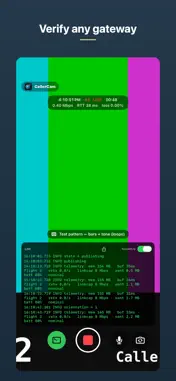
CallerCam is the dead-simple SRT contribution camera. If you can scan a QR code and press one button, you can go live. Built for camera operators, streamers, and broadcast crews who need to send a clean, low-latency feed to a gateway without wrestling with settings in the field. HOW IT WORKS The producer generates a QR code with the connection details using the free CallerCam QR generator (linked in Settings and on the support page; it runs entirely in the browser). You scan it, a plain-language card confirms exactly where you're about to stream, and you press the one red button. That's it — you're live. No typing IP addresses, no jargon, no manual. STREAMING - Hardware-accelerated H.264 video and AAC audio over MPEG-TS/SRT - Presets: 720p30, 1080p30, 1080p60, with the frame rate declared in the stream itself so gateways never have to guess - Live camera preview the moment you open the app, so you can frame the shot before going live - AES-128/256 encryption, configurable stream ID and latency - Adaptive bitrate that cuts on sustained packet loss and recovers automatically — it survives bad networks instead of dropping - Auto-reconnect with exponential backoff: it keeps the whole session and reconnects the moment the network returns - Live device-rotation follow, front/back camera flip, and mic mute mid-stream PROVISIONING — THE WHOLE POINT - Scan a QR code and confirm on a clear card, then Save & Use or Use Once (session-only — nothing is left behind on a borrowed phone) - Saved gateways: keep a named list of the gateways you use and switch between them with one tap - Share a saved gateway with another phone as a QR code, made on your phone and hidden until you tap to show it - Manual configuration is one tap away: validated fields, Keychain-backed passphrases, one-button full wipe - No endpoint is baked in — CallerCam is gateway-agnostic and works with standard SRT receivers ALTERNATE SOURCES — A POCKET BROADCAST TRUCK - Stream a video file from your library instead of the live camera - Built-in test pattern (SMPTE bars, 1 kHz tone, burnt-in timecode, and a once-per-second sync blip) for verifying a gateway and A/V sync before you go live BUILT-IN DIAGNOSTICS - Live status: wall clock, LIVE indicator, the gateway you're feeding, uptime, bitrate, round-trip time, and loss - Your public IP on screen while you set up - On-screen debug log with optional deep telemetry for troubleshooting in the field CallerCam speaks standard SRT and fits into workflows built around common SRT gateways and tools. Bring your own gateway; CallerCam handles the camera. PRIVACY CallerCam collects nothing. There are no accounts, no analytics, and no tracking. Your connection details stay on your device and passphrases are stored in the iOS Keychain. Video and audio go only to the gateway you configure.
What's New
Version 1.0.2 2026-10-14
Fixed: streams started while holding the phone in landscape were sent as portrait. If you rotated after going live it corrected itself, which made this easy to ...Fixed: streams started while holding the phone in landscape were sent as portrait. If you rotated after going live it corrected itself, which made this easy to miss — it is now right from the moment you press record. Fixed: the frame rate is now declared in the video stream itself. Gateways and transcoders that read the stream rather than the container were left to guess, and some guessed wrong. Fixed: the camera now always captures at the quality you pick. After switching presets, a 1080p stream could be captured at 720p and upscaled (soft picture), or the reverse. Each preset now gets exactly its resolution and frame rate. Fixed: passphrases and stream IDs containing &, =, + or # were rejected by the gateway. They now connect exactly as typed or scanned. The camera preview is now live as soon as you open the app, so you can frame a shot before going live instead of pointing a black screen at your subject. The preview follows rotation too. Saved gateways: keep a list of the gateways you use, name them, and switch between them with one tap. Each passphrase is stored separately in the iOS Keychain, and you can delete gateways individually or clear the list. A New gateway button blanks the form so you can type one in, each field has its own clear button, and every erase option now says exactly what it removes. Share a gateway in person: tap the QR icon next to a saved gateway (or share the settings you have filled in) and another phone running CallerCam scans it to set up the same gateway. The code is made on your phone and stays hidden until you tap to show it. While you are live, the header now shows which gateway you are feeding. The test pattern gained a once-per-second sync blip — a tone and a matching on-screen flash — so you can confirm audio and video are in step, not just present. Also: your public IP is shown on screen while you set up, the camera source menu now includes Live Camera, and Settings links to the QR generator, support and the privacy policy. Technical Analysis
Package Overview Basic metadata
Bundle ID
com.gbroughton1.CallerCam Current Version 1.0.2
Minimum iOS 16.0
Package Size App Store Size
Package Metadata 0 / 0 version records
Detailed binary, privacy manifest, framework, and Info.plist results have not been indexed for this package yet. The verified App Store and archive metadata above remains available.
Known Version Records
0 version records with stored package metadata
Stored metadata does not guarantee a package is currently available to download.
| Details | Version / IDs | Version date | Action |
|---|