Preview




Description
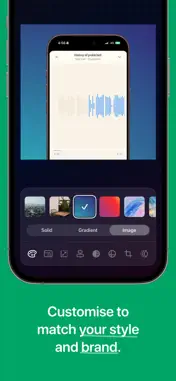
ScreenFrame turns iPhone screenshots and screen recordings into clean, professional mockups. Frame a screenshot or screen recording, angle the device in 3D, animate it into view, and export a high-quality image or video in seconds. FRAME ANY SCREENSHOT Import any iPhone screenshot and place it inside a realistic iPhone device frame. Adjust the screen with drag, pinch, Fit or Fill. Then set the background and a soft device shadow, pick your canvas size and export a polished mockup. No templates, no design skills needed. ANGLED MOCKUPS Turn your device in 3D for a more dynamic shot. Pick a ready-made angle like Hero, Turn, Lean or Isometric, or set your own Turn, Tilt and Spin. The device keeps its real thickness and its shadow follows the angle. Angles work for screenshots, animations and screen recordings alike. BRING SCREEN RECORDINGS TO LIFE Turn iPhone screen recordings into clean mockup videos with device frames. They're great for app demos, walkthroughs, product previews and launch posts. Videos export smoothly at 60fps. ENTRY AND EXIT ANIMATIONS Animate your device into view, out of it, or both: Fade, Rise, Slide, Scale or Pop. Even a single screenshot can export as a short video clip, ready for a social feed. REALISTIC DEVICE FRAMES Choose from a range of modern iPhone frames, including iPhone 18 Pro in Burgundy, Glacier and Black, and the foldable iPhone Duo with all three of its displays. Your current device is always one tap away in the editor header. MADE FOR SHARING Pick the canvas shape for where your mockup is going: 9:16 for Stories and Reels, 1:1, 3:4 and 4:3 for feeds, and 16:9 for websites and presentations. Every shape exports at the same high quality. ScreenFrame works with Photos and the iOS share sheet, so you can frame a screenshot or recording from anywhere on your iPhone. PRIVATE BY DESIGN Everything happens on your device. There are no accounts, no cloud processing and no tracking. Your screenshots and recordings never leave your phone. Simple on purpose: open a screenshot or screen recording, frame it, angle it, animate it if you like, export and share. Terms of Use: https://www.apple.com/legal/internet-services/itunes/dev/stdeula/ Privacy Policy: https://screenframe.fun/privacy
What's New
Version 1.3.0 2026-10-18
New • Angled mockups: Turn your device in 3D for a more dynamic shot. Pick a ready-made angle (Hero, Turn, Lean or Isometric) or set your own Turn, Tilt and Spi... Technical Analysis
Package Overview Basic metadata
Bundle ID
com.grmy.shotsnapp-mobile Current Version 1.3.0
Minimum iOS 26.0
Package Size App Store Size
Package Metadata 1 / 2 version records
Detailed binary, privacy manifest, framework, and Info.plist results have not been indexed for this package yet. The verified App Store and archive metadata above remains available.
Developer Information
Known Version Records
1 version record with stored package metadata • 2 known version records
Stored metadata does not guarantee a package is currently available to download.
| Details | Version / IDs | Version date | Action |
|---|---|---|---|
| 17.15 MB | v1.1.0 App Store ID: 882901134Build: 1.1.0 | 2026-03-01 18:28:09 | Get Version |
| Not archived | App Store ID: 882470415 | Unknown | Request Version |