
Preview




Description
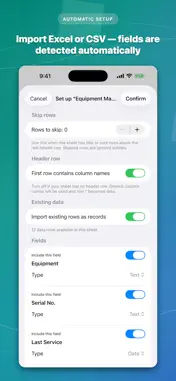
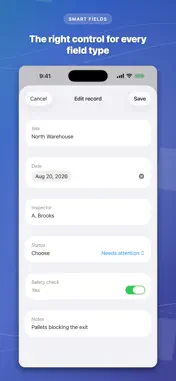
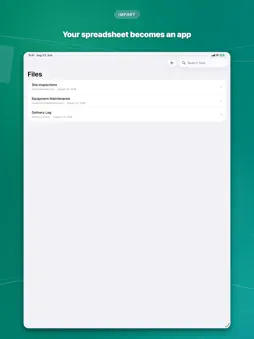
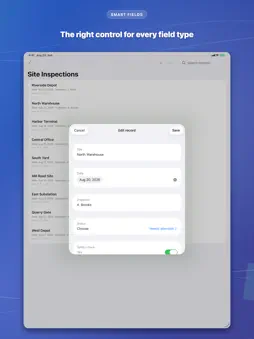
TechFit Spreadsheet as App turns the Excel or CSV file you already have into a clean, native app for entering and managing records — fully offline, no account, no cloud. Plenty of companies run their day-to-day records — clients, orders, inventory, maintenance logs, inspections — in Excel, simply because nobody ever built an app for them. But a spreadsheet is a clumsy database: adding or fixing a record means opening Excel, finding the right row, and hoping nothing else gets nudged. And on a phone in the field it's barely usable at all, so notes end up on paper and get retyped in the evening. TechFit Spreadsheet as App closes both gaps in minutes. HOW IT WORKS 1. Import your .xlsx or .csv file. 2. The app reads your columns and builds a form automatically — each column becomes a field, and field types (text, number, date, yes/no, choice, email, phone) are detected for you. 3. Review the fields, adjust anything, leave out columns you don't need, add your own custom fields, and decide whether to bring your existing rows along as records. 4. Add, edit, search, and delete records — at your desk or out in the field, completely offline. 5. Export your records as a new Excel workbook (.xlsx) or CSV file — your original file is never modified — and share it by email, AirDrop, or the Files app. EASIER THAN A SPREADSHEET, READY FOR THE FIELD • Works with zero connectivity — everything is stored on your device • Large, glove-friendly controls: date pickers, toggles, choice menus, and the right keyboard for every field • Type-aware validation keeps numbers, dates, and emails clean — without ever blocking a save • Handles multi-sheet workbooks: every sheet becomes its own form • Skips empty columns, flags messy headers, imports headerless sheets • Add custom fields the sheet doesn't have — notes, checkboxes, and more • Excel export writes proper cells: numbers as numbers, dates as dates, checkboxes as TRUE/FALSE • Search across records, rename files and sheets, delete with a swipe • Built to stay smooth with very large sheets DESIGNED FOR EVERYONE • Available in English, German, Spanish, and French • Light and dark mode — follows your system setting • Built with accessibility in mind: VoiceOver support and large touch targets throughout YOUR DATA STAYS YOURS No account. No sign-up. No vendor cloud. Your files and records never leave your device unless you export and share them yourself. The app works in airplane mode from day one. WHO IT'S FOR Anyone who uses a spreadsheet as their database — client lists, orders, inventory, maintenance logs — and wants a faster way to add and update records without opening Excel. And small field and inspection teams — trades, construction, facilities, agriculture, deliveries, utilities — collecting data away from a desk. SUBSCRIPTION Full access requires an auto-renewing subscription (weekly, monthly, or annual — annual is the best value). Payment is charged to your Apple ID; subscriptions renew automatically unless cancelled at least 24 hours before the end of the period, and can be managed in your App Store account settings. Import your spreadsheet. Add and edit records anywhere — at your desk or in the field. Export a fresh Excel or CSV file. That's the whole loop — and it works entirely offline. Terms of Use (EULA): https://www.apple.com/legal/internet-services/itunes/dev/stdeula/ Privacy Policy: https://github.com/pixeli975/Store/blob/main/StoreInfo.txt
What's New
Version 1.0.1 2026-09-04
Bug fixes and improvements. Technical Analysis
Package Overview Basic metadata
Bundle ID
com.gsal.xls2app Current Version 1.0.1
Minimum iOS 26.5
Package Size App Store Size
Package Metadata 0 / 0 version records
Detailed binary, privacy manifest, framework, and Info.plist results have not been indexed for this package yet. The verified App Store and archive metadata above remains available.
Known Version Records
0 version records with stored package metadata
Stored metadata does not guarantee a package is currently available to download.
| Details | Version / IDs | Version date | Action |
|---|