
Preview



Description
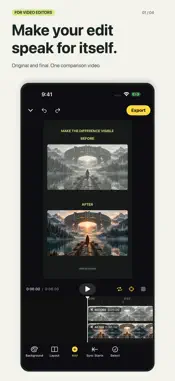
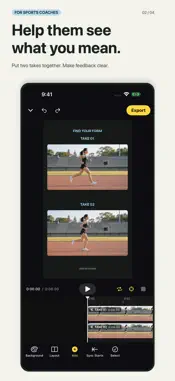
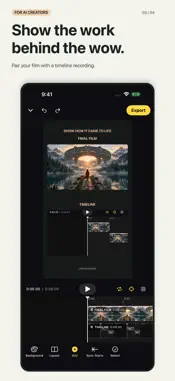
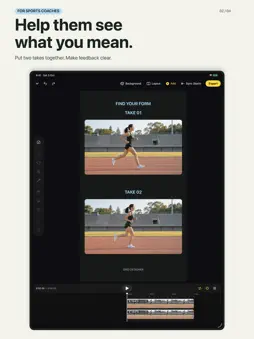
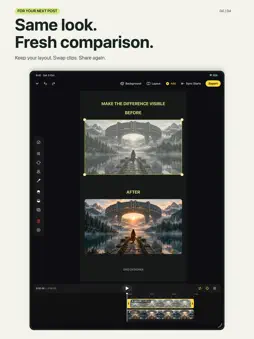
Make the difference easy to see. For sports coaches: put two takes together and turn hard-to-explain movement differences into clear visual feedback. For video editors: pair the original with the final cut to show the value of your work in a portfolio or post. For AI video creators: pair your finished film with a screen recording of your editing timeline and share the process behind it. Keep the layout you love and replace the media for your next comparison. No need to build every post from scratch. Import your videos or screen recordings, arrange them together, and export one comparison video to save or share. • Start with stacked, side-by-side, split, or picture-in-picture layouts. • Design backgrounds with gradients, grids, patterns, and moving light. • Add text and images, adjust frames, and save layouts as reusable templates. • Trim clips, align their start times, and preview synchronized playback. • Choose 9:16, 4:5, 1:1, or 16:9 canvases. • Export at 720p, 1080p, or 4K with 24, 30, or 60 fps. Save to Photos or share. • Edit on iPhone and iPad, including iPad keyboard shortcuts. Your projects and imported media are stored on your device. No account is required. Grid Designer has no ads or in-app purchases. From version 1.1.1, RevenueCat processes an anonymous support ID and app/device information to understand usage and provide support. Your projects and media are not sent to RevenueCat. See our Privacy Policy for details. All features are currently free. Internet access is required on first launch and at least once every 24 hours to continue creating and editing. If access cannot be verified or an app update is required, saved projects remain available to preview and export. Projects stay on your device. Paid features may be offered in a future version; this version has no purchases.
What's New
Version 1.1.1 2026-10-07
• New staggered, overlapping, and timeline layouts for your comparisons. • Add credit lines and try new background effects. • Keep your new-comparison draft whe... Technical Analysis
Package Overview Basic metadata
Bundle ID
dev.chikai.GridDesigner Current Version 1.1.1
Minimum iOS 17.0
Package Size App Store Size
Package Metadata 0 / 0 version records
Detailed binary, privacy manifest, framework, and Info.plist results have not been indexed for this package yet. The verified App Store and archive metadata above remains available.
Known Version Records
0 version records with stored package metadata
Stored metadata does not guarantee a package is currently available to download.
| Details | Version / IDs | Version date | Action |
|---|