
Preview




Description
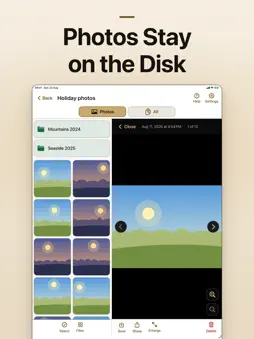
Open the photos and files that already live on your home disk, or on a USB drive plugged into your iPhone or iPad. PonteDisk connects to a NAS, a shared folder on a PC, or any network disk on the same Wi-Fi. It also opens flash drives, external disks and SSDs plugged in with a cable. The files stay on the disk. You browse them, preview them, and copy one only when you want it on the phone. WHAT IT CONNECTS TO • SMB / Samba shares (home NAS, Windows PC, router storage) • FTP and FTPS servers • WebDAV (including Nextcloud) • USB flash drives, external disks and SSDs plugged into the iPhone or iPad (drives formatted for Windows, NTFS, open read-only) • Disks found automatically on the local network WHAT YOU CAN DO • Browse folders with a photo gallery and a full file list • Preview images, then save a copy to the Camera Roll • Upload photos and videos from your phone to the disk • Rename, move, delete, and share files • Transfers continue in the background BUILT TO BE SIMPLE PonteDisk is meant for the disk at home, not for a server room. It looks for disks on Wi-Fi so you do not have to type an IP address, and it remembers a USB drive after you pick it once. Photos stay on the disk until you choose to copy one. Not a cloud locker. If the disk is on your home Wi-Fi or plugged in with a cable, PonteDisk opens it.
What's New
Version 1.1 2026-10-22
New: open USB drives plugged into your iPhone or iPad — flash drives, external disks and SSDs. Browse, upload, rename and delete files right on the drive. The f... Technical Analysis
Package Overview Basic metadata
Bundle ID
com.pontedisk Current Version 1.1
Minimum iOS 17.0
Package Size App Store Size
Package Metadata 0 / 0 version records
Detailed binary, privacy manifest, framework, and Info.plist results have not been indexed for this package yet. The verified App Store and archive metadata above remains available.
Known Version Records
0 version records with stored package metadata
Stored metadata does not guarantee a package is currently available to download.
| Details | Version / IDs | Version date | Action |
|---|