
Preview




Description
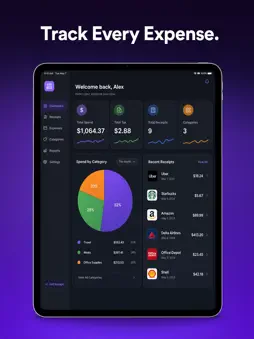
ReceiptQ turns your phone into a powerful expense management tool. Simply photograph any receipt and our AI instantly extracts the vendor name, date, total amount, tax, and category — no manual data entry required. SMART RECEIPT SCANNING • Snap a photo or upload from your gallery • AI-powered OCR extracts all key details automatically • Supports receipts in multiple currencies • Handles crumpled, faded, and handwritten receipts EMAIL RECEIPT EXTRACTION • Connect your email folders • Automatically finds and imports digital receipts • Works with Amazon, Uber, airlines, and more • No other expense app does this MILEAGE TRACKING • Log business trips with start/end locations • Automatic distance calculation • IRS-standard mileage rate applied • Perfect for freelancers and business travelers TAX-READY REPORTS • Export professional PDF, Excel, or CSV reports • Filter by date range, category, or tag • Organized by tax category for easy filing • Share directly with your accountant ORGANIZE WITH TAGS • Create custom color-coded tags • Categorize expenses by project, client, or trip • Quick search and filter across all receipts BUILT FOR PRIVACY • Your data is encrypted and secure • No ads, no selling your financial data • Full control over your information Whether you're a freelancer tracking business expenses, a small business owner managing receipts, or anyone preparing for tax season — ReceiptQ makes expense management effortless. Download now and never lose a receipt again.
Technical Analysis
Package Overview Basic metadata
Bundle ID
com.receiptiq.ios Current Version 1.0
Minimum iOS 15.0
Package Size App Store Size
Package Metadata 0 / 0 version records
Detailed binary, privacy manifest, framework, and Info.plist results have not been indexed for this package yet. The verified App Store and archive metadata above remains available.
Developer Information
Known Version Records
0 version records with stored package metadata
Stored metadata does not guarantee a package is currently available to download.
| Details | Version / IDs | Version date | Action |
|---|