Preview









Description
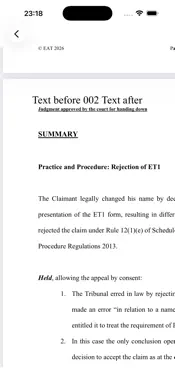
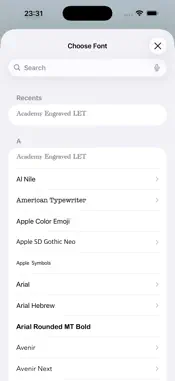
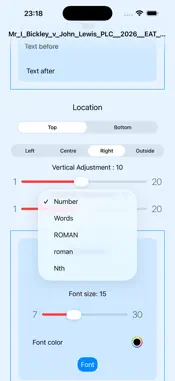
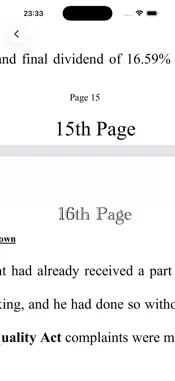
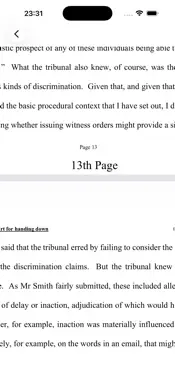
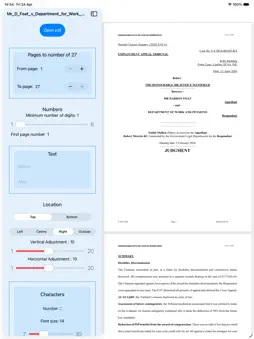
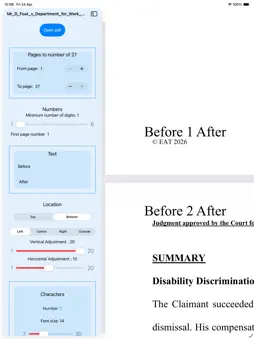
Add page numbers to pdf files. You can add the page numbers in the header or the footer on the left, right, in the centre or alternately left and right (Outside). Even 'Bates numbering' pending your definition of that term. 001, 002, 003 and so on. You can select a ‘range’ of the pages in a pdf to paginate so that you can ignore pages such as a cover page or an index. Your range will start numbering at the number that you enter in the 'FirstPage Number' box. You can paginate the first few pages, maybe an index, with i, ii, iii for example and then change the settings for the other pages to number as 1, 2, 3 and so on. You can also have numbers in words, so you can end up with "Page eight" for example. And another addition is 'Nth' numbering so you can end up with "2nd Page", "3rd Page" etc. With 'Outside' you can paginate so that the page numbers appear on the left for one page and the right for the next page. Like in a book. You can change the font of the pagination and/or the colour and size of the font. You can also add text to before and/or after the page number so it can say, for example, ‘Page 7 of 53’ or ‘Page 7 ver 3.2’. You can even use emoji! You can save the pdf files created to make further use of them, such as printing or viewing, in Preview or other applications. I already have future enhancements in mind but I am always interested to hear what you would like to see added to or changed about pdf Paginate Pro. If you like pdf Paginate pro then please tell your friends about it. Let me know if you want some variation on the theme. If you have any issues or complaints please tell me about it [email protected]
What's New
Version 7.0.0 2026-11-15
New icon and some bug fixes. Technical Analysis
Package Overview Basic metadata
Bundle ID
co.yourlaw.pdfPaginatePro Current Version 7.0.0
Minimum iOS 26.0
Package Size App Store Size
Package Metadata 0 / 7 version records
5.0 / 5.0 (2 ratings)
Detailed binary, privacy manifest, framework, and Info.plist results have not been indexed for this package yet. The verified App Store and archive metadata above remains available.
Developer Information
Known Version Records
0 version records with stored package metadata • 7 known version records
Stored metadata does not guarantee a package is currently available to download.
| Details | Version / IDs | Version date | Action |
|---|---|---|---|
| Not archived | App Store ID: 886637292 | Unknown | Request Version |
| Not archived | App Store ID: 886468805 | Unknown | Request Version |
| Not archived | App Store ID: 886149536 | Unknown | Request Version |
| Not archived | App Store ID: 885817509 | Unknown | Request Version |
| Not archived | App Store ID: 885388689 | Unknown | Request Version |
| Not archived | App Store ID: 884955747 | Unknown | Request Version |
| Not archived | App Store ID: 836444326 | Unknown | Request Version |