Preview







Description
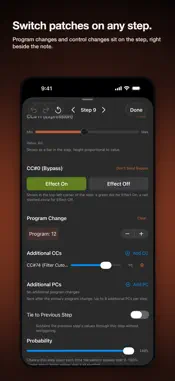
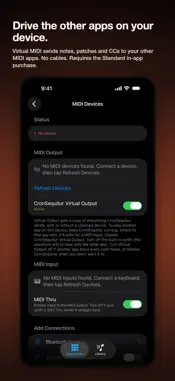
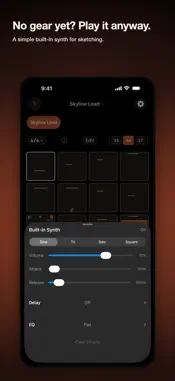
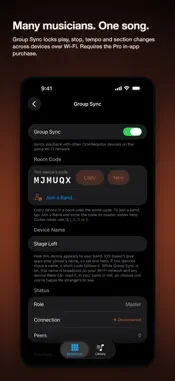
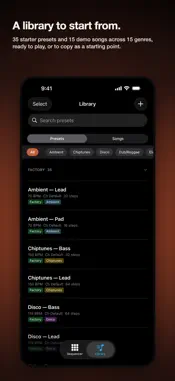
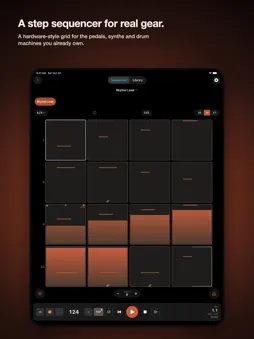
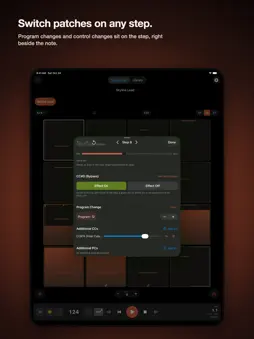
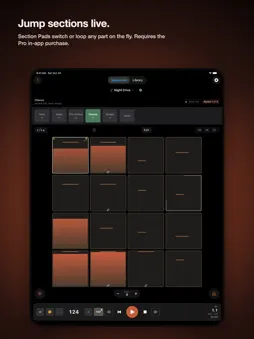
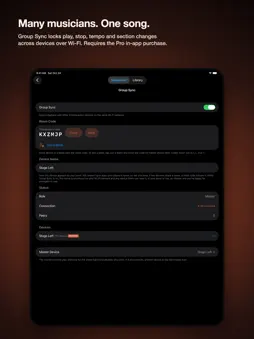
CronSequitur is a step sequencer with a grid layout that feels like real hardware, not a menu system with deeply nested functions you may never find. Every step can carry more than a note. Program changes and control changes sit right beside the note, not in a separate menu. A 2 to 64 step grid and full time-signature control make odd meters and unusual pattern lengths part of the design, not an afterthought. The core app needs no purchase. Two optional in-app purchases add more: Standard, a one-time purchase, and Pro, a one-time purchase or an annual subscription. If you already own Standard, Pro's one-time purchase is offered to you as an upgrade. Each paid feature is listed below under the purchase that includes it; everything else described here is part of the core app. CORE APP • The step sequencer and step editor: program changes and control changes on any step, 2 to 64 steps per pattern, full time-signature control • MIDI output to your external gear • The built-in synth, with a tempo-synced delay and a two-band EQ • Transpose: shift a pattern to another key without rewriting its notes, saved with the preset • Undo and redo for every edit, with no limit until you save • Unlimited presets • The metronome's audio click, visual beat indicators and count-in, and tap tempo • Export, import and back up your presets and songs in CronSequitur's own file format • Build and edit songs from your patterns, with sections, repeats and tempo changes • Full playback of the demo songs in the Library's Factory section • A preview of the first section of each song in My Songs, which holds the songs you build and any demo song you copy or edit. Full playback of these songs requires Pro (Song Playback, below). • Daylight mode, a high-contrast display for direct sun STANDARD IN-APP PURCHASE (ONE-TIME) • Virtual MIDI Output: send MIDI to other apps on the same device, no cables • Tags: tag your presets and filter them by tag • MIDI File Import & Export: standard MIDI files, to and from your DAW and other gear • Device Profiles: built-in and custom profiles that show your gear's own controls and labels • Screen Flash: a full-screen flash on each metronome beat • Metronome Haptics: a vibration on each metronome beat (iPhone only) • Tap Tempo Guard: TAP must be armed with one tap before it changes the tempo, so a stray touch mid-set does nothing • Performance Octave: shift your pattern up to three octaves up or down, live, while you perform PRO IN-APP PURCHASE (ONE-TIME OR ANNUAL SUBSCRIPTION) Pro includes everything in Standard, plus: • Song Playback: full playback of the songs in My Songs, start to finish, with every section, repeat and tempo change, a countdown to the next section and your own stage cues on screen • Section Pads: jump to or loop any song section live • Audio Backing Tracks: import audio files to play along with your songs • Tempo-Locked Playback: backing tracks detect their tempo and stretch to match your song • Group Sync: many musicians, one song. Each player runs their own part on their own device, and the whole band starts, stops, changes tempo and moves through the song together over local Wi-Fi. Every device in the session needs Pro. • Section Audio Tracks: give each song section its own backing track Independently made in Maine. Fair pricing, no dark patterns, no surprises, built by a musician who wanted this to exist.
What's New
Version 1.1.0 2026-10-27
CORE APP • Play starts from the step the playhead shows, and Step Back and Step Forward move the playback position. The count-in plays only when you start from ... Technical Analysis
Package Overview Basic metadata
Bundle ID
com.cronsequitur.app Current Version 1.1.0
Minimum iOS 17.0
Package Size App Store Size
Package Metadata 0 / 0 version records
Detailed binary, privacy manifest, framework, and Info.plist results have not been indexed for this package yet. The verified App Store and archive metadata above remains available.
Developer Information
Known Version Records
0 version records with stored package metadata
Stored metadata does not guarantee a package is currently available to download.
| Details | Version / IDs | Version date | Action |
|---|