Preview





Description
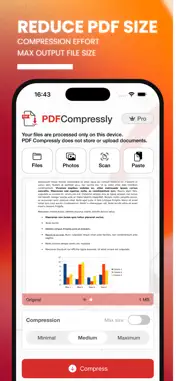
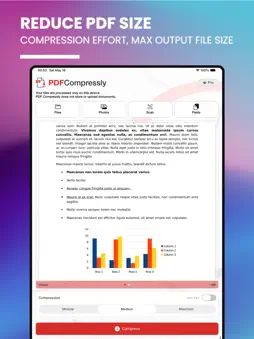
PDF Compressly is a fast, simple and privacy-focused PDF compressor for iPhone. Reduce the size of your PDF files in just a few taps. Whether you need to send a document by email, share it with another app, save storage space or meet an upload limit, PDF Compressly helps you create lighter PDF files quickly and easily. Import documents from multiple sources: • Files • Photos • Clipboard • Camera scan You can also scan paper documents with your iPhone camera and convert them into PDFs, ready to compress, preview and export. Choose how you want to compress: • Minimal compression for higher quality • Medium compression for a balanced result • Maximum compression for smaller files • Custom maximum output size PDF Compressly gives you control over the final file. Use one of the built-in compression presets or set the maximum file size you want for the output PDF. Your documents stay private. All processing happens locally on your iPhone. PDF Compressly does not upload, store or send your files to external servers. This makes it useful for sensitive documents such as invoices, contracts, reports, IDs, business files, school documents and personal records. After compression, export your PDF wherever you need it: save it to Files, send it by email, share it with other apps or transfer it to nearby Apple devices using AirDrop. Key features: • Compress PDF files on iPhone • Reduce PDF file size quickly • Import from Files, Photos and Clipboard • Scan documents with the camera • Convert scans into PDF files • Choose Minimal, Medium or Maximum compression • Set a custom output file size • Preview original and compressed PDFs • Export to Files, email, AirDrop and other apps • Local on-device processing • No external uploads • Clean and easy-to-use interface PDF Compressly is designed for work, school, travel, administration and everyday document sharing. Make your PDFs smaller. Keep your files private. Terms & Conditions: https://pdfcompressly.com/terms.html Privacy Policy: https://pdfcompressly.com/privacy.html
Technical Analysis
Package Overview Basic metadata
Bundle ID
com.followmeter.shrinkpdf Current Version 1.0
Minimum iOS 16.0
Package Size App Store Size
Package Metadata 0 / 1 version records
Detailed binary, privacy manifest, framework, and Info.plist results have not been indexed for this package yet. The verified App Store and archive metadata above remains available.
Developer Information
Known Version Records
0 version records with stored package metadata • 1 known version records
Stored metadata does not guarantee a package is currently available to download.
| Details | Version / IDs | Version date | Action |
|---|---|---|---|
| Not archived | App Store ID: 885660837 | Unknown | Request Version |