Preview





Description
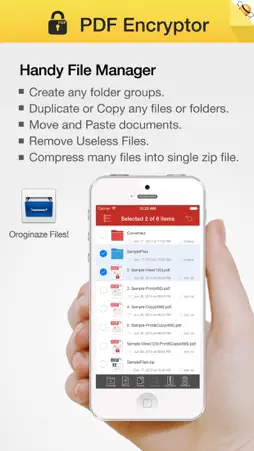
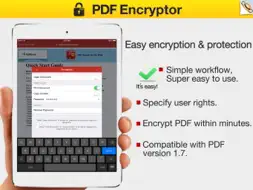
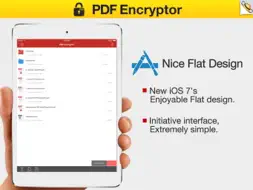
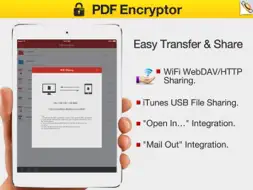
PDFs are easy to share, and now, even easier to protect! Email, the Internet, and shared folders make electronic information easy to share — and hard to protect. But PDF Encryptor enables you to secure your PDF files. so that you can reduce the risk of distributing confidential and sensitive information, such as financial or legal documents, personal resume etc. => Specified owner and user password. PDF’s standard security handler allows access permissions and up to two passwords to be specified for a document: an owner password and a user password. An application’s decision to encrypt a document is based on whether the user creating the document specifies any passwords or access restrictions. If so, the document is encrypted, and the permissions and information required to validate the passwords are stored in the encryption dictionary. => Various permission controls You can set permissions, by providing owner and user password to the PDF files. Under an owner password, this application supports these permissions, printing, modifying content, These permissions can be controlled by an owner password separately. => Using high length encryption. Email, the Internet, and shared folders make electronic information easy to share — and hard to protect. But PDF Encryptor makes it simple to keep your work more secure, no matter where you're, The encrypting is done using the standard 40-bit or 128-bit supported by Acrobat Reader version 7.0 or higher versions. More Features: • Nice iOS 7's Flat Design, User-friendly interface. • User-Password (Password protect the opening of a PDF Document). • Owner-Password (enable/disable various Document Security- and Access-Settings). • Disable "printing" of the PDF Document or restrict to low resolution printouts. • Disable copying of any Document contents. • Disable any changes within the Document and guarantee the authenticity. • Locks any PDF Document immediately. • Modify the document description (metadata) the author, title and subject. • Support importing Adobe PDF 1.0 - 1.7 formats (.pdf); • Support PDF files in most of the languages: English, Turkish, Thai, Latin, Korean, Greek, Cyrillic, Japanese, Chinese, German, French, Italian. • Support "owner" password protected PDF files. • Mail out Image as email attachments("Mail out.." integration). • Send files to other apps("Open In.." integration). • Share and Compress image files to .zip file. • File manager(Support rename, copy, move, delete and compress). • Copy/Paste file with Clipboard(Transfer with other Apps). • Wirelessly Print&Fax Photos(Only AirPrint-enabled Printer Supported). • Wifi file transfer(Transfer by Browser or Webdav Clients). • USB file transfer(iTunes file sharing). Several sample files have been included, you can test it right now! We are continuously developing this app, so please feel free to contact us with your questions, suggestions or any problems, and we will reply ASAP.
What's New
Version 1.2 2016-10-10
This app has been updated by Apple to display the Apple Watch app icon. > iOS 10 Compatibility. Fully compatible with iOS 10 now. > Update file list sort, Bugs... Technical Analysis
Package Overview Basic metadata
Bundle ID
com.feiphone.PDFEncryptor Current Version 1.2
Minimum iOS 8.0
Package Size App Store Size
Package Metadata 0 / 2 version records
3.0 / 5.0 (4 ratings)
Detailed binary, privacy manifest, framework, and Info.plist results have not been indexed for this package yet. The verified App Store and archive metadata above remains available.
Developer Information
Known Version Records
0 version records with stored package metadata • 2 known version records
Stored metadata does not guarantee a package is currently available to download.
| Details | Version / IDs | Version date | Action |
|---|---|---|---|
| Not archived | App Store ID: 841446980 | Unknown | Request Version |
| Not archived | App Store ID: 235572709 | Unknown | Request Version |