Preview






Description
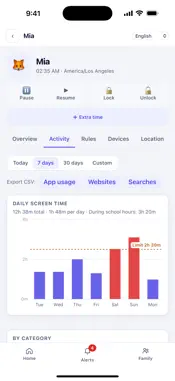
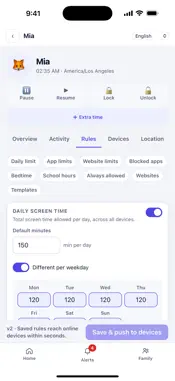
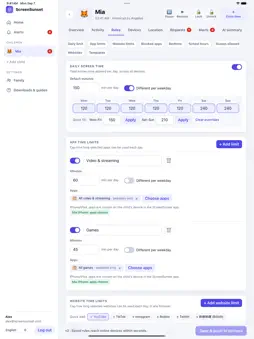
ScreenSunset is the parent app for the ScreenSunset parental-control service. Install the free companion app on your child's iPhone, iPad, Mac or Windows PC — or the phone or tablet they already use — pair it in a couple of minutes with a QR code, and manage everything from here. SEE THE DAY AT A GLANCE - Today's screen time for every child, against the limit you set - Top apps, websites and searches, and which devices are online - 7-day and 30-day trends, with school-hours time counted separately - Alerts for blocked sites, risky searches and devices that stop reporting - An optional AI daily summary in plain language, which you can turn off per child SET THE RULES ONCE - A daily screen-time limit, with a different limit per weekday - Per-app time limits and blocked apps - Bedtime and school-hours windows - Website filtering by category, plus always-allow and always-block lists - Ready-made templates for preschool, primary, middle and high school ACT IN THE MOMENT - Pause or resume the internet, lock or unlock a device, or grant 15, 30 or 60 extra minutes - Approve or deny your child's request for more time straight from the home screen - Commands reach a device in seconds while it is online, and are queued while it is not WHERE THEY ARE - The last known position of each child's devices, with the past 24 hours as a trail - Precise fixes come from the device; when a device can only report its internet connection the position is approximate and is labelled as such - Location can be switched off per child at any time WHAT EACH PLATFORM CAN AND CANNOT DO ScreenSunset works inside the limits Apple, Google and Microsoft place on parental-control software, and the app tells you which rules are actually active on which device. - iPhone and iPad: the companion app uses Apple's Screen Time (Family Controls). App limits, bedtime, content restrictions and a Safari content filter are applied by iOS itself. iOS never hands an app the full list of installed apps, so usage is reported per rule in five-minute steps rather than to the second, and the apps to limit are chosen once on the child's device. - Other phones and tablets: app usage, per-app limits, blocked apps and web filtering. - Mac and Windows: screen time, website filtering, and pause or lock from your phone. No parental-control app can see a device it is not installed on, and software can be removed by a determined teenager. ScreenSunset shows you when a device stops reporting so that you notice. BUILT FOR FAMILIES - Invite a co-parent into the same family with a code - A parent PIN protects the settings on the child's device - English and Simplified Chinese, light and dark - Free. No ads, no third-party analytics, nothing to buy ScreenSunset collects only the activity a parent has asked it to collect, and never sells it. Deleting your account in the app deletes your family's data. Support: https://screensunset.com/support Privacy Policy: https://screensunset.com/privacy
Technical Analysis
Package Overview Basic metadata
Bundle ID
com.familyguardian.parent Current Version 1.0
Minimum iOS 15.0
Package Size App Store Size
Package Metadata 0 / 0 version records
Detailed binary, privacy manifest, framework, and Info.plist results have not been indexed for this package yet. The verified App Store and archive metadata above remains available.
Developer Information
Known Version Records
0 version records with stored package metadata
Stored metadata does not guarantee a package is currently available to download.
| Details | Version / IDs | Version date | Action |
|---|