Preview






Description
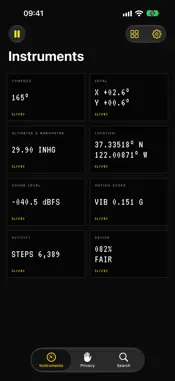
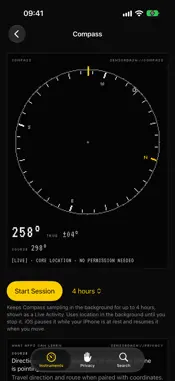
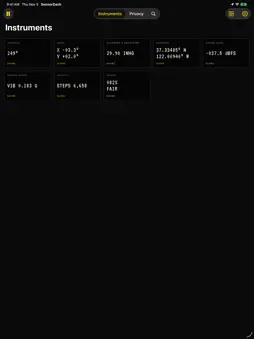
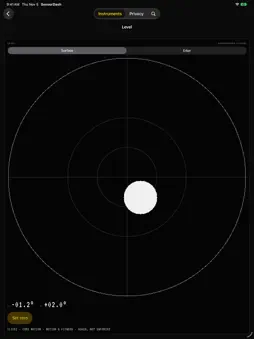
SensorDash turns your iPhone's sensors into instruments you can use, then shows you what each sensor tells an app about you. INSTRUMENTS • Compass: magnetic or true heading, accuracy, and course while moving • Level: a bubble level for surfaces and an inclinometer for edges, with set-zero and a haptic tick • Altimeter & Barometer: air pressure, its 3-hour trend, and relative altitude from a baseline you set • Location: coordinates, accuracy, speed, course, and GPS altitude • Sound Level: the microphone's input level in dBFS, with peak, average, and a 60-second trace • Motion Scope: live accelerometer, gyroscope, and magnetometer traces • Activity: steps, distance, floors, pace, and cadence since midnight • Device: battery, thermal state, Low Power Mode, storage, and display WHAT APPS CAN LEARN Every instrument explains what its signals are, what another app with the same access could work out from them, and which permission guards them. Where iOS asks for a permission but doesn't enforce it, SensorDash says so. The Privacy tab lists 43 signals by category, including the ones iOS keeps to itself, with each one's access and whether it is being read right now. PRIVATE BY DESIGN • No account, analytics, advertising, or networking code • Readings stay in memory and are gone when the app quits • No permission prompt until you tap Allow on an instrument • No audio is recorded, and the camera is never opened • iOS doesn't let one app see which other apps use a sensor, and SensorDash says so instead of implying otherwise SESSIONS, WIDGETS, AND CONTROLS • Sessions keep the Altimeter, Compass, or Location reading in the background for up to 8 hours, shown as a Live Activity. iOS pauses a Session while your iPhone is at rest, and it resumes when you move. • Device Status, Storage, and Instrument Shortcut widgets, each showing when it read its values • Open Instrument and Session controls for Control Center Free, with no in-app purchases, subscriptions, or ads. SensorDash is not a safety, navigation, medical, or calibrated measuring instrument. Readings depend on your iPhone's hardware and iOS.
What's New
Version 2.1 2026-11-12
What’s New in 2.1 • Every tile on the home grid now shows a small live version of its instrument • Hold freezes a Compass or Level reading; tap the face or the ...What’s New in 2.1 • Every tile on the home grid now shows a small live version of its instrument • Hold freezes a Compass or Level reading; tap the face or the Hold button • The screen stays on while an instrument is open • Copy your coordinates with one tap; they stay on this iPhone • Switch between true and magnetic north on the Compass itself • Activity shows whether you are still, walking, running, cycling, or in a vehicle • The Privacy tab grows from 43 to 57 signals: network, audio route, output volume, screen capture, accessibility settings, language and region, and more that iOS keeps to itself • Privacy rows open their instrument, and you can filter by category • Each permission request now says what allowing it adds • Larger tiles on iPad • Fixed a white flash at launch in Light mode, and a link that could open an instrument part-way down the page Still free. No account, no analytics, no ads, and no readings saved or sent. Technical Analysis
Package Overview Basic metadata
Bundle ID
com.f1p2.SensorDash Current Version 2.1
Minimum iOS 27.0
Package Size App Store Size
Package Metadata 0 / 3 version records
Detailed binary, privacy manifest, framework, and Info.plist results have not been indexed for this package yet. The verified App Store and archive metadata above remains available.
Known Version Records
0 version records with stored package metadata • 3 known version records
Stored metadata does not guarantee a package is currently available to download.
| Details | Version / IDs | Version date | Action |
|---|---|---|---|
| Not archived | App Store ID: 883318080 | Unknown | Request Version |
| Not archived | App Store ID: 871987831 | Unknown | Request Version |
| Not archived | App Store ID: 860842730 | Unknown | Request Version |