
Preview


Description
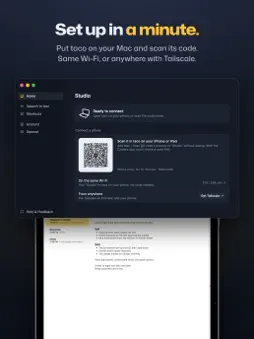
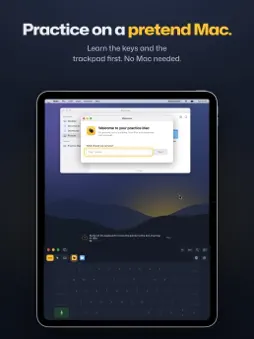
taco puts your Mac on your iPhone: its screen on top, and a keyboard that’s also a trackpad below. Fold an iPhone Duo like a laptop and it becomes a tiny laptop for the Mac you already have. On any other iPhone, or on iPad, hold it upright: the same layout, the same keys. ONE SURFACE: KEYBOARD AND TRACKPAD • Tap a key and it types. Slide a finger and the same keys are a trackpad. • Touch, hold, then move to drag. Two fingers scroll; tap with two fingers to right-click. • Pinch to zoom the whole screen, up to 5×. • Rather choose for yourself? Switch between auto, mouse and keyboard. • A Mac keyboard layout, with ⌘ ⌥ ⌃, fn and esc where your hands expect them. Or the iOS layout, if you prefer. A SCREEN THE SHAPE OF YOUR PHONE While you’re connected, taco gives your Mac a screen the shape of your phone’s, makes the text bigger and stretches the app you’re in to fill it. When you’re done, everything goes back the way it was. AND • Hold the mic key and talk: taco types what you say. With iPhone or iPad dictation, voice recognition runs on your device and never goes to us (or choose a Mac speech app if you prefer). • A command bar for closing, minimizing and full screen, plus buttons for your own shortcuts. • Your Mac shows up by itself on the same Wi-Fi. Or scan the QR code it shows, or type its address. • With Tailscale, reach your Mac from anywhere. • New to it? Practice on a pretend Mac, built in. No Mac needed. WHAT YOU NEED taco has a part that runs on your Mac: taco for Mac, from taco.click. It needs macOS 26 or later. PRIVATE BY DESIGN Your iPhone and your Mac talk to each other directly, over your Wi-Fi or your own Tailscale network. Live screen, typing, and dictation traffic never passes through our servers (you can optionally attach a screenshot if you send us feedback). No accounts, no ads, no tracking. Privacy policy: https://taco.click/privacy iPhone, iPhone Duo, iPad and Mac are trademarks of Apple Inc. taco isn’t made or endorsed by Apple.
Technical Analysis
Package Overview Basic metadata
Bundle ID
com.float.taco Current Version 1.0
Minimum iOS 27.1
Package Size App Store Size
Package Metadata 0 / 0 version records
Detailed binary, privacy manifest, framework, and Info.plist results have not been indexed for this package yet. The verified App Store and archive metadata above remains available.
Developer Information
Known Version Records
0 version records with stored package metadata
Stored metadata does not guarantee a package is currently available to download.
| Details | Version / IDs | Version date | Action |
|---|