
Preview



Description
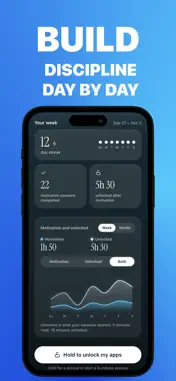
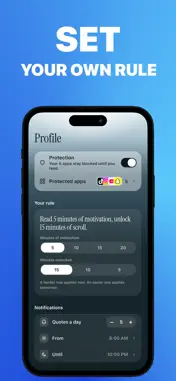
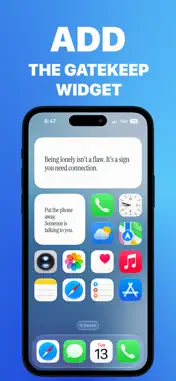
Discipline, but make it five minutes. Gatekeep puts a door in front of the apps that eat your day. Open TikTok, Instagram or YouTube and you meet a shield instead of a feed. Read five minutes of motivation, and you unlock fifteen minutes of screen time. That's the whole rule. No points, no coins, no shop, nothing to learn. HOW A SESSION WORKS Three ways to spend your five minutes, and you're never stuck with one: - Read - motivation cards you move through one at a time, never a passive scroll. - Write - short prompts you answer by typing or dictating. - Train - a quick lesson of micro-exercises. The timer runs only while you're there. Leave, and it pauses. Waiting unlocks nothing. A FEED THAT GIVES INSTEAD OF TAKING Gatekeep opens on a vertical feed of quotes and affirmations: the same gesture as a social app, pointed the other way. Swipe, keep the lines that land, build a streak. CHOOSE WHAT SPEAKS TO YOU Six categories - Scroll Less, Work & Productivity, Personal Growth, Calm & Mindfulness, Hard Times, Relationships. You choose the ones you start with, and the feed can be filtered to any of them whenever you like. No algorithm deciding for you, no feed learning your weaknesses. HARD MODE, BECAUSE THAT'S THE POINT No easy skip. Finish the session and your apps open. Don't, and they stay shut. The rule is yours to set - 3, 5, 10, 15 or 20 minutes of motivation for 15, 10 or 5 minutes of screen time - and making it easier only takes effect tomorrow, so you can't talk yourself out of it mid-craving. ON YOUR HOME SCREEN A widget shows the state of your gate at a glance, with your streak and your next session one tap away. PRIVATE BY DESIGN No account, no sign-in, no email address. What you write and what you save stays on your iPhone. Gatekeep never sees which apps you block, and blocking keeps working with no signal. Gatekeep uses Screen Time permissions to block and unblock the apps you choose. Protection can be turned off at any time, and a reset button in your profile puts everything back if anything ever looks stuck. Gatekeep is a paid app. After a short introduction you choose a subscription, weekly or yearly, which renews automatically until you cancel it in Settings, or a one-time lifetime purchase. Some yearly offers start with a free trial, shown before you confirm. Before you scroll, remember who you're becoming. Terms of Use: https://www.apple.com/legal/internet-services/itunes/dev/stdeula/ Privacy Policy: https://gatekeep.site/en/privacy
What's New
Version 1.2 2026-11-13
- Your blocked apps now show with their own icons, on Gate and in Profile. - Need your apps urgently? Press and hold the Gatekeep icon on your Home Screen: up t...- Your blocked apps now show with their own icons, on Gate and in Profile. - Need your apps urgently? Press and hold the Gatekeep icon on your Home Screen: up to five 15-minute windows a month. - Making your rule easier now starts the next day. - Onboarding no longer skips a screen on a quick double tap. Technical Analysis
Package Overview Basic metadata
Bundle ID
com.ssoossaa.gatekeep Current Version 1.2
Minimum iOS 26.0
Package Size App Store Size
Package Metadata 0 / 0 version records
Detailed binary, privacy manifest, framework, and Info.plist results have not been indexed for this package yet. The verified App Store and archive metadata above remains available.
Developer Information
Known Version Records
0 version records with stored package metadata
Stored metadata does not guarantee a package is currently available to download.
| Details | Version / IDs | Version date | Action |
|---|