Preview



Description
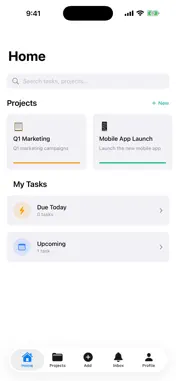
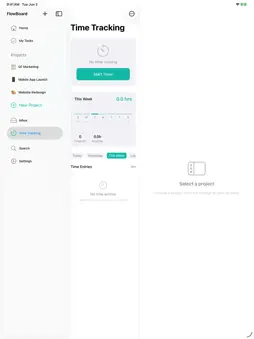
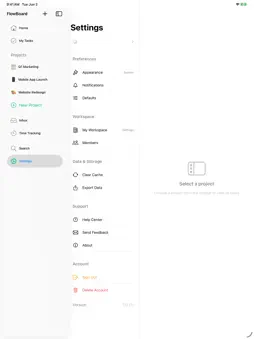
FlowBoard is a focused project and task app for people who want their work organized without the noise. Capture a task in seconds, drop it into a project, and watch it move across your board as you finish it. Switch to a list when you need a checklist, or a calendar when you need to plan a week. Start the built-in timer when you sit down to work — FlowBoard keeps track even if you put your phone away or close the app. Designed for iPhone and iPad, FlowBoard adapts to how you work. On iPad, drag tasks side-by-side with project details in a clean two-column layout. On iPhone, every screen is one thumb-friendly tap away. FEATURES • Tasks and projects — Capture work in seconds, set priority, due date, status, and assignees. • Three views, one source of truth — Board (kanban), List (checklist), and Calendar (week and month) all reflect the same tasks. • Time tracking — Tap to start a timer on any task. Keep tracking while your phone is locked, in another app, or restarted — FlowBoard picks up where you left off. • Weekly insights — See how much time you spent across projects this week at a glance. • Workspaces — Organize personal work, side projects, and freelance work in separate spaces. • Search across everything — Find any task, project, or note instantly. • Notifications you control — Choose what gets pushed to you and what stays quiet. • Light and dark — Tuned for both, with a clean teal accent and SF-native typography. • Designed for accessibility — Built with Dynamic Type, VoiceOver, and clear contrast in mind. • Private by design — Your data stays yours. No ads. No tracking. No selling of personal information. WHY FLOWBOARD Most planners are either too simple — sticky notes with no structure — or too heavy — enterprise project tools you have to learn before you can write a task down. FlowBoard sits between them: just enough structure to keep a project on rails, light enough to capture a thought before it disappears. Whether you're shipping a side project, freelancing, studying, planning a move, or just trying to keep this week from running away, FlowBoard meets you where you are.
Technical Analysis
Package Overview Basic metadata
Bundle ID
com.flashprecisionmarketing.flowboard Current Version 1.0
Minimum iOS 17.6
Package Size App Store Size
Package Metadata 0 / 0 version records
Detailed binary, privacy manifest, framework, and Info.plist results have not been indexed for this package yet. The verified App Store and archive metadata above remains available.
Known Version Records
0 version records with stored package metadata
Stored metadata does not guarantee a package is currently available to download.
| Details | Version / IDs | Version date | Action |
|---|