Preview




Description
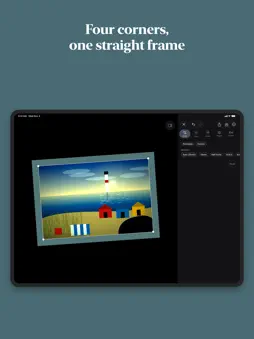
Turn film negatives into photos, and give any photo the look of film. EditMe inverts your color and black and white negatives right on your iPhone or iPad and balances them like a lab would. Shot it on your phone instead? Pick a film look and share. No ads, no account. NEGATIVE TO POSITIVE Photograph a negative with your iPhone's Camera app, in macro mode if you like, or scan it. EditMe tells color negative, black and white negative and regular photo apart and inverts accordingly. Tap the chip above the photo to change its choice. The orange mask of C-41 is taken care of. No light box? Your screen becomes one, and EditMe shows you how. IMAGE AREA WITH FOUR CORNERS EditMe looks for the frame of your negative and straightens the picture when it is sure, otherwise it offers a suggestion. You drag every corner yourself, and one tap undoes it all. Formats: 35 mm, half frame and 6×4.5 to 6×9. A slider shows negative and positive side by side. FILM STRIPS AND SLIDES If a photo shows a whole film strip, EditMe splits it into single frames, you correct the count and tick the frames you want (context menu of a photo). A slide needs no inversion: choose "Slide" in the Source menu, and the dust tool takes care of dust and lint. DUST AND SCRATCHES EditMe looks for dust, lint and scratches and shows you every spot it found. Nothing changes until you decide how much to clean up. A WHOLE ROLL AT ONCE Select a roll, set the look once and save every frame as a new photo. Your originals stay untouched. If a frame does not match the others, EditMe marks it. When the roll is done, you get a contact sheet to keep or share. MY ROLLS Every roll you save and every picture from a negative is collected in "My Rolls" in the Library, with title, year, format and favorite. Title and year are also written into the file, and the Photos app shows them. LOOKS AND PATINA Start with a finished film look, including four new autumn looks, and open the controls if you like: exposure, contrast, highlights, curves, grain, color, glow and frames. Patina rolls the dice on light leak, vignette and the end of the roll for every frame. A REAL DARKROOM IN YOUR POCKET For the rolls you develop yourself: a development timer, times by film and developer taken from manufacturer data sheets, dilution, push and pull, and reciprocity calculators, plus a log and an inventory. Afterwards EditMe reminds you when your negatives are dry and takes you on to inverting. WORKS WHERE YOU ARE Edit straight from the Photos app with the EditMe extension. Or ask Siri and Shortcuts to invert a negative, apply a look or process a whole roll, with the source of your choice if you like. 29 LANGUAGES EditMe speaks 29 languages, from Arabic and Hebrew, which read right to left, to Japanese, Korean and Brazilian Portuguese. Choose yours in Settings. PRIVATE BY DESIGN No sign-in. No account. No data collection. Your photos never leave your device. If something goes wrong, "Report a problem" opens an email to me, and you decide whether to send it. Made in Denmark. ONE PHOTOGRAPHER, NO ADS Every tool and every look is included. EditMe is made by one photographer.
What's New
Version 2.1.1 2026-11-17
• The App Store rating request can now come on your first day, after you save or share. • As before, at most once per version and never after an error. iOS deci...• The App Store rating request can now come on your first day, after you save or share. • As before, at most once per version and never after an error. iOS decides whether Apple's dialog appears. Technical Analysis
Package Overview Basic metadata
Bundle ID
dk.nordicappstudio.EditMe Current Version 2.1.1
Minimum iOS 26.0
Package Size App Store Size
Package Metadata 1 / 4 version records
Detailed binary, privacy manifest, framework, and Info.plist results have not been indexed for this package yet. The verified App Store and archive metadata above remains available.
Developer Information
Known Version Records
1 version record with stored package metadata • 4 known version records
Stored metadata does not guarantee a package is currently available to download.
| Details | Version / IDs | Version date | Action |
|---|---|---|---|
| 7.52 MB | v1.4 App Store ID: 886031238Build: 1.4 | 2026-09-25 21:53:47 | Get Version |
| Not archived | App Store ID: 885843435 | Unknown | Request Version |
| Not archived | App Store ID: 885827182 | Unknown | Request Version |
| Not archived | App Store ID: 885731118 | Unknown | Request Version |