
Preview





Description
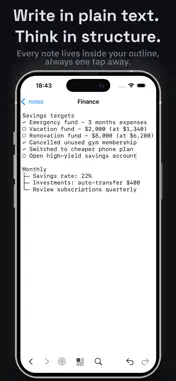
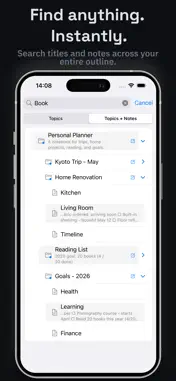
Keep your entire outline in a single portable file you control. No account, no server, no lock-in, future-proof. ORGANIZE IN UNLIMITED DEPTH Build trees as deep as you need. Expand, collapse, and reorder topics with just a few taps. Every topic can have its own notes. Write as much or as little as you like. SEARCH EVERYTHING Search titles or note content at once. The tree expands automatically to show every match in context, so you always know where a result lives in your outline. CROSS-LINK TOPICS Link any note to another topic using the outlook: link format. Tap to jump directly there. Tap the back arrow to return where you came from. OPEN FILES AND URLS Tap any file path or URL inside a note to open it. Connect your outline to existing documents in the folder: PDFs, photos, or anything else you reference. COLOR LABELS Assign a background color to any topic: Red, Orange, Yellow, Green, Blue, or Purple. The color flows down to all child topics that don't have their own. Use it to visually separate sections at a glance. AUTOMATIC BACKUPS The app writes a .bak backup before every save. Restore at any time from the menu. SYNC YOUR WAY Store your file in iCloud, Dropbox, Google Drive, or any Files-compatible provider. Open it from there on each device. No special sync setup required. MEMPAD COMPATIBLE Structured Outliner uses the same .lst format as MemPad for Windows, a portable outliner that has been around since the early 2000s. Open existing MemPad files directly, no conversion needed. FREE VERSION Structured Outliner is free to use. Development is supported by a small banner ad shown at the bottom of the screen. PRO VERSION Upgrade to Pro to remove the banner ad, unlock Color Labels and Topic + Note Search and future planned features. One-time purchase. Restore on any device from the menu.
What's New
Version 1.03 2026-05-28
- bugfix Technical Analysis
Package Overview Basic metadata
Bundle ID
fc.structured-outliner Current Version 1.03
Minimum iOS 17.0
Package Size App Store Size
Package Metadata 0 / 3 version records
Detailed binary, privacy manifest, framework, and Info.plist results have not been indexed for this package yet. The verified App Store and archive metadata above remains available.
Developer Information
Known Version Records
0 version records with stored package metadata • 3 known version records
Stored metadata does not guarantee a package is currently available to download.
| Details | Version / IDs | Version date | Action |
|---|---|---|---|
| Not archived | App Store ID: 886215633 | Unknown | Request Version |
| Not archived | App Store ID: 885739216 | Unknown | Request Version |
| Not archived | App Store ID: 883716210 | Unknown | Request Version |