Preview




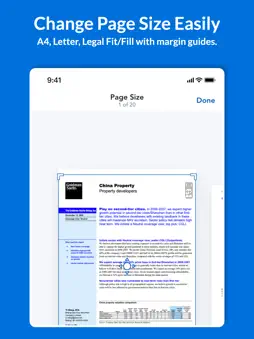


Description
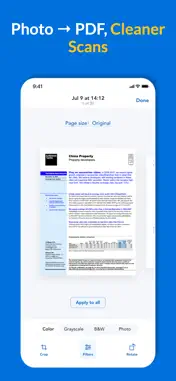
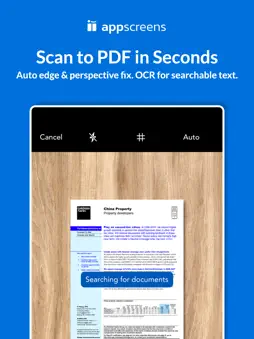
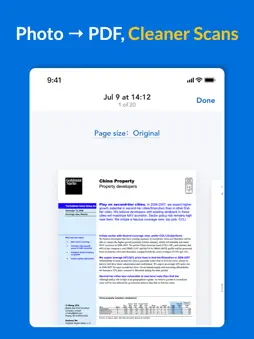
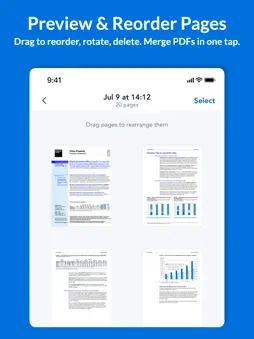
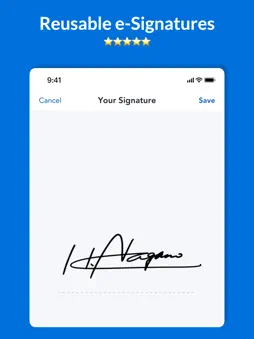
Turn your iPhone into a smart, high-performance document scanner! PDF Scanner is the ultimate tool to scan, edit, and manage your documents anytime, anywhere. Whether you need to scan receipts, invoices, notes, contracts, books, IDs, or business cards — PDF Scanner helps you do it all with professional quality and AI precision. Scan Anything, Anytime Capture clear and accurate scans in seconds. Our advanced auto-edge detection and image enhancement technology automatically crops and optimizes every page. Even in low-light conditions, your scanned documents look clean, sharp, and ready to share. You can scan single pages or batch-scan multiple documents seamlessly. From handwritten notes to multi-page contracts — PDF Scanner delivers crystal-clear results every time. AI OCR Text Recognition Extract text from images instantly with our AI-powered OCR (Optical Character Recognition) engine. Recognize printed or handwritten text in 20+ languages and convert it into editable, searchable content. No need to retype — simply scan and copy text directly from your document. Perfect for students, professionals, and business users who work with large amounts of text. Edit, Annotate & Sign PDFs PDF Scanner is more than a scanner — it’s a complete PDF editing suite in your pocket. Add or remove pages easily Highlight text, draw, or annotate with comments Merge, rotate, or reorder pages Add e-signatures directly with your finger or Apple Pencil Fill out forms or contracts on the go Make any document ready for submission or sharing in just a few taps. Share and Export Effortlessly Save your scanned documents as PDF or JPEG and share them instantly via email, iMessage, AirDrop, or your favorite cloud storage. Seamlessly connect to iCloud, Google Drive, Dropbox, OneDrive, and more. You can also print your files directly with AirPrint or export them to any app that supports PDFs. Privacy & Security You Can Trust Your documents are processed securely on your device — not on external servers. We never store or access your scans without your permission. Whether you’re scanning personal IDs or sensitive contracts, your privacy is fully protected. PDF Scanner complies with GDPR and Apple privacy standards, giving you complete peace of mind. Smart File Management Keep all your scans perfectly organized. Create folders, rename files, and use powerful search filters to find any document instantly. You can even tag and sort by date, title, or file type. Never lose track of an important paper again. Why Choose PDF Scanner? Professional-grade scanning quality AI-powered OCR and auto-enhancement Full-featured PDF editing and signing tools Seamless cloud sync and file sharing Offline processing and privacy protection Lightweight, fast, and easy to use Whether you’re a student managing class notes, a freelancer sending contracts, or a business professional handling daily paperwork, PDF Scanner simplifies your workflow and saves valuable time. Perfect For Students who need to digitize homework or lecture notes Freelancers and accountants managing invoices and receipts Lawyers and real estate agents signing and sharing contracts Office professionals working remotely or on the go Anyone who wants to go paperless and stay organized Privacy Policy:https://sites.google.com/view/ipdfscanner-privacypolicy Terms of Use: https://sites.google.com/view/ipdfscanner-termsofservice Support & Contact Got questions or feedback? We’re here to help! Email: [email protected] Website:www.mobileworkhub.com/ Download PDF Scanner Today Experience the easiest way to scan, edit, and manage your documents from your iPhone. Go paper-free, stay productive, and keep everything in one secure place. Download PDF Scanner now — your portable office is just one tap away!
What's New
Version 1.1.2 2026-05-30
Optimize user experience Technical Analysis
Package Overview Basic metadata
Bundle ID
hab.yang.cam.scanner.CamScanner Current Version 1.1.2
Minimum iOS 17.6
Package Size App Store Size
Package Metadata 0 / 4 version records
Detailed binary, privacy manifest, framework, and Info.plist results have not been indexed for this package yet. The verified App Store and archive metadata above remains available.
Developer Information
Known Version Records
0 version records with stored package metadata • 4 known version records
Stored metadata does not guarantee a package is currently available to download.
| Details | Version / IDs | Version date | Action |
|---|---|---|---|
| Not archived | App Store ID: 886317058 | Unknown | Request Version |
| Not archived | App Store ID: 878041538 | Unknown | Request Version |
| Not archived | App Store ID: 877825946 | Unknown | Request Version |
| Not archived | App Store ID: 876540172 | Unknown | Request Version |