Preview






Description
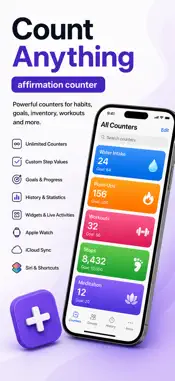
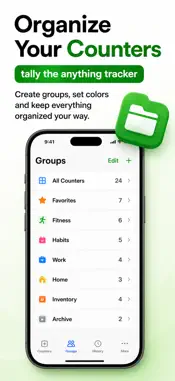
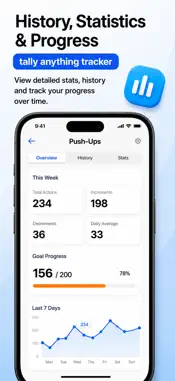
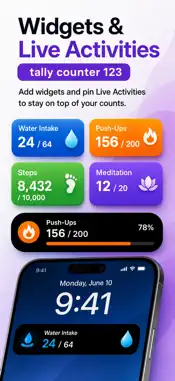
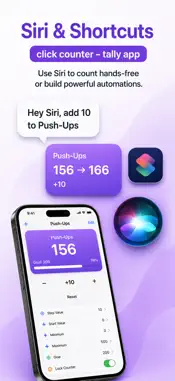
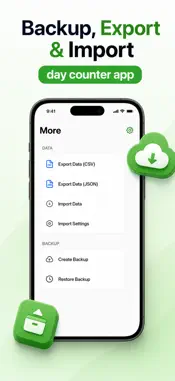
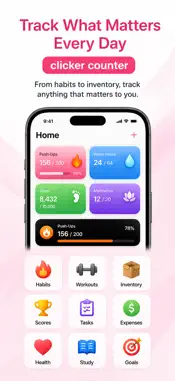
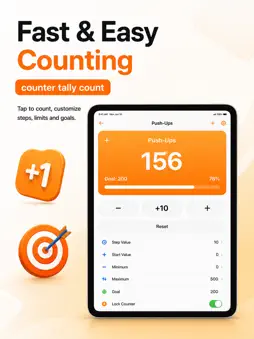
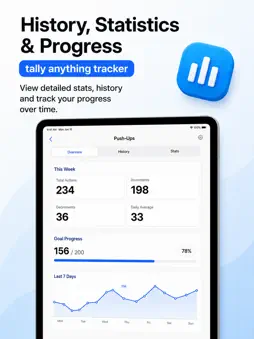
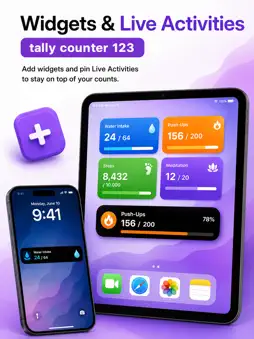
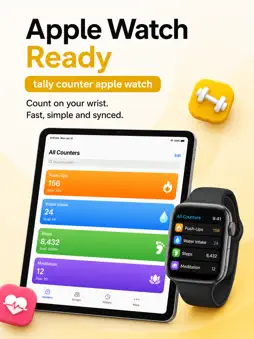
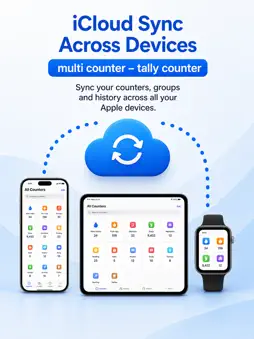
Tally Counter: Clicks Tracker is your go-to counting app for iPhone, iPad, and Apple Watch, engineered for versatility, precision, and ease of use. Whether you are managing inventory, tracking event attendance, monitoring personal goals, or counting repetitive tasks, this app provides the robust tools you need to stay organised. With a clean, intuitive interface, it is accessible for everyone while offering advanced functionality for specialized counting requirements. Comprehensive Features for Effortless Tracking Simple, Streamlined Interface: Designed with a focus on usability, the app allows you to concentrate on your counting tasks without unnecessary distractions. Unlimited Counters: Create as many counters as your projects require. You can track multiple activities or events simultaneously and switch between them seamlessly. Highly Customizable: Personalise your experience by renaming counters and assigning distinct colours for quick identification. Set counting increments to any value, including negative steps or large positive numbers, to suit your specific needs. Accidental Count Protection: Lock your counters to prevent unintended changes, ensuring your data remains accurate throughout your session. Detailed Count Logs: Maintain a comprehensive record of your activity. Review the exact time of each count to identify patterns and analyse trends over time. You can easily export these logs as CSV files for use in external data analysis software. Flexible Sorting: Organise your workspace by sorting counters by title, creation date, last updated time, or colour, ensuring maximum efficiency. Widget and Siri Shortcuts: Access your most important counters instantly from your Home or Lock Screen using widgets. With Siri Shortcuts, you can enjoy hands-free counting, making it quick and efficient to track points, attendance, or inventory on the go. Real-Time Sensory Feedback: Customise your experience with a tic sound or audible readouts. On supported devices, you can enable haptic feedback for a responsive, tactile sensation with every tap. Notes and History: Keep track of your progress with an extensive history feature. You can add notes to individual counters to provide context on why or when specific tallies were made. Versatile Applications: This app adapts to any task. Use it as a clicker counter, word counter, number tracker, streak counter, point counter, or even a drink counter. It is an excellent choice for a hockey tracker, event tally app, or a simple people counter for crowd management. In-Depth Analysis for Professionals For those who need organized records, the app supports the export of all counter data or individual logs. This makes it an ideal solution for professionals requiring precise timestamps and structured data for reports or inventory audits. Why Choose Tally Counter: Clicks Tracker? Built for simplicity but packed with powerful features, this app is the perfect companion for anyone needing a reliable counter. It is free to download and provides all the essential tools for accurate counting in one package. You can set count thresholds for minimum and maximum alerts, ensuring your tallies always stay within your required limits. Whether you are a professional tracking sales, a hobbyist monitoring projects, or an everyday user keeping tabs on personal habits, Tally Counter: Clicks Tracker makes the process easy, accurate, and enjoyable. Its combination of customisation, data export capabilities, and seamless hardware integration ensures you have the control you need at your fingertips. Download Tally Counter: Clicks Tracker today and experience a more organised, efficient way to manage your counts. Start tracking your goals with precision and see the difference that a dedicated, high-quality tool can make.
What's New
Version 2.0 2026-08-28
We have been working hard to refine your counting experience. This update focuses on enhancing the overall stability and responsiveness of the app, ensuring tha...We have been working hard to refine your counting experience. This update focuses on enhancing the overall stability and responsiveness of the app, ensuring that your tallying remains as reliable and accurate as ever. In this release, we have implemented a series of performance improvements designed to make the interface feel even more fluid. Whether you are managing a large number of counters simultaneously or navigating through your detailed count logs, you will notice smoother transitions and faster load times. We have optimised how the app handles background data, which helps to ensure that your counts are processed instantly and accurately, even during intensive use. Stability has been a key priority for this version. We have addressed several minor issues reported by our users to ensure that the app remains robust during extended sessions. Specifically, we have improved the reliability of the sync process between your various counters and the history logs, ensuring that your notes and timestamps are consistently saved and retrievable. The accidental count protection mechanism has also been refined to provide better feedback when a counter is locked, giving you added peace of mind that your data remains secure from unintended changes. For users who rely on the app for professional data management, we have enhanced the CSV export functionality. The export process is now more efficient, providing a seamless experience when transferring your logs to external analysis tools or spreadsheet software. We have ensured that the formatting remains consistent, making it easier for you to organise your records, analyse patterns, and track trends over time without any formatting errors. We have also made subtle adjustments to the widget and Siri Shortcuts integration. These refinements ensure that your counters are more readily available from your Home or Lock Screen, providing a more reliable hands-free counting experience. If you use Siri Shortcuts for quick, on-the-go tallies, you will find that the voice commands are now processed with improved consistency, allowing for a more streamlined workflow when you need to track points, attendance, or inventory quickly. Furthermore, the sensory feedback system has been fine-tuned. The tic sounds and haptic feedback responses on supported devices have been calibrated to offer a more precise and responsive experience. This ensures that every tap feels intentional and confirms that your count has been registered correctly, providing the tactile feedback that makes the app a pleasure to use for repetitive tasks. Our commitment to a clean, user-friendly interface remains at the heart of this update. We have tidied up several layout elements to ensure that all your counting tools remain accessible without unnecessary distractions. Sorting options have been reviewed to ensure that your counters are organised exactly as you prefer, whether you choose to sort by title, creation date, last updated time, or colour-coded categories. Finally, we have addressed general bug fixes that contribute to a more stable environment for all users. By resolving these underlying issues, we have ensured that the app performs optimally across all iPhone, iPad, and Apple Watch models. We want to thank our community for the feedback provided, as it is instrumental in helping us maintain the high standard of precision and versatility you expect from Tally Counter: Clicks Tracker. We hope these refinements help you stay more organised and efficient in your daily tasks. Continue to use the app to track your goals, manage your inventory, or monitor your habits with confidence. We are constantly looking for ways to improve, so please keep your feedback coming as we continue to build the most reliable counting tool for your needs. Thank you for choosing us to help you keep track of what matters most. Technical Analysis
Package Overview Basic metadata
Bundle ID
com.sportsnewsapps.clickscounter Current Version 2.0
Minimum iOS 17.0
Package Size App Store Size
Package Metadata 1 / 1 version records
Detailed binary, privacy manifest, framework, and Info.plist results have not been indexed for this package yet. The verified App Store and archive metadata above remains available.
Developer Information
Known Version Records
1 version record with stored package metadata
Stored metadata does not guarantee a package is currently available to download.
| Details | Version / IDs | Version date | Action |
|---|---|---|---|
| 30.29 MB | v2.0 App Store ID: 870345236Build: 2.0 | 2026-08-28 06:24:08 | Get Version |