
Preview





Description
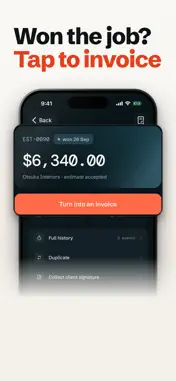
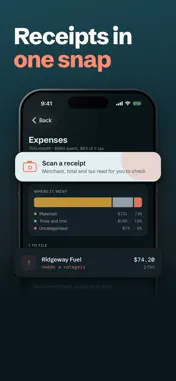
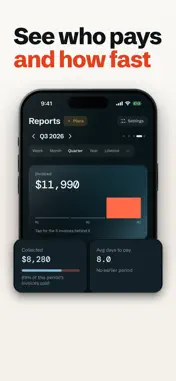
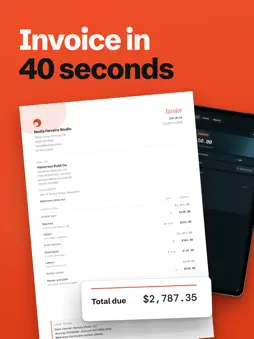
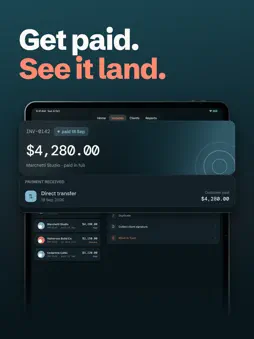
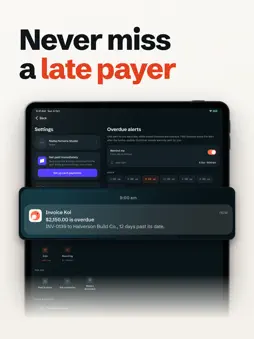
Invoice Koi helps tradespeople, contractors, freelancers and small businesses write invoices, estimates and receipts on the phone, send them as a professional PDF and get paid. DRAFT FREE, SUBSCRIBE TO SEND Set up your business and write drafts without paying. Sending, sharing or printing a numbered invoice, estimate or receipt needs a subscription. Nothing starts until you confirm the purchase in your store. CHOOSE YOUR PLAN The annual plan is the main choice, with a weekly alternative available. Your App Store shows the local price, billing period and any free trial you are eligible for before you buy. If you are not eligible for a trial, the immediate charge is shown before you buy. Subscriptions renew automatically unless cancelled in your App Store account settings before renewal. Manage or cancel your subscription and restore purchases from the app. KEEP EVERY JOB MOVING • Turn estimates into invoices without retyping • Save clients and rates in your price book • Add tracked time and rebillable expenses • Record deposits and part payments • Capture signatures and create client statements • Schedule jobs and recurring invoices • Choose from nine templates and share a professional PDF YOUR SUBSCRIPTION ALSO INCLUDES • Your receipt photographs and job pictures backed up, and back on your next phone • Unlimited reading of receipts, photos and documents, and Ask Koi • Voice notes turned into invoices • Priority support YOUR BOOKS STAY YOURS If your subscription ends, you can still view and export your records, resend invoices you already issued, and record or collect outstanding payments. Sending a new document needs a subscription again. Your records are not deleted because a subscription ends. WORK ON THE PHONE Drafts, records and totals work on your phone without signal. Cloud backup, store verification and payment collection need an internet connection. COLLECT PAYMENTS Collect through supported payment methods, including payment links. Country and Stripe account restrictions apply, and collection needs sign-in and Stripe setup. Koi charges 0.35% with a paid plan, or 0.7% plus 0.10 in the payment currency without one, plus Stripe processing fees. Zero-decimal currencies have no fixed part. Fees come out of the payment rather than being added to your customer's total. Manually recorded payments have no Koi fee. TAP TO PAY ON IPHONE With Tap to Pay on iPhone, you can accept all types of in-person, contactless payments right on your iPhone so you can reach more customers, take payments on the go, and explore new setups, like line busting. Tap to Pay on iPhone requires a supported payment app and the latest version of iOS. Update to the latest version by going to Settings > General > Software Update. Some contactless cards may not be accepted by your payment app. Transaction limits may apply. Tap to Pay on iPhone is not available in all markets. For Tap to Pay on iPhone countries and regions, see https://developer.apple.com/tap-to-pay/regions/. Terms of Use: https://www.invoicekoi.com/terms.html Privacy Policy: https://www.invoicekoi.com/privacy.html
Technical Analysis
Package Overview Basic metadata
Bundle ID
app.invoicekoi.mobile Current Version 1.0.1
Minimum iOS 16.4
Package Size App Store Size
Package Metadata 0 / 0 version records
Detailed binary, privacy manifest, framework, and Info.plist results have not been indexed for this package yet. The verified App Store and archive metadata above remains available.
Developer Information
Known Version Records
0 version records with stored package metadata
Stored metadata does not guarantee a package is currently available to download.
| Details | Version / IDs | Version date | Action |
|---|