
Preview


Description
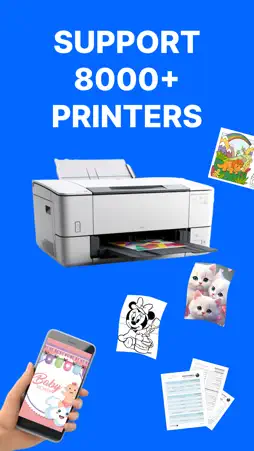
A PDF printer is a virtual printer that allows you to create a PDF file from any document that you can print. Instead of sending the document to a physical printer, you can use the PDF printer to create a PDF file that you can save on your computer or share with others. To use a PDF printer, you will need a PDF printer driver installed on your computer. Some popular PDF printer drivers include Adobe Acrobat, Bullzip PDF Printer, and CutePDF Writer. Here are the general steps to print a document to a PDF using a PDF printer: Open the document you want to convert to PDF in the application it was created in (e.g., Microsoft Word, Excel, etc.). Click the "File" menu and select "Print" or use the keyboard shortcut Ctrl+P (on Windows) or Command+P (on Mac). In the "Print" dialog box, select the PDF printer from the list of available printers. Click the "Print" button to create the PDF file. Depending on the PDF printer driver you are using, you may have additional options for customizing the PDF file, such as setting the page size, adding passwords, and adding watermarks. Consult the documentation for your PDF printer driver for more information. Note: Payment will be charged to your iTunes account at confirmation of purchase. Your subscription will automatically renew unless auto-renew is turned off at least 24-hours before the end of the current subscription period. Your account will be charged for renewal within 24-hours prior to the end of the current subscription period. Automatic renewals will cost the same price you were originally charged for the subscription. You can manage your subscriptions and turn off auto-renewal by going to your Account Settings on the App Store after purchase. Read our terms of service and Privacy Policy for more information. Privacy Policy: https://sites.google.com/view/smartaiapps/privacy-policy Terms and Conditions: https://sites.google.com/view/smartaiapps/terms-conditions
What's New
Version 3.3 2026-09-15
* Updated UI – Enjoy a cleaner, smoother, and more intuitive interface. * More Features – New tools and improvements for a better printing experience. * Perform...* Updated UI – Enjoy a cleaner, smoother, and more intuitive interface. * More Features – New tools and improvements for a better printing experience. * Performance Improvements – Faster and more reliable app performance. * Bug Fixes – Minor fixes and improvements for a smoother experience. Technical Analysis
Package Overview Basic metadata
Bundle ID
technewsrack.com Current Version 3.3
Minimum iOS 15.6
Package Size App Store Size
Package Metadata 0 / 23 version records
4.0 / 5.0 (3 ratings)
Detailed binary, privacy manifest, framework, and Info.plist results have not been indexed for this package yet. The verified App Store and archive metadata above remains available.
Developer Information
Known Version Records
0 version records with stored package metadata • 23 known version records
Stored metadata does not guarantee a package is currently available to download.
| Details | Version / IDs | Version date | Action |
|---|---|---|---|
| Not archived | App Store ID: 879426062 | Unknown | Request Version |
| Not archived | App Store ID: 879257490 | Unknown | Request Version |
| Not archived | App Store ID: 877404113 | Unknown | Request Version |
| Not archived | App Store ID: 873505694 | Unknown | Request Version |
| Not archived | App Store ID: 870999460 | Unknown | Request Version |
| Not archived | App Store ID: 862459044 | Unknown | Request Version |
| Not archived | App Store ID: 862045737 | Unknown | Request Version |
| Not archived | App Store ID: 861258348 | Unknown | Request Version |
| Not archived | App Store ID: 859317965 | Unknown | Request Version |
| Not archived | App Store ID: 858856594 | Unknown | Request Version |
| Not archived | App Store ID: 857733766 | Unknown | Request Version |
| Not archived | App Store ID: 856870483 | Unknown | Request Version |
| Not archived | App Store ID: 856525813 | Unknown | Request Version |
| Not archived | App Store ID: 856204318 | Unknown | Request Version |
| Not archived | App Store ID: 855976460 | Unknown | Request Version |
| Not archived | App Store ID: 855541687 | Unknown | Request Version |
| Not archived | App Store ID: 855393018 | Unknown | Request Version |
| Not archived | App Store ID: 855348736 | Unknown | Request Version |
| Not archived | App Store ID: 855154610 | Unknown | Request Version |
| Not archived | App Store ID: 854398138 | Unknown | Request Version |
| Not archived | App Store ID: 854343996 | Unknown | Request Version |
| Not archived | App Store ID: 854203915 | Unknown | Request Version |
| Not archived | App Store ID: 854171307 | Unknown | Request Version |