
Preview

Description
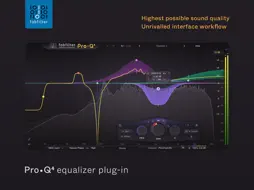
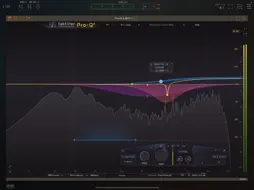
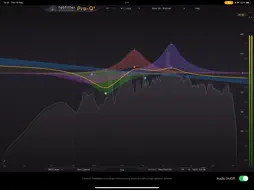
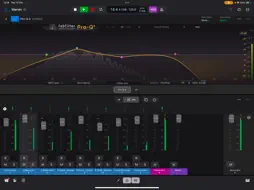
FabFilter Pro-Q 4 is a top-quality EQ plug-in with up to 24 bands, perfect analog modeling, dynamic EQ, linear phase processing, and a gorgeous interface with unrivalled ease of use. Accelerate your mixing with new features such as EQ Sketch and access to other Pro-Q 4 instances from a single plug-in interface. Spectral EQ and new Character modes make Pro-Q 4 more sonically versatile, while the improved, intelligent EQ display ensures Pro-Q 4 is an absolute joy to use. The Pro-Q 4 app filters the microphone input and plays it back in real-time. To use Pro-Q 4 as a plug-in, you need an AUv3-compatible host app like Logic Pro, AUM or Cubasis. Pro-Q 4 will appear in the list of Audio Unit extensions for effect plug-ins in the host app. Key features: - Professional mastering-grade EQ plugin with exceptional sound quality - Up to 24 bands with a huge range of filter types - (New) Use the Instance list to view and control any other Pro-Q 4 instance in your session - (New) EQ Sketch: just draw the desired EQ curve in one go to setup initial EQing - (Improved) Dynamic EQ option for every band - (New) Advanced Spectral dynamics processing, to effectively and precisely treat problem frequencies - (New) Gentle and Warm Character modes to add analog warmth to your mixes - (Improved) Filter shapes: Bell, Notch, High/Low Shelf, High/Low Cut, Band Pass, Tilt Shelf, Flat Tilt, All Pass (New) - (Improved) Continuous slope setting up to 96 dB/oct for all filter types and ultra-steep 'Brickwall' slope setting for LP and HP filters - (New) Copy and paste EQ bands or presets between plug-in instances - Per-band Stereo, Left, Right, Mid or Side mode - Zero Latency, Natural Phase and Linear Phase processing modes - Powerful real-time spectrum analyzer - Spectrum Grab: grab and adjust a peak directly in the spectrum analyzer (Improved) - EQ Match for imposing the tonal characteristics of one signal on another - Extremely efficient processing and low memory usage - Intelligent multiband selection and editing - Intelligent band solo mode - Piano Display switches the frequency scale to musical note values - Separate Mastering (3/6dB) and Mixing (12/30dB) display ranges - Save, restore and organize presets - Optional Gain-Q interaction - Auto Gain and Gain Scale - Phase Invert option to change polarity - Large output level meter with peak level readout - MIDI Learn with option to control the currently active band - Undo/redo and A/B comparison "Pro-Q was already one of the most powerful and intuitive EQ plug-ins on the market, and version 4 represents a big step forward in both respects." — Sound On Sound magazine "With its spot-on sound and wonderful interface, Pro-Q is up there with the best EQs money can buy." — MusicRadar
What's New
Version 4.11 2026-03-23
Improved the instance list to show instances on the same track horizontally, in the same order as they are inserted on the track. (To show the correct order, it... Technical Analysis
Package Overview Basic metadata
Bundle ID
com.fabfilter.Pro-Q.4.iOSApp Current Version 4.11
Minimum iOS 14.0
Package Size App Store Size
Package Metadata 0 / 2 version records
Detailed binary, privacy manifest, framework, and Info.plist results have not been indexed for this package yet. The verified App Store and archive metadata above remains available.
Developer Information
Known Version Records
0 version records with stored package metadata • 2 known version records
Stored metadata does not guarantee a package is currently available to download.
| Details | Version / IDs | Version date | Action |
|---|---|---|---|
| Not archived | App Store ID: 883660450 | Unknown | Paid / Arcade |
| Not archived | App Store ID: 872415956 | Unknown | Paid / Arcade |