
Preview



Description
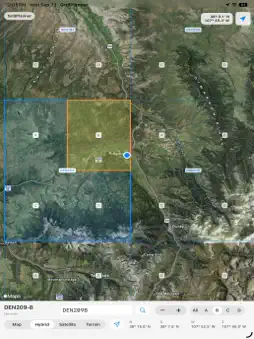
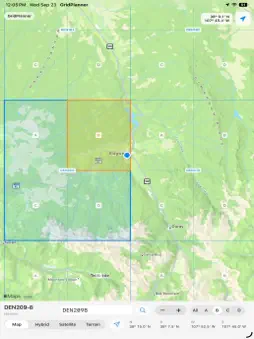
SAR Grid helps aircrews, ground teams, mission staff, and SAR personnel quickly view and identify conventional CAP search grids across the continental United States. Open the app to a national map of all supported sectional grids, then zoom, pan, tap, or long-press to identify the grid and quarter-grid for any location. GridPlanner displays grid boundaries directly on the map with clear labels and coordinate details, making it easier to brief, plan, and visualize a search area before a sortie or field assignment. Features: - Displays conventional CAP grids for all 37 CONUS sectionals - Shows grid and quarter-grid boundaries on the map - Tap, long-press, or double-tap the map to identify the grid at that point - Use your current GPS location to display the active grid and coordinates - View latitude/longitude details in degrees and decimal minutes - Choose Map, Hybrid, Satellite, or Terrain map styles - Launch ForeFlight with the selected grid as a preloaded route, when ForeFlight is installed - Works with bundled grid data for offline grid lookup SAR Grid is designed as a fast reference and planning tool for SAR operations. It is not a substitute for official mission planning, navigation, aeronautical charts, crew briefings, or agency procedures.
What's New
Version 1.1 2026-10-15
SAR Grid has been rebuilt with a modern SwiftUI interface and expanded grid support for search planning. - View Air Grid and GARS overlays on the map - Switch g... Technical Analysis
Package Overview Basic metadata
Bundle ID
com.ezaero.GridPlanner Current Version 1.1
Minimum iOS 27.0
Package Size App Store Size
Package Metadata 0 / 0 version records
Detailed binary, privacy manifest, framework, and Info.plist results have not been indexed for this package yet. The verified App Store and archive metadata above remains available.
Developer Information
Known Version Records
0 version records with stored package metadata
Stored metadata does not guarantee a package is currently available to download.
| Details | Version / IDs | Version date | Action |
|---|