
Preview



Description
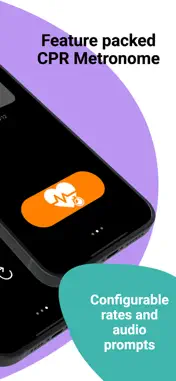
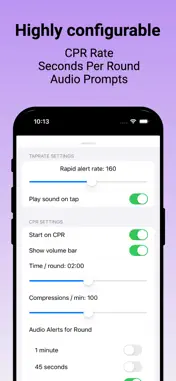
Measure and calculate heart and respiratory rates using your iPhone or Apple Watch. All that's required is that you be able to feel a radial pulse rate or observe a respiratory rate, and then tap! TapRate uses math and sample timings to calculate a person's heart or breathing rate. It was designed for use by EMTs, Paramedics and other first responders but has also found a use in a variety of other fields, including Veterinary medicine. If you're not a medical professional please be aware that TapRate is a measurement tool. Seek a doctor's advice in addition to using this app before making any medical decisions. If you are an EMT and using it on duty, make sure to follow all your agency's guidelines and medical protocols. HOW TO USE -------------- Using the hand with your watch on it, feel for a radial pulse or observe a person's breathing rate by watching their chest rise and fall. Every time one of these events occurs, tap the button with a finger from your other hand. The indicated rate turns from orange to green after several samples have been collected and an average rate is calculated. It optionally turns red to reflect an elevated heart or breathing rate, if the rapid alert rate has been set. After a few recorded samples your rate will be displayed. Practice to become more proficient and accurate. If you're a healthcare professional (Nurse, EMT, etc.) be sure to practice and compare your rates to those obtained using more traditional techniques and/or diagnostic measurement tools. Once you're comfortable using TapRate you'll be able to obtain heart and respiratory rates within seconds, which is way faster than waiting 15 or 30 seconds doing the same thing manually. CPR METRONOME ------------------- TapRate also has a great CPR metronome when you're out in the field performing lifesaving CPR, or training. It allows you to customize the amount of time spent per round (how much time one person performs compressions), the rate (likely established by your agency or medical system) as well as offer audio prompts warning you when the round is almost over. Different metronome sounds are also available. PRE-ARRIVAL CONDITIONS REVIEW ------------------------------------------ On the way to a call, pick the patient's age group, then medical or trauma, then the presentation you're expecting. TapRate shows the causes usually worth considering, the red flags to look for, and which way each vital sign normally moves — measured against your own reference ranges. Everything is stored on the device, so it works with no signal and there's nothing to wait for. Note: This is version 3.0 of the original TapRate application first created and released to the App store in 2015!
What's New
Version 3.0 2026-09-03
NEW: PRE-ARRIVAL CONDITIONS REVIEW On the way to a call, pick the patient's age group, then medical or trauma, then the presentation you're expecting. TapRate s...NEW: PRE-ARRIVAL CONDITIONS REVIEW On the way to a call, pick the patient's age group, then medical or trauma, then the presentation you're expecting. TapRate shows the causes usually worth considering, the red flags to look for, and which way each vital sign normally moves — measured against your own reference ranges. Everything is stored on the device, so it works with no signal and there's nothing to wait for. NEW: YOUR NUMBERS, ON BOTH DEVICES Enter your agency's reference ranges on the iPhone and they transfer to the watch by themselves — including a new, editable SpO2 normal minimum, set to 95% by default. If the watch is out of range the change is delivered the next time it connects, and Settings shows when the last transfer happened. MORE ACCURATE RATES The rate calculation has been rewritten. It now averages across a rolling window of taps rather than reacting to the last interval, so one late tap nudges the reading instead of throwing it off. Double-taps are ignored, and pausing for more than five seconds starts a clean measurement instead of folding the gap into your average. FIXES - Reset now clears the measurement, not just the number on screen - CPR round audio alerts default to on, as they always should have - The CPR restart button works, and no longer leaves a timer running - The rate guide (long press the big number) now opens on the watch too - A haptic tap confirms each press on Apple Watch, so you can keep your eyes on the patient - Lower battery use, and layout fixes throughout IMPORTANT The condition information is based on common EMT guidelines and is a familiarization aid only. All values can be edited and synced to your watch. You are responsible for the accuracy of the information and the conditions under which it is used. Always follow your agency's guidelines, protocols and medical direction. Technical Analysis
Package Overview Basic metadata
Bundle ID
com.eyejot.taprate2025 Current Version 3.0
Minimum iOS 17.6
Package Size App Store Size
Package Metadata 0 / 4 version records
Detailed binary, privacy manifest, framework, and Info.plist results have not been indexed for this package yet. The verified App Store and archive metadata above remains available.
Developer Information
Known Version Records
0 version records with stored package metadata • 4 known version records
Stored metadata does not guarantee a package is currently available to download.
| Details | Version / IDs | Version date | Action |
|---|---|---|---|
| Not archived | App Store ID: 876077034 | Unknown | Request Version |
| Not archived | App Store ID: 876054608 | Unknown | Request Version |
| Not archived | App Store ID: 875862556 | Unknown | Request Version |
| Not archived | App Store ID: 875740849 | Unknown | Request Version |