Preview





Description
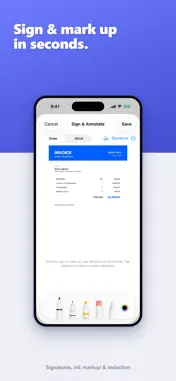
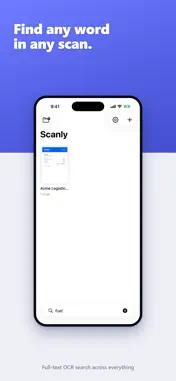
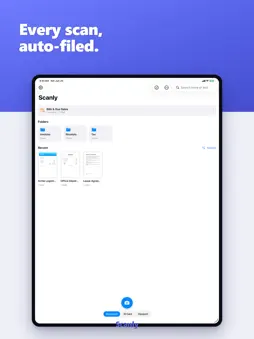
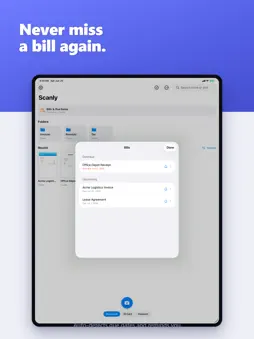
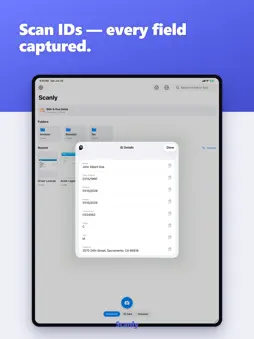
Scanly isn't just another scanner — it's a smart document assistant for your iPhone and iPad. Scan anything, and Scanly reads it, organizes it, reminds you about it, and can even answer questions about it. Everything runs on your device. No account, no ads, no subscription. ASK YOUR DOCUMENTS • Open any scan and ask in plain language — "When is this due?", "What's the total?", "Summarize this contract" • Powered by Apple Intelligence and runs 100% on-device — your documents never leave your phone (requires an Apple Intelligence–capable device, iOS 26) ORGANIZES ITSELF • Smart auto-filing sorts scans into folders like Invoices, Receipts, Bills, and IDs using rules you control • Smart auto-naming gives every scan a clear title • Bill due-date detection with optional reminders before a payment is due PULLS OUT THE DETAILS • Smart Actions: tap to add a sender to Contacts, drop a date on your Calendar, call a number, or copy any detail • ID & license capture: front and back on one clean page, with key fields pulled out • Receipts to spreadsheet: turn a receipt into an itemized CSV • Smart redaction: auto-detect and black out Social Security numbers, card numbers, and emails SHARP, PROFESSIONAL SCANS • Automatic edge detection and perspective correction • High-resolution capture for razor-sharp text • One-tap filters: Original, Enhance, Grayscale, Black & White • Multi-page documents in a single PDF • Re-crop, re-straighten, and re-filter any page anytime — your original is always preserved SEARCHABLE PDFs (OCR) • On-device text recognition makes every PDF searchable • Copy text straight out of any scan SIGN, PROTECT & SHARE • Sign and annotate with Apple Pencil or your finger • Password-protect a PDF before you send it • Compress for email in one tap • Back up to Google Drive (Scanly only ever touches files it creates) PRIVATE BY DESIGN • Scanning, OCR, organization, extraction, and AI chat all happen on your device • No account required • No ads, ever • Your documents stay yours Scanly is completely free. Turn your paper pile into clean, organized, searchable documents you can actually talk to.
What's New
Version 1.0.7 2026-09-15
Minor improvements and bug fixes. Thanks for using Scanly! Technical Analysis
Package Overview Basic metadata
Bundle ID
com.expressservicesgroup.scanly Current Version 1.0.7
Minimum iOS 17.0
Package Size App Store Size
Package Metadata 0 / 0 version records
Detailed binary, privacy manifest, framework, and Info.plist results have not been indexed for this package yet. The verified App Store and archive metadata above remains available.
Developer Information
Known Version Records
0 version records with stored package metadata
Stored metadata does not guarantee a package is currently available to download.
| Details | Version / IDs | Version date | Action |
|---|