
Preview




Description
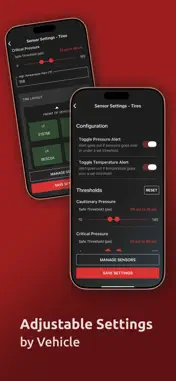
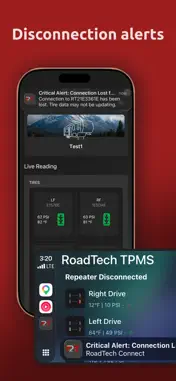
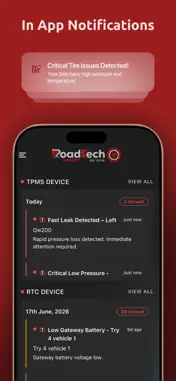
RoadTech Connect helps you monitor your RV, trailer, or towing setup using RoadTech TPMS sensors and optional RoadTech Gateway hardware. The app provides tire health, vehicle status, alerts, location features, and remote monitoring when the required hardware is connected and configured. Important: RoadTech hardware is required for core app functionality and is sold separately. TPMS sensors are required for live tire pressure and temperature data. The RoadTech Gateway is required for cloud-connected remote monitoring, real-time location features, and vehicle status data. Feature availability depends on connected hardware, device setup, network availability, and sensor capabilities. Key Features: Direct TPMS Monitoring: View live tire pressure and temperature data for RVs, trailers, and towing applications using RoadTech TPMS sensors. RoadTech Gateway Remote Monitoring: Access tire and vehicle information through a cloud-connected setup, even when you are not directly connected over Bluetooth. Accessory Temperature Sensors: Add RoadTech accessory temperature sensors, sold separately, to monitor additional areas and set custom alert thresholds. Smart Alerts: Receive alerts for conditions including low or high tire pressure, abnormal temperature readings, leak-related events, sensor issues, and signal conditions. Enhanced Main Dashboard: View mileage, battery health, tire status, and vehicle status information at a glance when available through connected RoadTech hardware. Real-Time Location: Access a dedicated GPS map view and safe-zone features when using a RoadTech Gateway with location support. Vehicle & Trailer Management: Create and manage profiles for RVs, trailers, and multiple vehicles. Switch between setups and customize monitoring settings for your towing needs. Apple CarPlay Support: View tire pressure and temperature information on your Apple CarPlay screen when connected to compatible RoadTech TPMS hardware. Designed for RVs, Trailers & Towing: Built for RVs, travel trailers, fifth wheels, toy haulers, and more. Helps drivers stay informed about tire conditions, whether on the road or monitoring remotely.
What's New
Version 1.3.0 2026-09-30
- Added support for Water Detection Sensors. - Added support for Door Lock Sensor bonding. - Added the ability to select a specific location under the Preferred... Technical Analysis
Package Overview Basic metadata
Bundle ID
com.roadtech.connect Current Version 1.3.0
Minimum iOS 15.1
Package Size App Store Size
Package Metadata 0 / 2 version records
Detailed binary, privacy manifest, framework, and Info.plist results have not been indexed for this package yet. The verified App Store and archive metadata above remains available.
Developer Information
Known Version Records
0 version records with stored package metadata • 2 known version records
Stored metadata does not guarantee a package is currently available to download.
| Details | Version / IDs | Version date | Action |
|---|---|---|---|
| Not archived | App Store ID: 885724299 | Unknown | Request Version |
| Not archived | App Store ID: 883173995 | Unknown | Request Version |