Preview



Description
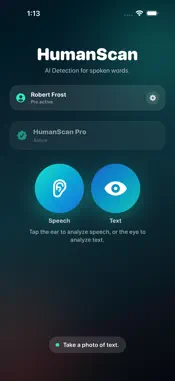
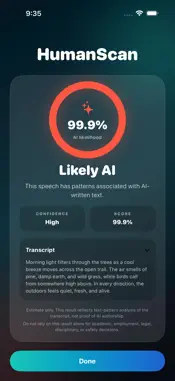
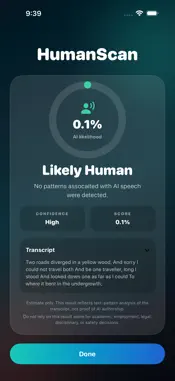
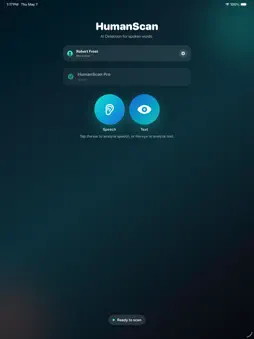
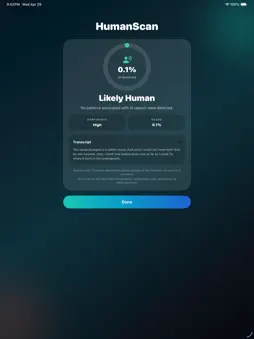
HumanScan helps you analyze spoken or written content for AI-like writing patterns. Record a short speech sample, scan a photo of text, or review captured wording to see whether it resembles AI-generated writing. Whether you are listening to a presentation, reviewing a speech, checking a printed script, looking at notes, evaluating social content, or simply curious about how human something sounds or reads, HumanScan gives you a fast, simple way to take a closer look. HumanScan does not analyze a person’s voice, identity, or intent. Instead, it focuses on the words themselves — the phrasing, structure, and patterns in the transcript or captured text. How it works Record spoken content Capture a short speech sample and convert it into a transcript. Scan text from a photo Take a photo of written or printed text and use HumanScan to analyze the captured wording. Analyze the text HumanScan checks the wording for patterns commonly associated with AI-generated writing. Review the result See a clear result, confidence level, and text preview so you can better understand what was analyzed. Key features • Record speech directly in the app • Convert spoken words into text • Take a photo of written or printed text • Analyze transcripts and captured text for AI-like writing patterns • View confidence-based results • Review the text used for analysis • Simple, fast, focused interface • Designed for speeches, presentations, videos, podcasts, conversations, scripts, notes, and short written samples HumanScan can be useful when you want to check whether content may have started as AI-written text. It is ideal for reviewing speeches, social videos, podcasts, presentations, prepared statements, lectures, sales scripts, printed notes, screenshots, handouts, or any short sample where the wording feels unusually polished, generic, or scripted. Important note HumanScan provides an estimate based on text analysis. It cannot prove whether someone used AI, and results should not be treated as definitive evidence. Use HumanScan as a helpful signal, not a final judgment. HumanScan Pro Upgrade to HumanScan Pro to unlock 100 scans per month and analyze more speech samples, transcripts, and captured text whenever you need them. Get a fast second look at whether content sounds human, scripted, or AI-like with HumanScan. End User License Agreement: https://www.apple.com/legal/internet-services/itunes/dev/stdeula/
What's New
Version 1.01 2026-05-08
We've added the ability to HumanScan text from a photo capture Technical Analysis
Package Overview Basic metadata
Bundle ID
net.excelltech.HumanScan Current Version 1.01
Minimum iOS 26.0
Package Size App Store Size
Package Metadata 0 / 2 version records
Detailed binary, privacy manifest, framework, and Info.plist results have not been indexed for this package yet. The verified App Store and archive metadata above remains available.
Developer Information
Known Version Records
0 version records with stored package metadata • 2 known version records
Stored metadata does not guarantee a package is currently available to download.
| Details | Version / IDs | Version date | Action |
|---|---|---|---|
| Not archived | App Store ID: 885395139 | Unknown | Request Version |
| Not archived | App Store ID: 884826052 | Unknown | Request Version |