Preview



Description
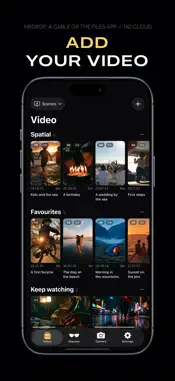
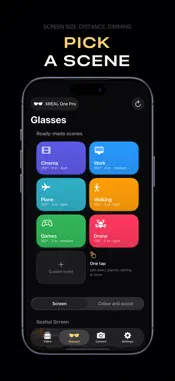
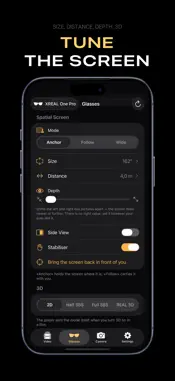
OnKino turns your iPhone into a remote for XREAL One and One Pro — and into a player for them. Plug the glasses in and the app finds them by itself. THE SCREEN Pin the screen in the room, let it follow your head, or stretch it wide. Size is set in inches and distance in metres, and the limits come from the glasses themselves. If the screen drifts off, one tap brings it back in front of you; if it tilts, a separate button levels it against the horizon. There is the stabiliser, Side View, and depth — it shifts the left and right eye pictures apart, so the screen feels nearer or further away. Settings do not only go into the glasses, they are read back out of them. So whatever you change with the temple button shows up on the phone as well. THE PICTURE Brightness, three levels of lens dimming, and tint shown in kelvin rather than as step 5 of 9. Vivid and natural modes. Five levels of text sharpness. While you move tint or sharpness the glasses put up a test card, and the difference is visible straight away. DEPTH The app works out how the two eyes are packed into the frame — flat video, Half SBS, Full SBS or Over-Under — and you can correct it by hand. When a 3D file starts, the app sets the glasses' own 3D mode and clears it once the video ends. In wide mode the panel runs at 3840 and each eye gets a full 1920. Spatial video shot on an iPhone plays in 3D as well. SCENES A scene is one tap instead of six settings: screen mode, size, distance, stabiliser, brightness and dimming. Six are ready to use, and your own are built from the current state of the glasses. A scene can be applied in the middle of playback. If the glasses refuse something, the app says what, instead of pretending it went through. VIDEO Formats: MP4, M4V and MOV — H.264 and HEVC video, AAC, AC-3, E-AC-3 and ALAC sound. A file copied over a cable, through AirDrop or the Files app shows up on its own — there is nothing to import. Video shot on this iPhone plays straight from Photos, with no copy left on disk. There are SMB shares and direct links, m3u8 playlists included. While watching: soundtrack and subtitle selection, subtitle size and a backing plate, skip by thirty seconds and by five minutes, and a return to the place you stopped. The lock screen carries a card with the title and a frame from the video, and headphones pause it. A call or an alarm interrupts, and playback picks itself back up afterwards. The phone will not sleep while a video runs, so it can go in a pocket. Sound can be sent to a speaker or headphones while the picture stays on the glasses. With no glasses to hand, the phone itself becomes the screen. THE TEMPLE BUTTON Any of the glasses' own functions can be assigned from the phone to a short press, a double press or a long one. While a video plays, the top button works as a remote: pause, skip, bring the screen back — and you choose what each press does. THE XREAL EYE CAMERA Photo and recording from the phone, with no reaching for the temple. What the camera sees is on your screen. The stream records straight to the iPhone in a 4:3, 16:9 or 9:16 frame. What the glasses shot is shown as a list: tick what you want and it lands on the phone. WHAT YOU NEED XREAL One or XREAL One Pro and a USB-C cable. An iPhone on iOS 18. For the camera, an XREAL Eye. No account, no server of ours, nothing collected: it all happens on the phone. Terms of Use: https://www.apple.com/legal/internet-services/itunes/dev/stdeula/
Technical Analysis
Package Overview Basic metadata
Bundle ID
com.ek.onkino Current Version 1.0
Minimum iOS 18.0
Package Size App Store Size
Package Metadata 0 / 0 version records
Detailed binary, privacy manifest, framework, and Info.plist results have not been indexed for this package yet. The verified App Store and archive metadata above remains available.
Developer Information
Known Version Records
0 version records with stored package metadata
Stored metadata does not guarantee a package is currently available to download.
| Details | Version / IDs | Version date | Action |
|---|