
Preview





Description
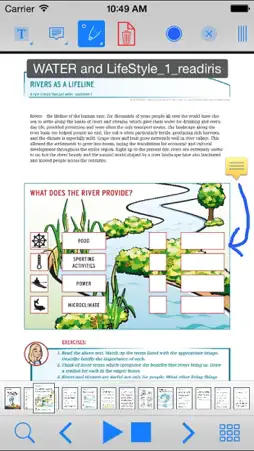
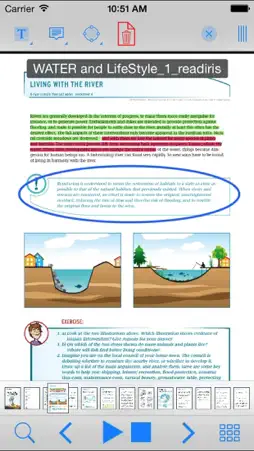
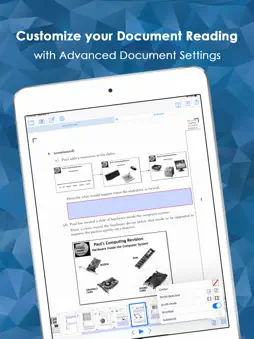
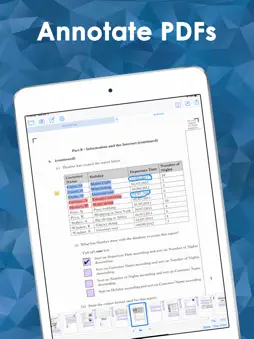
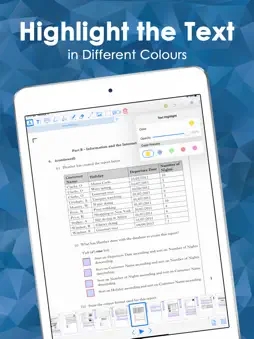
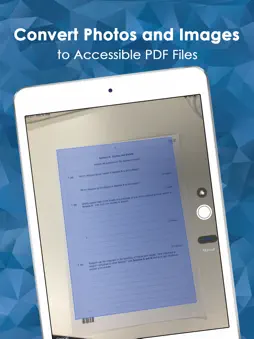
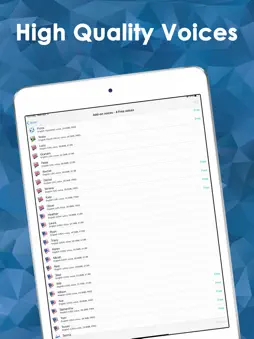
OrbitNote is an accessible, reading and study PDF tool for all. Annotate, mark up, listen to and save PDF files which are then still fully compatible with other popular PDF apps. Have accessible text PDF files spoken back to you with human quality voice & synchronised highlighting. PDF image files or photographs of text can be converted to accessible, searchable PDF files and read in the app. + Speech, Productivity and Accessibility Alongside the full range of iOS system voices, OrbitNote comes with a range of high-quality voices in different languages. A ‘Speak in Background’ option lets you listen to a PDF while viewing another app - great for proofreading PDF files while you’re working in other apps. The ‘Speak on tap’ and ‘Stop on tap’ options make speech easy to control. + OrbitNote allows the background colour of the PDF to be changed, and text colour inverted, to enhance readability. OrbitNote fully supports VoiceOver. + Annotations, Notes and Comments OrbitNote includes a powerful Annotation toolbar that lets you add notes and other comments. These are fully interchangeable with most other popular PDF apps, so your OrbitNote comments will still be there if you open the PDF on another device. Annotations created in another PDF app can also be viewed and edited. Annotation features include: highlight; underscore; strikeout; notes; free text (type straight into the PDF); free line draw; shapes (circle, square, line - with many options); images (you can even insert photos from your iPad camera or photo library into the PDF file); audio and video. + Photos and Image PDF to Text PDF Conversion You can convert photos and other images to fully accessible text PDF files that can be spoken, searched, copied and highlighted. As well as converting photos, you can also convert any PDF Image file into a fully accessible Text PDF file. Along with making these PDF files accessible and searchable, it will also compress them, reducing file size. Further credit can be purchased in app. Photos and Image PDF to Text PDF Conversion in OrbitNote requires an internet connection. + Managing PDF Files PDF files can be opened in OrbitNote from all other apps, including Mail and Safari. All opened PDF files will be placed in the OrbitNote Documents List for later viewing. You can also open files from Google Drive, OneDrive, or import directly from your device. PDF files can be saved into OrbitNote Documents, OneDrive or Google Drive, sent by email, or opened in other apps that support PDF files. + Sync with iCloud You can sync ClaroPDF with your iCloud account. This lets you store and synchronise your PDF files and annotations across multiple devices. Sync with iCloud can also act as a document backup so you can keep your documents safe. + Switch Accessibility OrbitNote responds to switch or Bluetooth keyboard commands: 1 (~1) Start speech 2 (~2) Stop speech 3 (~3) Turn to previous page 4 (~4) Turn to next page + Fullscreen mode Allows the full document to be seen without toolbars in view. Ideal for smaller screens!
What's New
Version 5.1.4 2026-10-08
An overhauled language and voice settings menu to make it easier to select and manage your current language and voices. Added a new language: Gaelic Sottish wi... Technical Analysis
Package Overview Basic metadata
Bundle ID
com.clarosoftware.ClaroPDFLite.engb Current Version 5.1.4
Minimum iOS 15.5
Package Size App Store Size
Package Metadata 1 / 139 version records
Detailed binary, privacy manifest, framework, and Info.plist results have not been indexed for this package yet. The verified App Store and archive metadata above remains available.
Developer Information
Known Version Records
1 version record with stored package metadata • 139 known version records
Stored metadata does not guarantee a package is currently available to download.
| Details | Version / IDs | Version date | Action |
|---|---|---|---|
 152.64 MB | v5.1.2 App Store ID: 884752544Build: 984930 | 2026-04-23 13:28:42 | Get Version |
| Not archived | App Store ID: 884267929 | Unknown | Request Version |
| Not archived | App Store ID: 883979858 | Unknown | Request Version |
| Not archived | App Store ID: 883657897 | Unknown | Request Version |
| Not archived | App Store ID: 882605202 | Unknown | Request Version |
| Not archived | App Store ID: 882296263 | Unknown | Request Version |
| Not archived | App Store ID: 881278589 | Unknown | Request Version |
| Not archived | App Store ID: 880516438 | Unknown | Request Version |
| Not archived | App Store ID: 880307197 | Unknown | Request Version |
| Not archived | App Store ID: 880069982 | Unknown | Request Version |
| Not archived | App Store ID: 879897551 | Unknown | Request Version |
| Not archived | App Store ID: 879731356 | Unknown | Request Version |
| Not archived | App Store ID: 879643265 | Unknown | Request Version |
| Not archived | App Store ID: 879361054 | Unknown | Request Version |
| Not archived | App Store ID: 870391641 | Unknown | Request Version |
| Not archived | App Store ID: 860726073 | Unknown | Request Version |
| Not archived | App Store ID: 859883891 | Unknown | Request Version |
| Not archived | App Store ID: 855854884 | Unknown | Request Version |
| Not archived | App Store ID: 855782243 | Unknown | Request Version |
| Not archived | App Store ID: 851315152 | Unknown | Request Version |
| Not archived | App Store ID: 847632382 | Unknown | Request Version |
| Not archived | App Store ID: 847326297 | Unknown | Request Version |
| Not archived | App Store ID: 847006590 | Unknown | Request Version |
| Not archived | App Store ID: 846946381 | Unknown | Request Version |
| Not archived | App Store ID: 845496352 | Unknown | Request Version |
| Not archived | App Store ID: 845353960 | Unknown | Request Version |
| Not archived | App Store ID: 845282613 | Unknown | Request Version |
| Not archived | App Store ID: 844938407 | Unknown | Request Version |
| Not archived | App Store ID: 843826222 | Unknown | Request Version |
| Not archived | App Store ID: 843316704 | Unknown | Request Version |
| Not archived | App Store ID: 841401514 | Unknown | Request Version |
| Not archived | App Store ID: 841080110 | Unknown | Request Version |
| Not archived | App Store ID: 841045010 | Unknown | Request Version |
| Not archived | App Store ID: 841008595 | Unknown | Request Version |
| Not archived | App Store ID: 840847671 | Unknown | Request Version |
| Not archived | App Store ID: 840404644 | Unknown | Request Version |
| Not archived | App Store ID: 840332572 | Unknown | Request Version |
| Not archived | App Store ID: 840207690 | Unknown | Request Version |
| Not archived | App Store ID: 840189532 | Unknown | Request Version |
| Not archived | App Store ID: 840083585 | Unknown | Request Version |