
Preview


Description
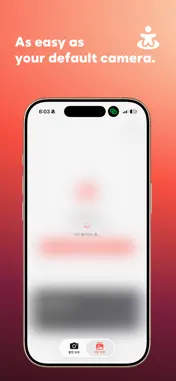
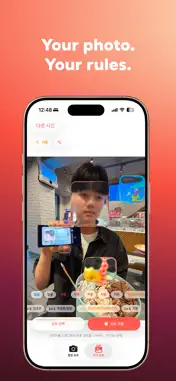
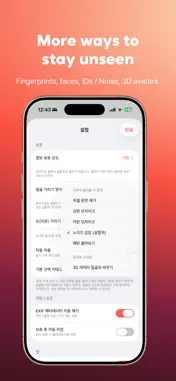
Your photos say more than you think. One shared photo can carry your fingerprints, your ID number, your license plate, and the exact spot you took it. SONGALOCK finds all of it — and hides it before you post. TWO WAYS TO PROTECT Shoot Protection — take the photo inside SONGALOCK and sensitive areas are detected the moment you capture. Photo Protection — already have the shot? Pick it from your library, or share it straight from Photos or any messenger into SONGALOCK. No app switching. DETECTED AUTOMATICALLY - Fingerprints — yes, they can be lifted from high-resolution photos - Faces - ID numbers, account and card numbers - Student IDs and name tags - License plates - QR codes and barcodes - Phone numbers Every item is ranked Lv.1 to Lv.5, so you can see at a glance what actually matters. A phone number can be changed. A fingerprint can't. YOU STAY IN CONTROL Nothing is masked behind your back. Tap only the items you want hidden, drag on the image to add your own areas, or hit Auto and let it handle everything at once. Adjust protection strength, choose how faces are covered — mosaic, full pixel removal, or a 3D character — and undo anytime. BUILT TO RESIST AI RESTORATION Ordinary blur and mosaic can often be reversed by generative AI. SONGALOCK's noise-based masking is designed to disrupt that kind of reconstruction, so what you hide stays hidden. (Experimental feature.) EXIF STRIPPED ON THE WAY OUT Location, timestamp and device info are removed automatically when you save or share. 100% ON-DEVICE No uploads. No servers. No accounts. Every detection and every mask runs on your iPhone — switch on Airplane Mode and it still works. We can't see your photos, because they never leave your phone.
What's New
Version 1.1 2026-08-23
Onboarding improvements • The first screen now shows a single image introducing both modes — Camera Protection and Photo Protection. • The preview mockup is lar...Onboarding improvements • The first screen now shows a single image introducing both modes — Camera Protection and Photo Protection. • The preview mockup is larger, and the layout has been tidied up. • Option buttons for masking style and protection strength are resized, evenly spaced, and centered, making them easier to pick. • After onboarding, the app now opens Photo Protection and points out the settings button, where you can change the masking style and strength anytime. Technical Analysis
Package Overview Basic metadata
Bundle ID
namyeong.dev.SonGaLock Current Version 1.1
Minimum iOS 26.0
Package Size App Store Size
Package Metadata 0 / 0 version records
Detailed binary, privacy manifest, framework, and Info.plist results have not been indexed for this package yet. The verified App Store and archive metadata above remains available.
Known Version Records
0 version records with stored package metadata
Stored metadata does not guarantee a package is currently available to download.
| Details | Version / IDs | Version date | Action |
|---|