Preview



Description
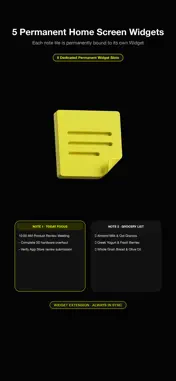
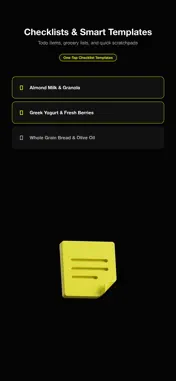
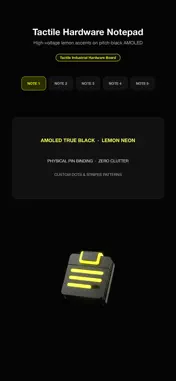
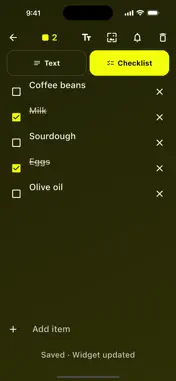
■ Five notes. Five widgets. No list to scroll. This is not a notes app with a widget bolted on. It is five fixed slots, and each slot is its own Home Screen widget. Slot 3 is always slot 3's widget — place it once and it stays that note forever. Tap the widget and you land in that note with the keyboard already up and the caret at the end. No list, no search, no "which one was that". ------------------------------- ● The one thing it does ------------------------------- • Five numbered tiles, each in its own shade of a single colour, so you learn them by position and tone instead of reading them. • Every tile is a widget. Put slot 1 on your Home Screen, slot 4 on your Lock Screen, or all five. • Tapping a widget opens that note directly. You are never shown a list on the way. • Nothing to configure. The widget you add IS that slot — you pick the number in the gallery and it is bound there for good. There is no setup sheet to get wrong. ------------------------------- ● Nothing to save, nothing to lose ------------------------------- 1) There is no Save button Every keystroke is written to your device as you type. Close the app mid-word and the word is still there. 2) The widget keeps up The tile updates as you close the editor, not on some later refresh of its own. 3) Clearing is not deleting Clearing a slot empties the text and keeps the slot, so the widget you placed keeps working. A single-tap Undo holds the text for a few seconds in case you did not mean it. 4) Nothing is ever renumbered Slot 4 is slot 4 even when slots 1 to 3 are empty. A binding never shifts under you. 5) Take a copy out One tap shares all five notes as plain text, so you are never locked in. ------------------------------- ● Private by design ------------------------------- • Zero network code. Nothing leaves this phone, ever — check it in airplane mode. • Your notes are stored on this device only. • No account, no login, no sign-up. Privacy label: Data Not Collected. • Zero analytics. Zero telemetry. Zero third-party SDKs. • No ads. No subscriptions. • Zero notifications — the app never interrupts you. • No system permission is requested at all: no camera, microphone, location, contacts, or photos. ------------------------------- ● Built to be read and tapped ------------------------------- • Body text starts at 24pt and every control is at least 64 × 64 pt. • High-contrast type on an AMOLED-friendly black background. • Single taps only. No swipes, no long-presses, no hidden gestures inside the app. • Six languages, right-to-left included: English, 한국어, 日本語, Deutsch, Français, العربية. ------------------------------- ● Good for ------------------------------- • The shopping list you want to read without unlocking • A door code, a wifi password, a parking level • Today's three things • A phrase you are trying to remember in another language • Anything you would otherwise text to yourself ------------------------------- ● Five slots, on purpose ------------------------------- Five notes, five widgets, no menus. The fixed count is what removes the list, the folders, the search field and the "where did I put it" — and it is what lets one tap on a tile be the whole interface. ------------------------------- ● The Baro promise ------------------------------- Sticky Notes is part of Baro — lightweight tools that respect your data, your battery, and your time. "The tools you reach for first." The widgets require iOS 16 or later. The app itself runs on iOS 13 and later and works exactly the same, with or without a widget placed.
What's New
Version 1.0.10 2026-10-19
Reliability fixes so the core feature works smoothly. Thanks for the feedback! Technical Analysis
Package Overview Basic metadata
Bundle ID
com.omitkit.memo Current Version 1.0.10
Minimum iOS 13.0
Package Size App Store Size
Package Metadata 0 / 0 version records
Detailed binary, privacy manifest, framework, and Info.plist results have not been indexed for this package yet. The verified App Store and archive metadata above remains available.
Developer Information
Known Version Records
0 version records with stored package metadata
Stored metadata does not guarantee a package is currently available to download.
| Details | Version / IDs | Version date | Action |
|---|