
Preview


Description
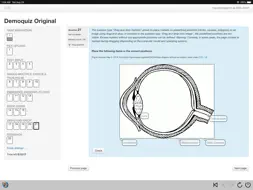
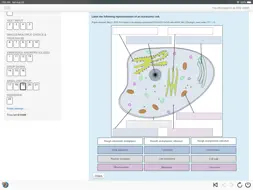
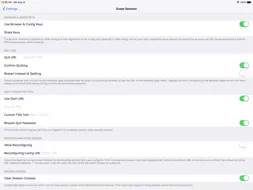
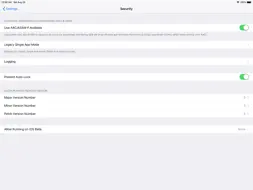
SafeExamBrowser (SEB) is a secure kiosk web browser environment used to carry out e-assessments that run on exam servers. SEB opens a web browser without an address and search bar, loads a pre-configured webpage and locks an iPad (or iPhone or iPod Touch) into an assessment kiosk mode. This mode prevents students from switching to other apps (unless additional permitted apps are configured), accessing websites and communicating with other students during an exam. SEB enables secure exams on unmanaged iOS devices like students' own iPads as well as on iOS devices owned and managed by an institution. SEB doesn't use a centralized server or cloud service; it can be configured with an API, configuration files, links and QR codes. It can be used with most web-based quiz and e-assessment systems. For improved security and usability, some exam systems provide additional built-in support for SEB. Currently, SEB integrates especially well with learning management systems (LMS) such as Moodle, OpenOlat, ILIAS and with several non-commercial and commercial exam systems, such as Inspera Assessment, Dugga, Exam.net, EvaExam and Ans. SEB uses one of the single app modes provided by iOS. After an exam is submitted, SEB can automatically end the app self-lock assessment mode (an exam invigilator could also use a quit password to end the SEB exam session and unlock the device if necessary). SEB features an optional Dock displaying buttons for various commands. Instead or in addition, a left slider menu shows a list of open browser tabs and commands which can be used to (if enabled in settings) quit an exam session, jump back to the start page of an exam, reload a web page, and navigate back/forward in the browsing history. SEB for iOS uses the same format for encrypted .seb configuration files as the SEB versions for other platforms. Those config files allow to individually configure SEB to display the start page of an exam system or an exam portal page with a list of links to current exams. If SEB for iOS is installed using a mobile device management (MDM) system, its initial configuration can easily be deployed using the "MDM Managed Configuration" feature. You can also directly start an exam with an individual configuration in SEB for iOS using a special config hyperlink. This link can be opened by examinees from Safari, Mail or a messenger app. In addition, you can use QR codes containing SEB links or even full, individual configurations. An exam can directly be started in SEB by using the iOS Camera app or the built-in QR code scanner. SEB also works together with Apple Classroom, teachers can start individually configured exams on all student devices. See https://safeexambrowser.org/ios for more information. SafeExamBrowser for iOS was developed by Daniel R. Schneider, ETH Zurich, IT Services, based on the original idea of Safe Exam Browser by Stefan Schneider, University of Giessen Project concept: Thomas Piendl, Daniel R. Schneider, Damian Büchel, Andreas Hefti, Nadim Ritter, Dirk Bauer, Michael Kern, Kai Reuter, Tobias Halbherr, Karsten Burger, Marco Lehre, Brigitte Schmucki, Oliver Rahs. Safe Exam Browser is released as freeware. The code is subject to the Mozilla Public License Version 1.1 (the "License"); you may only use these files in compliance with the License. You may obtain a copy of the License at http://www.mozilla.org/MPL/ . Important parts of this project have been carried out as part of the program "AAA/SWITCH – e-Infrastructure for e-Science" led by SWITCH, the Swiss National Research and Education Network and the cooperative project "Learning Infrastructure" (part of the CRUS program "Information scientifique: accès, traitement et sauvegarde") coordinated by SWITCH, and was supported by funds from the ETH Board and the State Secretariat for Education, Research and Innovation (SERI).
What's New
Version 3.7.1 2026-09-09
- Fetch & embed server certificates by URL: in Settings › Network › Certificates you can fetch a server's certificate over HTTPS and embed it (verify its SHA-25... Technical Analysis
Package Overview Basic metadata
Bundle ID
org.safeexambrowser.ios.seb Current Version 3.7.1
Minimum iOS 12.0
Package Size App Store Size
Package Metadata 1 / 26 version records
Detailed binary, privacy manifest, framework, and Info.plist results have not been indexed for this package yet. The verified App Store and archive metadata above remains available.
Developer Information
Known Version Records
1 version record with stored package metadata • 26 known version records
Stored metadata does not guarantee a package is currently available to download.
| Details | Version / IDs | Version date | Action |
|---|---|---|---|
 30.55 MB | v3.6.2 App Store ID: 882951375Build: 15735 | 2026-03-02 08:43:06 | Get Version |
| Not archived | App Store ID: 881108093 | Unknown | Request Version |
| Not archived | App Store ID: 877928382 | Unknown | Request Version |
| Not archived | App Store ID: 876233773 | Unknown | Request Version |
| Not archived | App Store ID: 874596221 | Unknown | Request Version |
| Not archived | App Store ID: 873621637 | Unknown | Request Version |
| Not archived | App Store ID: 871587029 | Unknown | Request Version |
| Not archived | App Store ID: 869352867 | Unknown | Request Version |
| Not archived | App Store ID: 864829934 | Unknown | Request Version |
| Not archived | App Store ID: 863240676 | Unknown | Request Version |
| Not archived | App Store ID: 860024725 | Unknown | Request Version |
| Not archived | App Store ID: 855175188 | Unknown | Request Version |
| Not archived | App Store ID: 854592676 | Unknown | Request Version |
| Not archived | App Store ID: 854031771 | Unknown | Request Version |
| Not archived | App Store ID: 852212451 | Unknown | Request Version |
| Not archived | App Store ID: 849618949 | Unknown | Request Version |
| Not archived | App Store ID: 844211029 | Unknown | Request Version |
| Not archived | App Store ID: 842637822 | Unknown | Request Version |
| Not archived | App Store ID: 837808218 | Unknown | Request Version |
| Not archived | App Store ID: 835720082 | Unknown | Request Version |
| Not archived | App Store ID: 832826976 | Unknown | Request Version |
| Not archived | App Store ID: 832525009 | Unknown | Request Version |
| Not archived | App Store ID: 831976248 | Unknown | Request Version |
| Not archived | App Store ID: 828670852 | Unknown | Request Version |
| Not archived | App Store ID: 823698741 | Unknown | Request Version |
| Not archived | App Store ID: 818919525 | Unknown | Request Version |