
Preview







Description
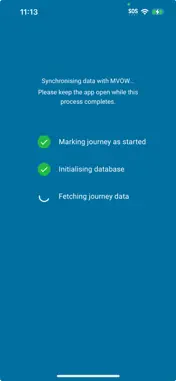
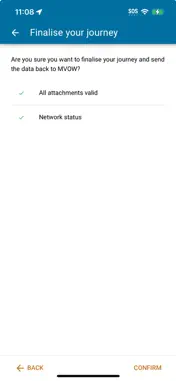
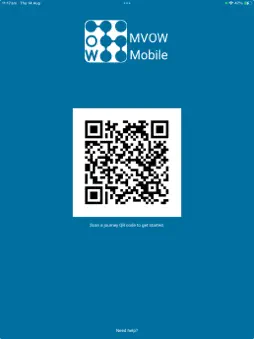
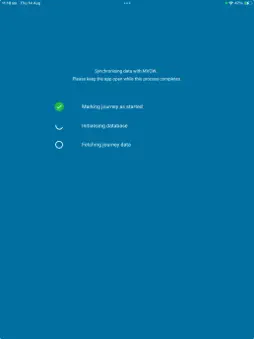
Boost your productivity with the MVOW mobile app, designed to seamlessly extend your MVOW workflow beyond the office. Perfect for fieldwork, this app allows you to work offline, focusing on adding and adjusting photo attachments on your analyses. -- Key Features: -- • Offline-First Functionality: Work efficiently in any location. The app is built for offline use, only requiring a network connection for quick synchronization at the beginning and end of your journey. • Effortless Photo Management: Easily add and adjust photo attachments directly from your mobile device, streamlining your analysis process. • Secure & Simple Login: No traditional login needed! The app leverages your existing MVOW credentials. Simply scan a QR code from MVOW to transfer journey data and authentication details securely. • Intuitive Journey Management: Your analysis list is the main landing page, showing analyses relevant to your active journey, complete with distance information if GPS is enabled. Quickly access attachment galleries or capture new photos with a tap. • Biometric Security: Your data stays secure. All data stored by MVOW Mobile is encrypted when not in use, and the app securely locks editing when closed or switched away from, requiring biometric authentication (face or fingerprint) to unlock upon reopening. Download the MVOW mobile app today and experience the convenience of on-the-go data management! -- Privacy -- MVOW Mobile requires a device with a camera, and biometric support (face or fingerprint) MVOW Mobile collects data in accordance with the MVOW Privacy Policy, at https://mvow.com.au/app/mobile-privacy By using this app, you agree to these terms.
What's New
Version 1.1 2026-01-07
V1.1 changes: - Added legal descriptions to analysis cards. - Analyses now appear greyed out once a photo has been captured. - Inspection dates now automatic...V1.1 changes: - Added legal descriptions to analysis cards. - Analyses now appear greyed out once a photo has been captured. - Inspection dates now automatically match the final photo's capture date. - Improved biometric security with a re-initialization option after failed attempts. - Optimized UI for Android edge-to-edge displays. - Enhanced stability and layout handling for landscape orientation. Technical Analysis
Package Overview Basic metadata
Bundle ID
com.essentialcs.mvow.app Current Version 1.1
Minimum iOS 15.5
Package Size App Store Size
Package Metadata 1 / 3 version records
Detailed binary, privacy manifest, framework, and Info.plist results have not been indexed for this package yet. The verified App Store and archive metadata above remains available.
Known Version Records
1 version record with stored package metadata • 3 known version records
Stored metadata does not guarantee a package is currently available to download.
| Details | Version / IDs | Version date | Action |
|---|---|---|---|
 19.85 MB | v1.1 App Store ID: 881263306Build: 1 | 2026-01-06 23:50:32 | Get Version |
| Not archived | App Store ID: 879858658 | Unknown | Request Version |
| Not archived | App Store ID: 877234987 | Unknown | Request Version |