Preview


Description
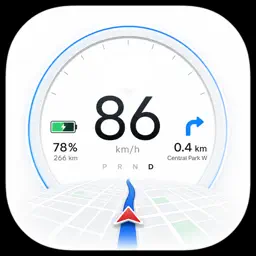
Turn your iPhone or iPad into a speedometer and a modern vehicle dashboard for your Tesla—right in your line of sight and without installing an additional display. Tespit connects locally to supported Tesla vehicles via Bluetooth and presents your speed, battery level, range, navigation, and other vehicle data in a clear and customizable cockpit. YOUR TESLA SPEEDOMETER IN YOUR LINE OF SIGHT • Speed clearly readable at all times • Live power, battery level, and range information • No additional aftermarket display required • Multiple cockpit layouts for everyday driving, navigation, and long-distance trips • Optimized for iPhone, iPad, portrait, and landscape orientation YOUR COCKPIT, YOUR DESIGN Customize Tespit to match your personal style and driving situation: • Individually configurable colors • Different instruments and information modules • Multiple modern cockpit designs • Customizable arrangement of displayed information • Media information and playback status • Additional Premium layouts available as an option NAVIGATION DIRECTLY IN YOUR DASHBOARD Keep your route in view without constantly switching between different apps: • Map and route view powered by Apple Maps or, optionally, Google Maps • Clear navigation instructions inside the cockpit • Navigation combined with important vehicle information VEHICLE DATA AT A GLANCE Depending on your vehicle and the available data, Tespit may display information including: • Speed • Battery level and estimated range • Power and energy consumption • Tire pressure • Interior and exterior temperature • Odometer reading • Vehicle profile, color, and connection status LOCAL CONNECTION AND PRIVACY Your vehicle data belongs to you: • Local Bluetooth connection to your vehicle • No separate Tespit user account required • No Tespit developer backend for your vehicle connection • Private vehicle keys remain stored locally in the protected iOS Keychain • No advertising • No tracking by Tespit START FOR FREE The core dashboard features can be used free of charge. Optional Premium features and additional cockpit layouts are available through in-app purchases or subscriptions. Payments, renewals, and subscription management are handled securely through Apple. IMPORTANT NOTICE Tespit is an independent and unofficial application. It is not operated, sponsored, reviewed, or supported by Tesla, Inc. The app does not replace the vehicle’s original displays, warnings, or safety systems. Securely mount your device and only use the app when it is safe and permitted under local laws and regulations. GOOGLE MAPS AND PRIVACY Apple Maps remains the default. If you optionally use Google Maps or Google Routes, Google processes the location, device and usage data required for maps and routing. Tespit runs no backend for this data; its developer cannot view individual location, map or route data. The data listed in the App Store privacy label relates exclusively to the integrated Google services. Tespit does not use this data for advertising or tracking. Tespit Privacy Policy: https://tespitapp.com/en/datenschutz Google Privacy Policy: https://policies.google.com/privacy Terms of Use (EULA): https://www.apple.com/legal/internet-services/itunes/dev/stdeula/
What's New
Version 1.1.22 2026-11-19
New in 1.1.22 Offline maps for the whole world, an assistant for your own cockpits, many more looks and a GPS speed that reacts at once. Offline maps • Downloa...New in 1.1.22 Offline maps for the whole world, an assistant for your own cockpits, many more looks and a GPS speed that reacts at once. Offline maps • Download the countries you drive in – free, from OpenStreetMap, on every continent. • The map then works without internet too: Settings → Map → Offline maps. Your own cockpits • New assistant: pick a style or decide everything yourself with “Blank”, tick what to show – while charging too and with the trip computer – and choose looks and colours at the end. • 15 look families from Retro to Nixie and Rally, each in five shapes: 117 looks for the speed alone. • A tidier toolbox with search, “Recently used”, one sheet for style and colours, and layers. • In your own cockpits, every element's lettering can now grow up to 200 %. The turn instruction wraps onto several lines instead of being tiny and cut off. Speed and navigation • Live GPS speed: with GPS as the source, Tespit carries the speed on with the iPhone’s sensors between the fixes, so the speed reacts at once. • During a drive GPS keeps running with the iPhone locked, and in a tunnel Tespit shows the car’s speed. • The drawn turn graphics with roundabout and exit are now in every cockpit. • Under “3D” in the map settings, choose how the map shows a route: as before, to the destination – the closer the destination, the closer the map – or from start to finish with a smaller arrow that shows how far you are. The part you have driven fades. Fixed • Without internet, an outdated street name now disappears instead of staying on screen. • At a standstill the display no longer jumps back and forth between GPS speed and the car’s speed. Questions or ideas? Write to [email protected] or use “Support” in the app. Technical Analysis
Package Overview Basic metadata
Bundle ID
ch.esat.tespit Current Version 1.1.22
Minimum iOS 17.0
Package Size App Store Size
Package Metadata 0 / 0 version records
Detailed binary, privacy manifest, framework, and Info.plist results have not been indexed for this package yet. The verified App Store and archive metadata above remains available.
Developer Information
Known Version Records
0 version records with stored package metadata
Stored metadata does not guarantee a package is currently available to download.
| Details | Version / IDs | Version date | Action |
|---|