Preview



Description
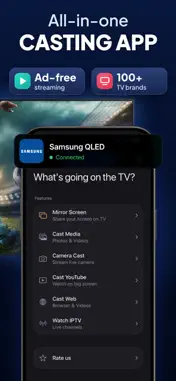
MirrorCast brings wireless screen sharing to every iPhone. Mirror your display, cast your photos and videos, browse the web on the big screen, stream live TV with your M3U playlists — all from one app, over your existing Wi-Fi network. Works with Samsung, LG, Sony, Philips, Hisense, Panasonic, Chromecast, Roku, Amazon Fire TV, and any DLNA device. No Apple TV or extra hardware required. SCREEN MIRRORING — YOUR IPHONE ON THE BIG SCREEN • Mirror your entire iPhone display in real time • Stable, low-latency connection for gaming and presentations • Works over your existing home or office Wi-Fi • No additional hardware or Apple TV required • Compatible with all major smart TV brands and streaming devices PHOTO & VIDEO CASTING • Browse your camera roll and cast photos instantly • Play local videos in full quality on your TV • Swipe between photos and your TV updates in real time • Share memories with family and friends on the big screen WEB MEDIA BROWSER • Built-in browser to find and play online videos • Send any web video directly to your TV • Stream high-definition web content without complicated setup • Supports most major video platforms and websites LIVE CAMERA BROADCAST • Turn your iPhone camera into a live feed on your TV • Real-time stream with no perceptible delay • Use your TV as a digital mirror or live presentation display • Perfect for workouts, demonstrations, and family gatherings IPTV PLAYER — LIVE TV CHANNELS • Add M3U playlists and watch live TV on your big screen • Browse channels by category with a clean, organised list • Save your favourite channels for one-tap access • Supports direct stream URLs — paste a link and play • Manage multiple playlists, each with a custom icon and colour COMPATIBLE WITH • Samsung Smart TV • LG WebOS • Sony Bravia • Philips, Hisense and Panasonic • Chromecast and Google TV • Roku • Amazon Fire TV and Fire Stick • All DLNA-compatible devices and consoles HOW TO GET STARTED 1. Connect your iPhone and TV to the same Wi-Fi network 2. Open MirrorCast — your TV appears in the device list automatically 3. Tap your TV and select what you want to cast PREMIUM Unlock the full MirrorCast experience: • Screen mirroring with no time limits • Unlimited photo and video casting • Web media browser • Live camera broadcast • IPTV Player with multiple playlists • All future features Premium is available as a weekly or annual auto-renewing subscription. Payment is charged to your Apple ID at confirmation of purchase and renews automatically unless cancelled at least 24 hours before the end of the current period. Subscriptions can be managed in your Apple ID account settings. Get your iPhone on the big screen in seconds. Download MirrorCast today. Privacy Policy: https://ern.digital/mirrorcast/privacy Terms of Use: https://ern.digital/mirrorcast/terms
What's New
Version 1.0.9 2026-10-12
- Bug fixes and minor improvements. - Stability enhancements. Technical Analysis
Package Overview Basic metadata
Bundle ID
com.erenacarboga.ScreenMirroring Current Version 1.0.9
Minimum iOS 16.0
Package Size App Store Size
Package Metadata 1 / 8 version records
Detailed binary, privacy manifest, framework, and Info.plist results have not been indexed for this package yet. The verified App Store and archive metadata above remains available.
Developer Information
Known Version Records
1 version record with stored package metadata • 8 known version records
Stored metadata does not guarantee a package is currently available to download.
| Details | Version / IDs | Version date | Action |
|---|---|---|---|
| 64.37 MB | v1.0.8 App Store ID: 889821678Build: 1.0.8 | 2026-08-16 19:11:35 | Get Version |
| Not archived | App Store ID: 887839319 | Unknown | Request Version |
| Not archived | App Store ID: 886933485 | Unknown | Request Version |
| Not archived | App Store ID: 884695191 | Unknown | Request Version |
| Not archived | App Store ID: 884179918 | Unknown | Request Version |
| Not archived | App Store ID: 883390264 | Unknown | Request Version |
| Not archived | App Store ID: 883146953 | Unknown | Request Version |
| Not archived | App Store ID: 882603991 | Unknown | Request Version |