Preview


Description
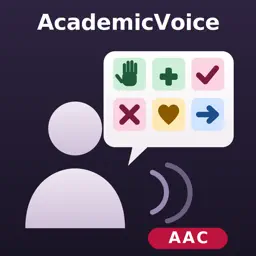
AcademicVoice - AAC is a communication-first augmentative and alternative communication (AAC) app for iPad, built for students with significant communication, motor, and sensory needs. COMMUNICATION FIRST - Five board modes: Core Board, Simple Choice, Basic Needs, Quick Response, and Story Builder - Core vocabulary board with stable, motor-planning-friendly layouts - Sentence strip that speaks with the iPad's built-in voices - Folders for people, places, things, and time, plus action, describing, and connector words - Staff can add custom words - 19 animal mascot characters - Core vocabulary labels in Spanish, with partial translations in Haitian Creole, Portuguese, French, Vietnamese, Chinese (Simplified), Arabic, Filipino, Korean, and Russian ACCESS FOR EVERY STUDENT - Touch, switch scanning (1-switch and 2-switch), and auditory scanning - Eye-gaze access on iPads that support face tracking - Head-pointer-friendly target sizes - High-contrast display modes - An emergency strip with six one-tap words (HELP, STOP, PAIN, BATHROOM, NO, SICK) that stays on screen across the communication screens - AcademicVoice is designed to work with VoiceOver, and we are continuing to refine VoiceOver support in upcoming updates. A SAMPLE OF THE ACADEMIC CURRICULUM This edition includes 52 sample thematic units: one for each grade, kindergarten through grade 12, in English language arts, math, science, and social studies. Each unit has vocabulary and sentence frames, with 355 practice assessment items across the sample. AcademicVoice Pro and AcademicVoice School - AAC include the full library: more than 2,700 thematic units across 15 subject areas and more than 17,000 assessment items. BUILT FOR REAL CLASSROOMS AND HOMES - Staff PIN protection for settings - Per-student profiles and guided setup - Parent Communication Summary report for caregivers - Works fully offline; no accounts, no ads, no tracking - Pairs with AcademicVoice Clinician over an encrypted local connection; a staff PIN on this iPad approves each connection Privacy-first: student data stays on the device. Eye gaze uses the front camera: no photos or video are recorded, face tracking is processed on the iPad in real time and never transmitted, and only calibration settings are stored, encrypted on the device. See our privacy policy for details.
What's New
Version 1.0.5 2026-11-06
This update is focused on eye-gaze access and access to overlays and panels. Much of it comes from the classrooms and clinicians piloting AcademicVoice. Thank y... Technical Analysis
Package Overview Basic metadata
Bundle ID
com.equaaccess.AcademicVoice.aac Current Version 1.0.5
Minimum iOS 26.0
Package Size App Store Size
Package Metadata 0 / 0 version records
Detailed binary, privacy manifest, framework, and Info.plist results have not been indexed for this package yet. The verified App Store and archive metadata above remains available.
Developer Information
Known Version Records
0 version records with stored package metadata
Stored metadata does not guarantee a package is currently available to download.
| Details | Version / IDs | Version date | Action |
|---|