Preview




Description
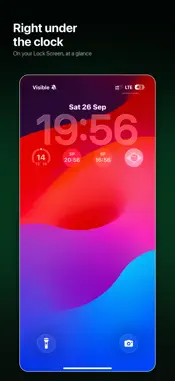
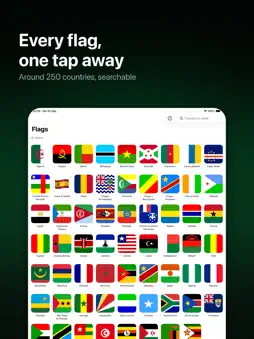
Put a flag where you'll actually see it. Pick a country and its flag sits on your Apple Watch face, your iPhone Lock Screen, or your Home Screen. That's the whole app. It exists because I'm Brazilian and I live abroad, and I wanted my flag somewhere I'd catch it a hundred times a day. WHAT YOU GET - Every country your device knows about, roughly 250 of them - Apple Watch complications, Lock Screen widgets and Home Screen widgets - A circle, or filling the whole slot, whichever suits where you put it - Star the flags you use and they follow you between iPhone and Watch over iCloud - Country names come from the system, so they are already in your language WHAT IT DOESN'T DO No account. No sign-in. No tracking, no analytics, no advertising. The app has no server and makes no network requests. Your favourites go to your own iCloud and nowhere else. Free, with nothing to buy, and open source. The code is on GitHub if you want to read it or send a fix.
What's New
Version 1.1 2026-10-22
You can now pick how a flag looks on your widgets and watch face: Full colour, Muted, Greyscale or Translucent. On a Home Screen widget, press and hold it, tap... Technical Analysis
Package Overview Basic metadata
Bundle ID
dev.enriccogemha.flags Current Version 1.1
Minimum iOS 17.0
Package Size App Store Size
Package Metadata 0 / 0 version records
Detailed binary, privacy manifest, framework, and Info.plist results have not been indexed for this package yet. The verified App Store and archive metadata above remains available.
Developer Information
Known Version Records
0 version records with stored package metadata
Stored metadata does not guarantee a package is currently available to download.
| Details | Version / IDs | Version date | Action |
|---|