
Preview






Description
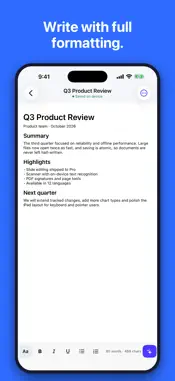
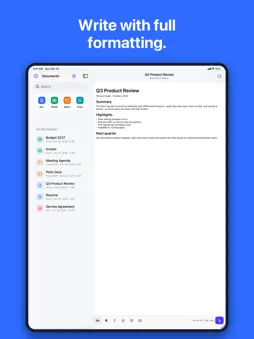
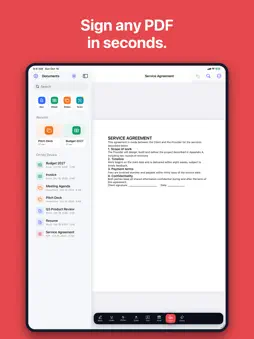
Open, edit and sign every document on your iPhone and iPad — offline and private. Docs Studio brings documents, spreadsheets, slide decks, PDFs, scans and ebooks into one calm workspace. Everything works on your own device: there is no account to create, no cloud service in the middle, and none of your text or files is sent anywhere. WRITE • Rich text editing with fonts, sizes, colours, alignment, lists and indentation • Tables, images, headers and footers, page size and margin controls • Tracked revision marks kept intact when you open and save a file • Find and replace, word count, and read-aloud playback CALCULATE • Multi-sheet spreadsheets with a fast built-in formula engine • Cell formatting, number and date formats, borders and fills • Conditional formatting, data validation lists, freeze panes, sort and filter • Charts you can insert straight from a range of cells • CSV and TSV import and export PRESENT • Open, edit and reorder slides, shapes and text boxes • Shape inspector for position, size, fill and text style • Full-screen presentation mode with swipe navigation PDF TOOLS • Read PDFs with fast page thumbnails and text search • Highlight, underline, strike through and add free text notes • Reorder, rotate, delete, insert and extract pages; merge documents • Draw and place a handwritten signature • Export documents and sheets to PDF, and print via AirPrint SCAN & RECOGNISE • Scan paper with the camera and save straight to a searchable PDF • On-device text recognition, so scanned pages become selectable text READ • Built-in EPUB reader with chapter navigation and adjustable text • Plain text, Markdown and RTF files open natively STAY ORGANISED • Built-in file browser with folders, favourites, recents and templates • Works with the Files app and any storage provider you already use • Spotlight indexing so you can find your documents from the Home Screen • Lock a document with a password when you want it kept private • Password-protected documents you receive can be opened with the password FILE FORMAT SUPPORT Docs Studio reads and writes the open Office Open XML file formats (.docx, .xlsx, .pptx) as well as PDF, EPUB, CSV, TSV, RTF, TXT, Markdown and common image formats. Complex layouts created in other applications may render differently. Docs Studio is an independent app. It is not affiliated with, endorsed by, or sponsored by any other software company, and all product names of other companies belong to their respective owners. Privacy: no ads, no tracking, no sign-in. Documents stay in your storage unless you choose to share them. DOCS STUDIO PRO Advanced features such as document scanning with OCR and presentation editing are unlocked with a subscription. Payment is charged to your Apple ID account at confirmation of purchase. The subscription renews automatically unless cancelled at least 24 hours before the end of the current period. Manage or cancel in Settings > Apple ID > Subscriptions. Terms of Use: https://www.apple.com/legal/internet-services/itunes/dev/stdeula/ Privacy Policy: https://emrekotun.github.io/legal-pages/privacy_policy/docs_studio_privacy_policy.md
What's New
Version 2.1 2026-10-27
Docs Studio 2.1 — ready for iPhone Duo. • Full-screen layouts on iPhone Duo • Fix: the Word editor no longer cuts off text on narrow screens • Fix: setup screen... Technical Analysis
Package Overview Basic metadata
Bundle ID
com.ktnapps.mobil-office-app Current Version 2.1
Minimum iOS 17.0
Package Size App Store Size
Package Metadata 0 / 0 version records
Detailed binary, privacy manifest, framework, and Info.plist results have not been indexed for this package yet. The verified App Store and archive metadata above remains available.
Developer Information
Known Version Records
0 version records with stored package metadata
Stored metadata does not guarantee a package is currently available to download.
| Details | Version / IDs | Version date | Action |
|---|