Preview



Description
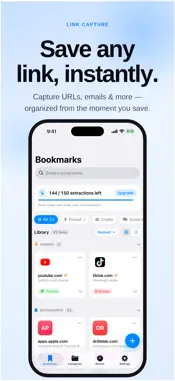
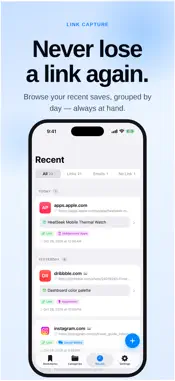
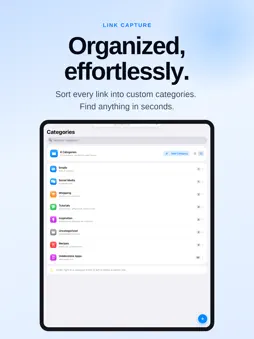
Stop retyping links you see in screenshots. LinkCapture reads the URLs right out of your images and saves them as tidy, searchable bookmarks — all on your device, no account required. Point it at a screenshot, a photo, or something on your clipboard, and LinkCapture pulls out every link it finds, right on your device. One image with three links becomes three bookmarks. Emails are detected too. Then it offers something no camera roll does: once your link is safe, delete the source image and reclaim the storage. **WHAT YOU CAN DO** • Extract links from screenshots, photos, the camera, or the clipboard • Get every URL in an image at once — save one bookmark per link • See every link with its site's favicon, in a list or a grid • Organize with colorful, icon-tagged categories • Search and filter your whole collection instantly • Browse a Recents timeline grouped by date • Open links in an in-app browser, or copy and share them • Automatically strip tracking clutter (?fbclid=…, utm_…) off every link • Detect email addresses, file them in their own category, and pick which mail app opens them • Edit a saved link anytime — or add one to a "no-link" capture • Pin your favorite bookmarks and categories to the top • Save a pasted or typed link without an image • Back up your links, categories and pins to iCloud • Your extraction balance syncs across your iPhone, iPad and Mac • Reclaim storage by deleting the source photo — now or later **SHARE SHEET BUILT IN** Send an image to LinkCapture straight from Photos, Safari, or any app via the Share sheet. It extracts the links and saves them without leaving what you were doing. **PRIVATE BY DESIGN** Extraction and storage happen entirely on your iPhone or iPad — no servers, no account, and your images never leave your device (bookmarks only go to your own iCloud if you turn on backup). Favicons are fetched directly from each site, not a third-party icon service. LinkCapture is free to use with ads; subscribe to Pro to remove them. **PRO — GO DEEPER** Some links wrap across multiple lines in a screenshot. LinkCapture Pro reconstructs those full, deep links automatically, removes ads, and adds 100 extractions to your balance every month. $4.99/month — cancel anytime. Start with 30 free extractions — each link you save uses one. Grab a pack whenever you need more. LinkCapture Pro is an auto-renewable subscription: Grants 100 Extraction every month for$4.99 (USD) per month, billed to your Apple Account. It renews automatically unless canceled at least 24 hours before the end of the current period. Manage or cancel anytime in your App Store account settings. Terms of Use (EULA): https://www.apple.com/legal/internet-services/itunes/dev/stdeula/ Privacy Policy: https://www.hiddenmine.com/apps/linkcapture/privacy
What's New
Version 1.9.4 2026-11-04
# What's New — v1.9.4 • Pro deep links are more reliable: long links that wrap across several lines, like Google Forms links, are now captured in full instead ... Technical Analysis
Package Overview Basic metadata
Bundle ID
EEU.LinkCapture Current Version 1.9.4
Minimum iOS 18.0
Package Size App Store Size
Package Metadata 0 / 2 version records
Detailed binary, privacy manifest, framework, and Info.plist results have not been indexed for this package yet. The verified App Store and archive metadata above remains available.
Developer Information
Known Version Records
0 version records with stored package metadata • 2 known version records
Stored metadata does not guarantee a package is currently available to download.
| Details | Version / IDs | Version date | Action |
|---|---|---|---|
| Not archived | App Store ID: 889790190 | Unknown | Request Version |
| Not archived | App Store ID: 888131550 | Unknown | Request Version |