
Preview






Description
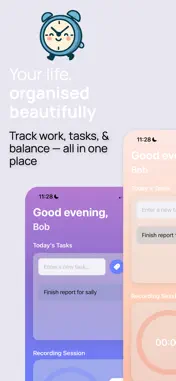
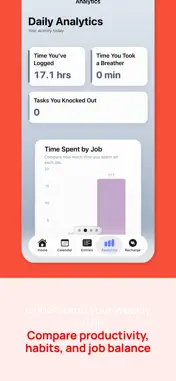
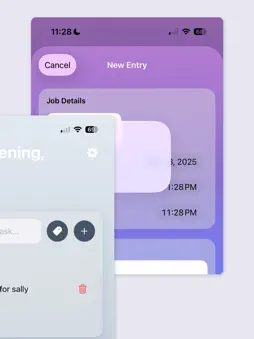
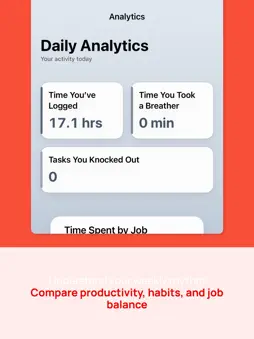
Tempo is the cleanest way to track your time, organise your day, and understand your work at a glance. Track Your Time with Ease Whether you’re switching between jobs, studying, freelancing, or working part-time, Tempo makes time tracking simple. Start, pause, and resume sessions effortlessly, automatically save entries with durations and timestamps, and view your hours by day, week, or month. Keep job-specific summaries, tasks, and notes so your work stays organized and easy to review. Smart Task Management Capture and organise tasks in a clean, focused layout. Automatically bring tasks into new entries, create job-specific task lists, and use tags to keep your workflow structured. Tempo helps your tasks feel manageable and clear. A Calendar That Shows the Full Picture The built-in calendar gives you a visual overview of your month. See job colours across your schedule, review your work history day by day, and use the smooth pull-up sheet to explore entries and insights. Your time is easy to see and understand. Insights and Analytics Tempo visualises your progress through clear, aesthetic charts that highlight trends in your time use. See where your hours go, which jobs or tasks take the most energy, when you’re most productive, and how your workload changes over time. Weekly and monthly summaries keep your patterns visible. Recharge Tracking (Tempo Pro) Work–life balance matters. With Tempo Pro, you can log non-work activities, compare focus versus recharge time, see which days support your well-being, and track your rest patterns. Recharge tools help you understand the time that keeps you grounded. Optional Billing and Income Tools Perfect for freelancers and part-time workers, Tempo allows you to assign hourly rates to jobs, add custom tags, understand the value of your recorded time, and export entries. Billing stays hidden unless you choose to use it. Custom Themes (Pro) Unlock a collection of soft pastels, clean gradients, and modern palettes. Custom themes make your workspace feel calming, personal, and motivating. Designed for Real Life Tempo supports people who wear many hats — students balancing coursework and jobs, researchers managing labs and deadlines, freelancers juggling clients, creators working across projects, and anyone seeking more clarity in a busy schedule. Private and Secure Your data stays under your control with local storage and optional cloud sync. Tempo brings organisation, clarity, and balance into one simple, soothing app — so you can focus on what matters most.
Technical Analysis
Package Overview Basic metadata
Bundle ID
com.emily.Tempo Current Version 1.0
Minimum iOS 18.4
Package Size App Store Size
Package Metadata 0 / 1 version records
Detailed binary, privacy manifest, framework, and Info.plist results have not been indexed for this package yet. The verified App Store and archive metadata above remains available.
Developer Information
Known Version Records
0 version records with stored package metadata • 1 known version records
Stored metadata does not guarantee a package is currently available to download.
| Details | Version / IDs | Version date | Action |
|---|---|---|---|
| Not archived | App Store ID: 880017925 | Unknown | Request Version |