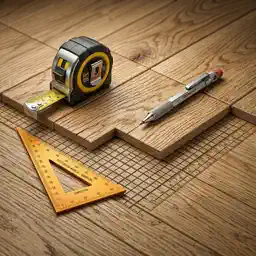
Preview


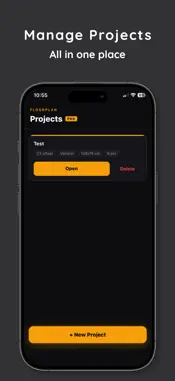

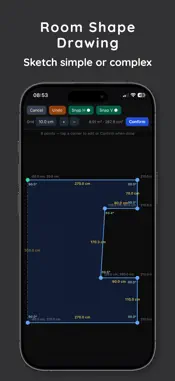
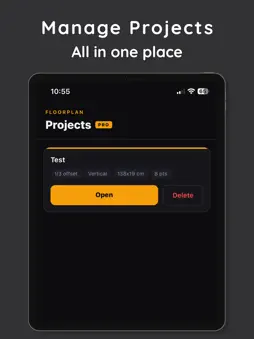
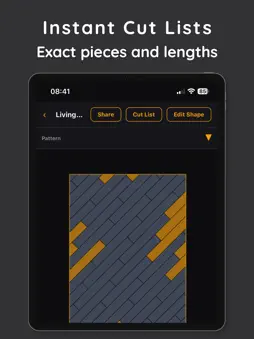


Description
PlankPlanner turns a messy flooring project into a clear, visual plan — before you spend a cent on materials. Draw your room, enter your plank size, and instantly see a full layout with every plank placed. The app calculates cuts, tracks reusable off-cuts, and shows your waste percentage so you know exactly how many planks to buy. WHETHER YOU'RE DOING IT YOURSELF OR HIRING A CREW PlankPlanner gives DIY homeowners the confidence to plan and buy correctly, and gives installers a fast on-site planning tool they can use in minutes. WHAT YOU CAN DO • Visualize your full plank layout before installation • Choose from straight, half-stagger, and third-stagger patterns • See every cut piece and how off-cuts get reused across rows • Track which planks have been physically laid as you go • Zoom and pan the layout canvas for a close-up view PRO FEATURES • Unlimited rooms and projects • Export and share your layout • Advanced room shapes and planning tools NO GUESSWORK. NO WASTE. Most people overbuy flooring by 15–20% because they plan with rough estimates. PlankPlanner shows you the exact cut list — so you buy what you need and nothing more. All your project data stays on your device. No account required to get started. :::writing{variant=“standard” id=“39274”} Terms of Use (EULA): https://www.apple.com/legal/internet-services/itunes/dev/stdeula/ :::
What's New
Version 1.5 2026-08-21
PlankPlanner 1.0.5 This update significantly improves room sketching, accuracy, and ease of use. New * Room sketches are now automatically saved and restored...PlankPlanner 1.0.5 This update significantly improves room sketching, accuracy, and ease of use. New * Room sketches are now automatically saved and restored if you leave before finishing. * Select a wall to enter its exact length and angle. * Imperial measurements now accept inches, mixed fractions, and eighth-inch values. * Added a Manage Subscription button to the Projects screen. Improved * The grid is brighter and easier to see. * The first point establishes the visible 0,0 origin. * Added clear 45-degree snapping controls and instructions for disabling snapping. * Wall angles and corner angles are displayed while sketching. * Exact 90-degree corners are clearly highlighted. * Room area and corner statistics now have their own row. * Added built-in sketching instructions that can be dismissed by tapping the message and reopened when needed. Fixed * Sketches are no longer lost when navigating away. * Room statistics no longer become compressed when no point is selected. * Improved precision when positioning points and measured walls. * Improved subscription handling and access to account management. Existing projects remain fully compatible and are not modified by this update. Technical Analysis
Package Overview Basic metadata
Bundle ID
com.emilche.flooringtool Current Version 1.5
Minimum iOS 15.1
Package Size App Store Size
Package Metadata 0 / 5 version records
Detailed binary, privacy manifest, framework, and Info.plist results have not been indexed for this package yet. The verified App Store and archive metadata above remains available.
Known Version Records
0 version records with stored package metadata • 5 known version records
Stored metadata does not guarantee a package is currently available to download.
| Details | Version / IDs | Version date | Action |
|---|---|---|---|
| Not archived | App Store ID: 887727023 | Unknown | Request Version |
| Not archived | App Store ID: 886094902 | Unknown | Request Version |
| Not archived | App Store ID: 885797330 | Unknown | Request Version |
| Not archived | App Store ID: 884707651 | Unknown | Request Version |
| Not archived | App Store ID: 883457273 | Unknown | Request Version |