
Preview






Description
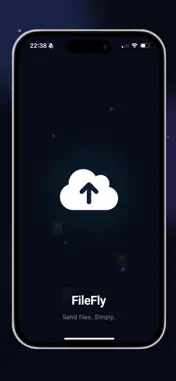
FileFly: Share & Upload Files Upload. Get a link. Share. FileFly makes sharing files simple. Choose a file from your iPhone, upload it, and instantly get a shareable link. Send the link through Messages, email, social apps, or anywhere else you want. No complicated setup. No user profile. Just your file and a link. KEY FEATURES - Upload Files Upload documents, photos, videos, audio files, archives, and more directly from your device. - Instant Share Links Every upload gets its own unique link that you can copy and share anywhere. - Share Anywhere Send your file through Messages, Mail, or your favorite apps using the standard iOS sharing options. - Password Protection Protect supported file links with a password for an additional layer of control. - Set Expiration Choose how long your file remains available. Let links automatically expire after the period you select. - Share Multiple Files Upload multiple files and share them together through a single link where supported. - QR Codes Create a QR code for your file link and let someone scan it to access the download. - Download Information Keep track of available download information for your shared files. - Manage Your Links View your uploaded files, copy links, share them again, or delete files when you no longer need them. - No Profile Required FileFly doesn't require a user profile or complicated registration to use its core file-sharing features. Whether you're sending a presentation, sharing photos, transferring a video, or delivering documents, FileFly gives you a simple way to turn your files into shareable links. FileFly — upload it, link it, send it. Your file will be securely uploaded and temporarily stored on our servers so it can be shared through your link. Files may be automatically deleted after expiration. Privacy Policy: https://sites.google.com/view/fileflyshareuploadfiles/privacy-policy Terms of Service: https://sites.google.com/view/fileflyshareuploadfiles/terms-of-service In-App Purchases File uploads require Credits. Credits are available through optional In-App Purchases. How it works: 1-Purchase a Credit package in the app. 2-Credits are added to your available balance. 3-Use Credits when uploading and sharing files. 4-Your remaining balance is shown in the app. 5-When your Credits run out, you can purchase another package. "Purchases are processed through the Apple App Store and are subject to Apple's applicable terms and policies."
What's New
Version 1.2 2026-09-15
New languages added. Technical Analysis
Package Overview Basic metadata
Bundle ID
kellosolutions.FileFly.app Current Version 1.2
Minimum iOS 15.1
Package Size App Store Size
Package Metadata 0 / 0 version records
Detailed binary, privacy manifest, framework, and Info.plist results have not been indexed for this package yet. The verified App Store and archive metadata above remains available.
Developer Information
Known Version Records
0 version records with stored package metadata
Stored metadata does not guarantee a package is currently available to download.
| Details | Version / IDs | Version date | Action |
|---|