Screen Mirroring to TV: DoCast
(2,740 App Store ratings)
🏆 Best: #33 Top Grossing (SWE)
IPA Analysis Preview



Description
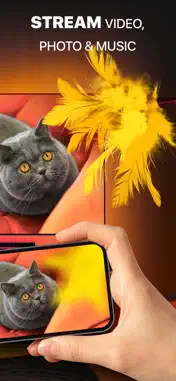
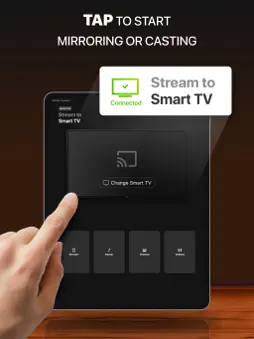
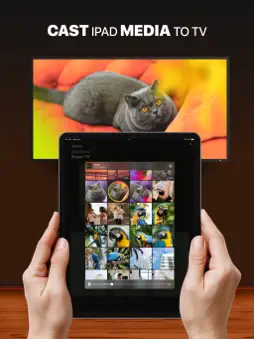
DoCast is a great screen mirroring app for iPhone and iPad that allows you to mirror screen to any Smart TV in high quality with no delay. Seamlessly mirror, connect iPhone to Smart TV, and easily stream any media content, whether it's music, videos, or photos. How to screen mirror iPhone to Smart TV: 1. Open DoCast and select your device from the list of available. 2. Press the "Screen" button on the main screen of DoCast to start screen mirroring. 3. Configure the settings with which mirroring will occur and tap the "Start mirroring" button. 4. Tap the "Stop mirroring" button on the DoCast screen to stop screen mirroring. If you want to cast from iPhone to TV, simply tap the corresponding button - Videos, Photos, or Music - on the main screen of DoCast, and choose the content you want to stream. Note: While streaming/mirroring, make sure that your iPhone/iPad is connected to the same router and Wi-Fi network as the cast device. Key Features of DoCast: - Screen share iPhone to TV with exceptional picture quality, and extend your experience by casting iPhone to any Smart TV or streaming device. - Take control of your viewing experience with adjustable video quality settings and auto-rotation, ensuring everything looks just right. - Enjoy low-latency screen mirroring with delays lower than one second when on a robust Wi-Fi connection, providing real-time interaction. - Cast iPhone to TV, stream unlimited photos for free from your device's library, and enjoy your favorite videos and music on your Smart TV or speakers. Note: The screen mirroring feature is available only in the paid version of the app. In the free version of DoCast, there are no limits for photo casting, music sessions last up to 15 minutes, and video sessions are limited to 3 minutes. Broad Compatibility: DoCast seamlessly connects your iPhone or iPad to a variety of devices, including: Smart TVs: Samsung TV, LG TV, Sony TV, Hisense TV, Panasonic TV, and other DLNA-enabled TVs. Roku Devices: Roku Streaming Players and Roku TVs (TCL, Hisense, Sharp, Philips, etc.) Chromecast Family: All generations, including TVs with Chromecast built-in (Sony, Vizio, Hisense, Sharp) and Google TV Streamer. Fire TV devices: TVs with in-built Fire TV, including Insignia, Toshiba, and Amazon Fire TV Smart TVs. Other Devices: Xiaomi Mi Box, Nvidia Shield TV, and other Android TV boxes. Terms of Use and Privacy Policy: https://www.electronic.us/company/policies/docast/ Disclaimer: This app is not affiliated with Google, Amazon, Roku, or any other trademarks mentioned. Note: Screen Mirroring iPhone to TV with DoCast won't work for copyrighted content from platforms such as Apple TV+, Apple Fitness+, Netflix, Amazon Prime, and more due to streaming service restrictions. Also, the app will see available Apple Music tracks, but won’t be able to play some of them due to DRM protection or if they're in the cloud. These are the limitations of services, not the DoCast app.
What's New
Version 5.11 2026-09-17
Added: Malay localization. Added: Romanian localization. Technical Analysis
Package Overview Basic metadata
Bundle ID
us.electronic.docast Current Version 5.11
Minimum iOS 15.0
Package Size App Store Size
Package Metadata 1 / 27 version records
4.0 / 5.0 (2,325 ratings)
Detailed binary, privacy manifest, framework, and Info.plist results have not been indexed for this package yet. The verified App Store and archive metadata above remains available.
Developer Information
Known Version Records
1 version record with stored package metadata • 27 known version records
Stored metadata does not guarantee a package is currently available to download.
| Details | Version / IDs | Version date | Action |
|---|---|---|---|
| 41.85 MB | v5.10 App Store ID: 885329913Build: 5.10 | 2026-08-25 10:29:02 | Get Version |
| Not archived | App Store ID: 884550443 | Unknown | Request Version |
| Not archived | App Store ID: 882974136 | Unknown | Request Version |
| Not archived | App Store ID: 879023804 | Unknown | Request Version |
| Not archived | App Store ID: 876132924 | Unknown | Request Version |
| Not archived | App Store ID: 873517396 | Unknown | Request Version |
| Not archived | App Store ID: 872812557 | Unknown | Request Version |
| Not archived | App Store ID: 871750734 | Unknown | Request Version |
| Not archived | App Store ID: 870701482 | Unknown | Request Version |
| Not archived | App Store ID: 869114777 | Unknown | Request Version |
| Not archived | App Store ID: 868536129 | Unknown | Request Version |
| Not archived | App Store ID: 867243558 | Unknown | Request Version |
| Not archived | App Store ID: 866155162 | Unknown | Request Version |
| Not archived | App Store ID: 864734144 | Unknown | Request Version |
| Not archived | App Store ID: 863971920 | Unknown | Request Version |
| Not archived | App Store ID: 863173414 | Unknown | Request Version |
| Not archived | App Store ID: 862416375 | Unknown | Request Version |
| Not archived | App Store ID: 862039238 | Unknown | Request Version |
| Not archived | App Store ID: 861962191 | Unknown | Request Version |
| Not archived | App Store ID: 861279436 | Unknown | Request Version |
| Not archived | App Store ID: 860375664 | Unknown | Request Version |
| Not archived | App Store ID: 859732257 | Unknown | Request Version |
| Not archived | App Store ID: 858998669 | Unknown | Request Version |
| Not archived | App Store ID: 858455633 | Unknown | Request Version |
| Not archived | App Store ID: 858164830 | Unknown | Request Version |
| Not archived | App Store ID: 857796440 | Unknown | Request Version |
| Not archived | App Store ID: 855932373 | Unknown | Request Version |