
Preview


Description
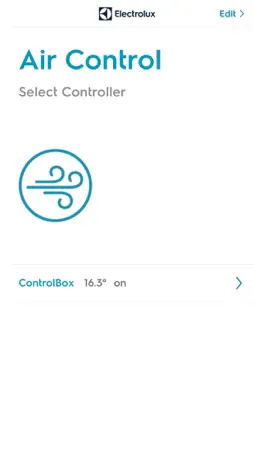
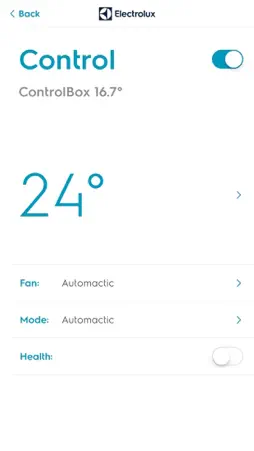
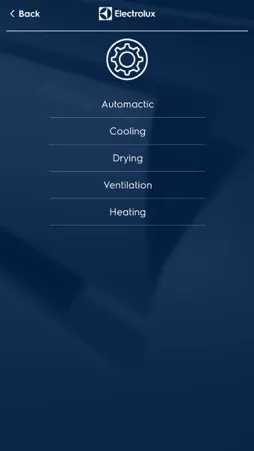
Control your Electrolux Air Conditioner from wherever you are with this application. Note: To use this application you also need the Electrolux ControlBox, an accessory for your Air Conditioner. Contact your nearest Electrolux retailer to find out more. With the ControlBox app, you are able to control your AirConditioner from wherever you are. No SIM-card is needed for this system as the ControlBox connects over WiFi. You are able to add several different units in different locations to the app for remote control over a cloud solution. Functions: -Auto-identification of the IR signal of the AC -Different Room management -ON/OFF -Temperature selection -Mode selection -Fan speed adjustment -Healthy function -Latest Set up -Current temperature -High/Low temp alarm Please follow the manual delivered with your ControlBox unit for setup of system. Getting started: 1. Plug the ControlBox device power supply into a power outlet. 2. Ensure the blue WiFi-indicator starts flashing rapidly at about 5-6 times per second. If not, please press the "Reset" button on the right side until it starts flashing. 3. Download and launch the Electrolux Air Control application to setup the controller. 4. Open app, click "Edit" and "Add new controller" (ie controller of one AC unit) 5. Select WiFi-network, insert password and connect 6. Wait while the controller is being set up 7. Select product or Detect from remote control 8. Edit name of controller and tap "Save" to complete setup 9. Click "Back" to go to start page and use the controller Please note that different models of routers and mobile devices, in some cases, may have firmware or settings that are not compatible with ControlBox solution. Electrolux continously develops the solution in order to, as far as possible, support all in the market commonly used makes and models. Note: This app replaces AirControl WiFi
What's New
Version 1.3 2019-01-24
fixed one bug that SSID can't be got automatically during onboarding Technical Analysis
Package Overview Basic metadata
Bundle ID
com.electrolux.controlbox Current Version 1.3
Minimum iOS 7.0
Package Size App Store Size
Package Metadata 0 / 4 version records
Detailed binary, privacy manifest, framework, and Info.plist results have not been indexed for this package yet. The verified App Store and archive metadata above remains available.
Developer Information
Known Version Records
0 version records with stored package metadata • 4 known version records
Stored metadata does not guarantee a package is currently available to download.
| Details | Version / IDs | Version date | Action |
|---|---|---|---|
| Not archived | App Store ID: 830010579 | Unknown | Request Version |
| Not archived | App Store ID: 829241380 | Unknown | Request Version |
| Not archived | App Store ID: 820640836 | Unknown | Request Version |
| Not archived | App Store ID: 816815521 | Unknown | Request Version |