Preview







Description
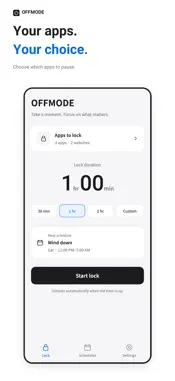
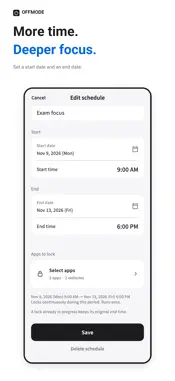
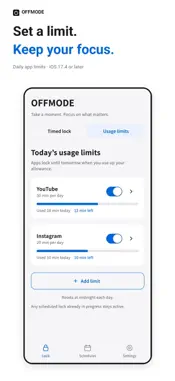
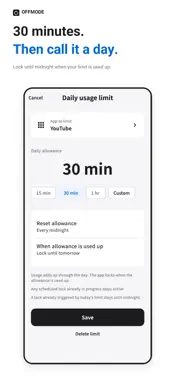
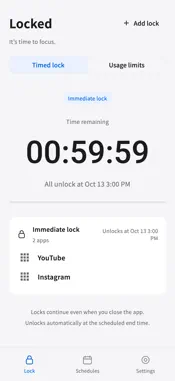
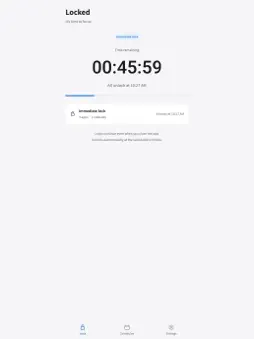
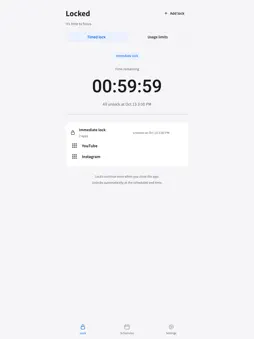
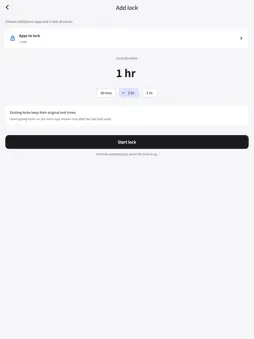
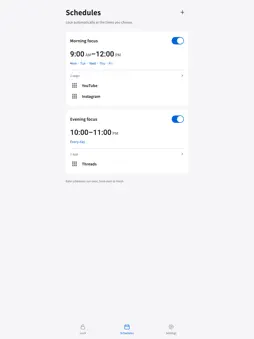
Keep distracting apps out of reach for the time you choose. View selected app names and icons on timed-lock and schedule cards. Expand larger selections with Show all. OFFMODE uses Apple’s Screen Time tools to block selected apps, categories and websites. • Start now: 30 minutes, 1 hour, 2 hours or a custom duration • Add lock: lock more apps for a separate duration while existing locks keep their original end times • Repeat weekly: choose days and start/end times • Schedule specific dates: lock once from your start date to your end date • Daily usage limits: set a daily allowance for each app; block it until local midnight when used up • Use then lock: choose usage and lock durations per app; the rule repeats after unlocking • Time remaining: see when your locks will end • Overlapping schedules: locks that have not ended continue to apply Download for free and explicitly start a seven-day trial of the basic features. The trial starts when Apple verifies your trial transaction. You can lock only until the trial deadline. Active locks are released when the trial ends. To continue using locks and schedules afterward, make a one-time in-app purchase for Basic Access. No subscription or automatic charge. Restoring purchases or reinstalling does not restart the original trial period. Basic features include app locks, weekly schedules, date-based schedules, time remaining, daily usage limits and use then lock, with no time limit. Additional features released separately in the future may be offered as optional paid products. Your purchased basic features remain available even if you do not buy any additional product. Once a lock starts, it cannot be ended early from within OFFMODE. Editing, disabling or deleting its schedule preserves an active lock’s original targets and end time, capped at the trial deadline during a trial. Selections and schedules are processed on your device. No account, ads or operator server. Trial activation, purchases and restoration use the Apple App Store. Timed locks and schedules require iOS 16 or later. Daily usage limits and use then lock require iOS 17.4 or later. Screen Time access is required. Revoking permissions or deleting OFFMODE can interrupt blocking. Schedules and daily resets follow your device’s date and time. A lock triggered by reaching a daily allowance stays until the next local midnight even if the rule is edited, disabled or deleted. Other timed or scheduled locks remain in effect until their own end times. Languages: Korean and English. Other device languages fall back to English. Use then lock lets you choose both durations from 1 minute to 23 hours 59 minutes. Usage counts from saving the rule and resets when its lock ends and at local midnight. An active lock continues past midnight until its scheduled end. Editing, disabling or deleting the rule does not release an active lock early.
What's New
Version 0.1.1 2026-10-29
• Improved saving when adding usage limits consecutively. • Improved loading of existing usage limits and app information when opening the app. • Refined scroll... Technical Analysis
Package Overview Basic metadata
Bundle ID
com.eklo.offmode Current Version 0.1.1
Minimum iOS 16.0
Package Size App Store Size
Package Metadata 0 / 0 version records
Detailed binary, privacy manifest, framework, and Info.plist results have not been indexed for this package yet. The verified App Store and archive metadata above remains available.
Known Version Records
0 version records with stored package metadata
Stored metadata does not guarantee a package is currently available to download.
| Details | Version / IDs | Version date | Action |
|---|