Preview






Description
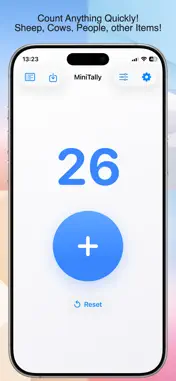
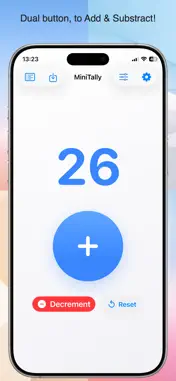
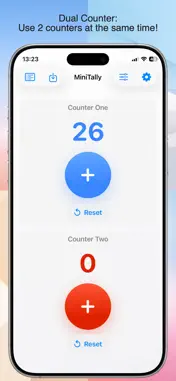
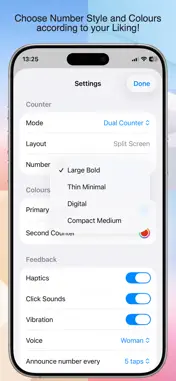
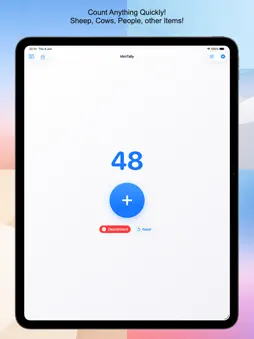
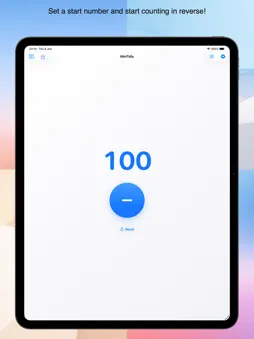
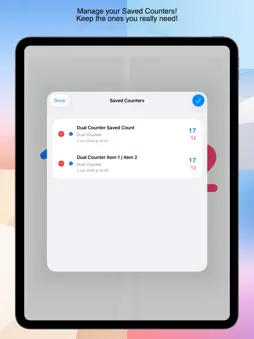
Use it for habits, workouts, reps, scores, inventory checks, attendance, events, knitting rows, laps, tasks, or anything else you need to count. Key Features: 1. Counter Modes: MiniTally includes several counter modes for different counting needs. - Single Counter: A simple one-counter mode with one large plus button and reset. - Dual Button: Count up or down with plus, minus, and reset buttons for one counter. - Dual Counter: Use two independent counters on the same screen. Each counter has its own value, colour, plus button, and reset button. - Reverse Counter: Start from a chosen number and count down. This is useful for countdown-style counting, limited sets, remaining items, or target-based tasks. 2. Layout Options: Choose the layout that works best for your device and how you hold it. - Centred Big Button: Places the main action in the centre for clear, focused counting. - Bottom Bar: Places buttons at the bottom for fast access. - Split Screen: Shows two counters clearly in Dual Counter mode. - Floating Buttons: Keeps large buttons near thumb reach for comfortable one-handed use. * MiniTally automatically adapts layouts for iPhone and iPad. 3. Number Styles: Customise how the counter number looks. - Large Bold: High-visibility default style. - Thin Minimal: A lighter, cleaner number style. - Digital: Digital clock-style numbers. - Compact Medium: A smaller balanced display for tighter layouts. 4. Saved Counters: Save counters with names and review them later. - Save the current counter value. - Give each saved counter a name. - View all saved counters in one list. - Save Dual Counter values together. - Delete saved entries when they are no longer needed. * Saved counters are useful for recording totals, session results, completed sets, scores, or repeated tracking tasks. 5. Feedback Options MiniTally includes optional feedback so every tap feels clear. - Haptics: Physical tap feedback on supported devices. - Click Sounds: System click sound when tapping. - Vibration: Vibration feedback where available. - Voice Feedback: Choose a Woman or Man voice preference. - Announce number with Voice every: Choose Off, 1, 3, 5, 6, 10, 12, or 25 taps. * You can turn feedback options on or off from Settings. 6. Themes and Colours: Personalise the app with themes and counter colours. - Light theme - Dark theme - Pastel theme - Neon theme - Primary counter colour picker - Second counter colour picker for Dual Counter mode * The button and number colours match for clear visual feedback. 7. Reverse Counter Start Number: Includes a Start Number setting. Enter the number you want to count down from, then apply it to begin counting down. This is useful for: - remaining items - countdown tasks - target-based sessions - limited repetitions - score reductions - inventory checks 8. Reset and Autosave: MiniTally is built for quick use while still protecting your counters. - Reset counters when needed. - Optional reset confirmation. - Autosave keeps counters and settings stored automatically. - Counter values, settings, colours, mode, layout, and saved counters persist between launches. 9. MiniTally Counter is privacy-friendly: - No accounts - No analytics - No ads - No tracking - No personal data collection - Your counters, saved entries, colours, and settings are stored locally on your device. Support: - For help, questions, bug reports, or feature requests, contact: [email protected] - Support page: https://sites.google.com/view/yetanotherswiftapp/ios/mini-tally-counter Legal & Terms: - MiniTally Counter Privacy Policy: https://sites.google.com/view/yetanotherswiftapp/ios/mini-tally-counter - Terms of Use (EULA): https://www.apple.com/legal/internet-services/itunes/dev/stdeula/ * "MiniTally Counter" One-time payment purchase gives you lifetime access to the app content, functions and future updates. * Payment will be charged to your iTunes Account at confirmation of your purchase.
What's New
Version 1.1 2026-08-29
We regularly update our apps to provide you a better experience! Upgrade to the latest version and enjoy new features and new functionalities! In this version: ... Technical Analysis
Package Overview Basic metadata
Bundle ID
com.efthymiostampouris.MiniTally Current Version 1.1
Minimum iOS 18.6
Package Size App Store Size
Package Metadata 0 / 0 version records
Detailed binary, privacy manifest, framework, and Info.plist results have not been indexed for this package yet. The verified App Store and archive metadata above remains available.
Developer Information
Known Version Records
0 version records with stored package metadata
Stored metadata does not guarantee a package is currently available to download.
| Details | Version / IDs | Version date | Action |
|---|