
Preview




Description
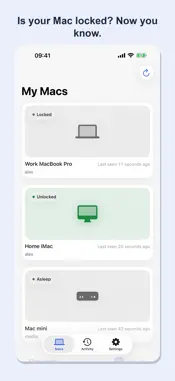
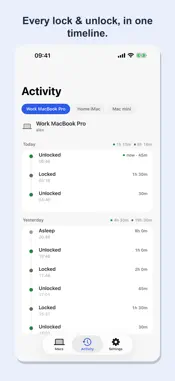
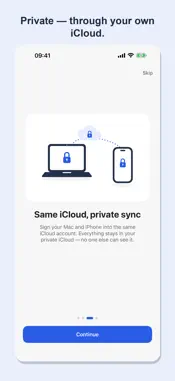
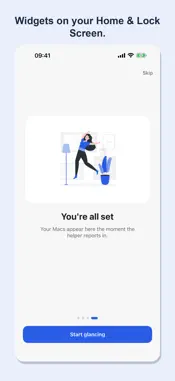
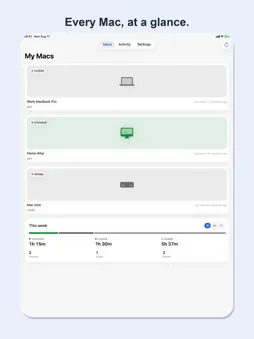
Glance at your iPhone and instantly know whether your Mac is locked, unlocked, or asleep — without getting up or opening your laptop. Lock Status pairs a tiny, free menu-bar app on your Mac with this app on your iPhone. Your Mac reports its lock state securely through your own private iCloud, and it appears here within seconds. WHY YOU'LL LIKE IT • See every Mac you own at a glance — locked, unlocked, or asleep • A clean, recent activity log of lock and unlock events • Home Screen and Lock Screen widgets, so you never even open the app (Pro) • Usage insights — how often and how long your Macs stay unlocked (Pro) • Full history and "unlocked while away" alerts (Pro) PRIVATE BY DESIGN Your data syncs only through your personal iCloud account. There are no accounts to create and no servers of ours in between — other people can't see your Macs. HOW IT WORKS 1. Install the free Lock Status menu-bar app on each Mac (link inside the app). 2. Make sure your Mac and iPhone use the same iCloud account. 3. Open Lock Status on your iPhone — your Macs appear automatically. A NOTE ON RELIABILITY Lock Status is a convenience tool, not a security system. Status is reported over the network and can lag on a poor connection, so don't rely on it as a security guarantee. SUBSCRIPTION Lock Status Pro is an auto-renewable subscription that unlocks widgets, insights, full history, and alerts. • Lock Status Pro (Monthly) — one month, billed monthly • Lock Status Pro (Yearly) — one year, billed yearly, including a 7-day free trial Your price is shown in your own currency on this page and on the subscription screen in the app. Payment is charged to your Apple Account at confirmation of purchase. The subscription renews automatically unless it is cancelled at least 24 hours before the end of the current period, and your account is charged for renewal within 24 hours before that period ends. You can manage or cancel your subscription in your Apple Account settings after purchase. Any unused portion of a free trial is forfeited when you buy a subscription. Privacy Policy: https://lockstatus.app/privacy.html Terms of Use (EULA): https://www.apple.com/legal/internet-services/itunes/dev/stdeula/
What's New
Version 1.1 2026-09-19
Lock your Mac from your iPhone. Left it unlocked at the office? Open Lock Status, tap "Lock this Mac" and confirm. The app tells you it's locked only once your...Lock your Mac from your iPhone. Left it unlocked at the office? Open Lock Status, tap "Lock this Mac" and confirm. The app tells you it's locked only once your Mac reports it — never before, and never a guess. A request counts for three minutes, so a Mac that was asleep or offline won't surprise you by locking hours later. Your Mac needs the free menu-bar helper, version 1.2 or newer. Lock Status is also now translated into 42 more languages. The app, its widgets and the Mac helper all follow whichever language your iPhone is set to. Technical Analysis
Package Overview Basic metadata
Bundle ID
com.gestautasedvinas.ScreenLockCheck Current Version 1.1
Minimum iOS 26.5
Package Size App Store Size
Package Metadata 0 / 0 version records
Detailed binary, privacy manifest, framework, and Info.plist results have not been indexed for this package yet. The verified App Store and archive metadata above remains available.
Developer Information
Known Version Records
0 version records with stored package metadata
Stored metadata does not guarantee a package is currently available to download.
| Details | Version / IDs | Version date | Action |
|---|