
Preview



Description
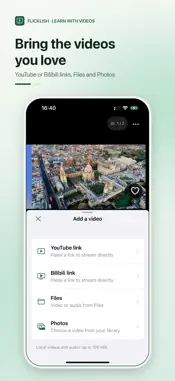
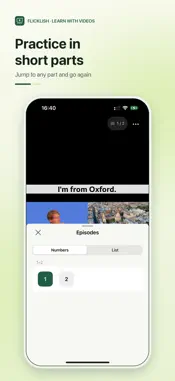
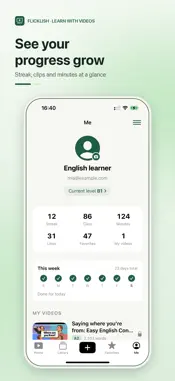
Know the words, but still struggle to follow English videos? You want to listen to more English without making every session feel like homework. With Flicklish, watch videos in short segments, at your own pace. Start with content for your level and interests. Replay what you missed, check the subtitles, and explore what unfamiliar words and sentences mean in context. FIND SOMETHING TO WATCH Explore videos suggested for your level and goals. You can also import YouTube or Bilibili content you have permission to use, or video and audio from your phone. Learn with material that interests you. LONG VIDEOS, SMALLER SEGMENTS Flicklish uses subtitles to organize longer videos into segments that are usually around 1–2 minutes. Watch them in the original order, swipe to the next segment, or choose one from the list. Start with one small part instead of tackling the whole video at once. LISTEN AGAIN WHEN YOU NEED TO Missed something? Replay the current segment, follow the subtitles, or slow down when the video supports it. When you finish a segment, a small celebration marks the moment. UNDERSTAND WORDS AND SENTENCES IN CONTEXT Tap a word in the subtitles to explore its meaning in context. If a whole sentence is unclear, ask the AI Coach to explain its meaning, expressions, and grammar using the video's subtitle context. AI answers can be inaccurate; use them as a guide. SAVE WHAT YOU WANT TO REVISIT Save sentences and clips, then search for them and replay them later. English learning can start with one video you want to watch. Open Flicklish, find something interesting, and begin with one segment. Automatic segment length varies with the subtitles and content. Online playback, importing, speech recognition, and the AI Coach require an internet connection. Playback, subtitles, and playback speeds depend on the source. Only import content you own or have permission to use. Sign in to import, save favorites, and use the AI Coach. You can report unsuitable public content or block its author.
What's New
Version 0.2.6 2026-10-29
Tap a subtitle word to see its meaning in context, then choose Explain Sentence for the full sentence. Improved subtitle readability, portrait video layout, and... Technical Analysis
Package Overview Basic metadata
Bundle ID
au.easymeta.flicklish Current Version 0.2.6
Minimum iOS 17.0
Package Size App Store Size
Package Metadata 0 / 0 version records
Detailed binary, privacy manifest, framework, and Info.plist results have not been indexed for this package yet. The verified App Store and archive metadata above remains available.
Developer Information
Known Version Records
0 version records with stored package metadata
Stored metadata does not guarantee a package is currently available to download.
| Details | Version / IDs | Version date | Action |
|---|