
Preview





Description
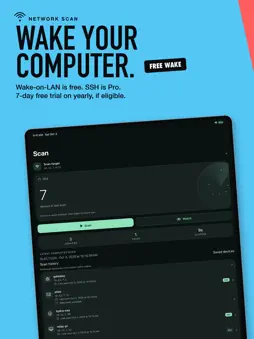
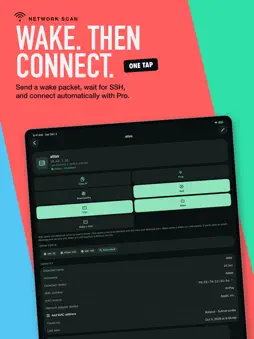
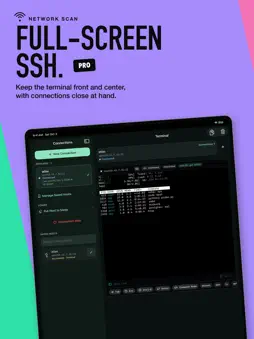
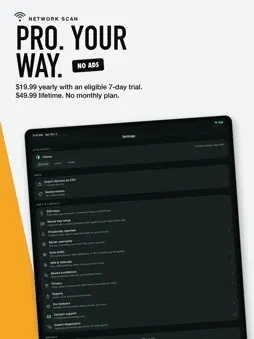
KNOW WHAT IS ON YOUR NETWORK Network Scan discovers devices on the Wi-Fi networks you join and gives you a clear, private inventory on your iPhone and iPad. See responding hosts, names, likely device types, services, open ports, and last-seen details without creating an account. WAKE A COMPUTER FOR FREE Save a compatible machine and send a Wake-on-LAN magic packet from your phone or tablet. Wake works best with wired desktops and servers that have Wake-on-LAN enabled in firmware and the operating system. SSH IS PRO Use a real, interactive SSH terminal with multiple sessions and essential keys above the keyboard. On iPhone, the terminal fills the screen and a slide-up drawer keeps saved hosts and open sessions close at hand. On iPad, a persistent Connections sidebar keeps hosts and sessions visible beside the terminal. Pro also adds: - Wake + SSH in one tap. Wake the machine, wait for its SSH service, and connect automatically. - Sleep requests over SSH, with presets for Linux, macOS, and Windows. - Custom device names, larger port scans, CSV export, and full scan history. CURRENT, HISTORY, AND SAVED Keep today's network view separate from dated scan snapshots and the machines you intentionally save. Watch network can check for changes for up to 10 minutes while the app is open, with optional alert tones. PRACTICAL NETWORK TOOLS Use Ping, DNS lookup, TCP checks, port scanning, banner checks, subnet tools, and other focused diagnostics. Results stay connected to the work you started. PRIVATE BY DESIGN Network Scan has no app account, advertising SDK, analytics SDK, or SEM cloud service. Scan history and saved connections stay on your device. Passwords and private keys are stored in iOS Keychain only when you choose to save them. FREE AND PRO Network scanning, essential diagnostics, and Wake-on-LAN are free. SSH is Pro. - Yearly: $19.99 USD, with a 7-day free trial for eligible new subscribers. - Lifetime: $49.99 USD as a one-time purchase. - No monthly plan. Payment is charged to your Apple Account at purchase confirmation. Subscriptions renew automatically unless cancelled at least 24 hours before the end of the current period. Manage or cancel in App Store settings. A free trial converts to a paid subscription unless cancelled before the trial ends. Lifetime is a one-time purchase, not a subscription. Wake-on-LAN requires compatible hardware, host configuration, and local network access. Wake + SSH requires a reachable SSH service and saved credentials. Sleep requests require an SSH account permitted to suspend the host. A sent request does not by itself prove that the computer woke or slept. Use Network Scan only on networks and systems you own or are authorized to administer. Privacy Policy: https://superextramega.com/networkscan/privacy/ Terms of Use: https://www.apple.com/legal/internet-services/itunes/dev/stdeula/
What's New
Version 1.2.0 2026-10-23
Network Scan 1.2 adds a complete wake-to-sleep workflow and a new Lumen design. - Wake compatible computers on your local network for free with Wake-on-LAN. - ... Technical Analysis
Package Overview Basic metadata
Bundle ID
com.eaj.NetworkScanApp Current Version 1.2.0
Minimum iOS 18.0
Package Size App Store Size
Package Metadata 0 / 0 version records
Detailed binary, privacy manifest, framework, and Info.plist results have not been indexed for this package yet. The verified App Store and archive metadata above remains available.
Developer Information
Known Version Records
0 version records with stored package metadata
Stored metadata does not guarantee a package is currently available to download.
| Details | Version / IDs | Version date | Action |
|---|